web
You’re offline. This is a read only version of the page.
close
Skip to main content

Announcements

No record found.

News and Announcements icon
Community site session details

Community site session details

Session Id :
Microsoft Dynamics 365 | Integration, Dataverse...
Suggested Answer

Auto approval workflow for credit management

(0) ShareShare
ReportReport
Posted on by 5

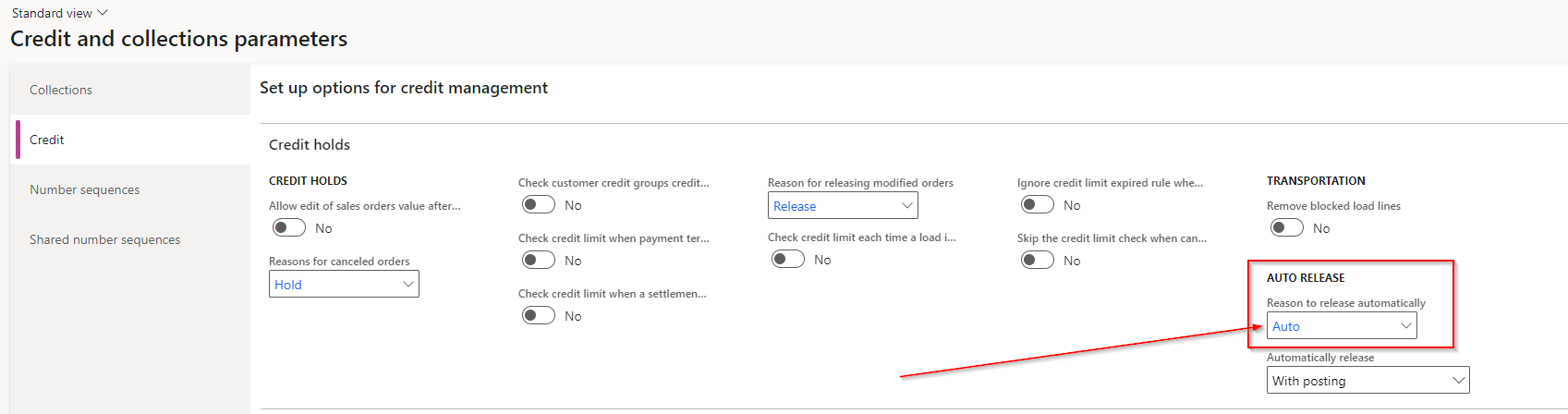
I've created a workflow for auto approval of the credit holds; I've got the auto release properly configurated in the credit and collections paramenters:
pastedimage1660752144860v1.png

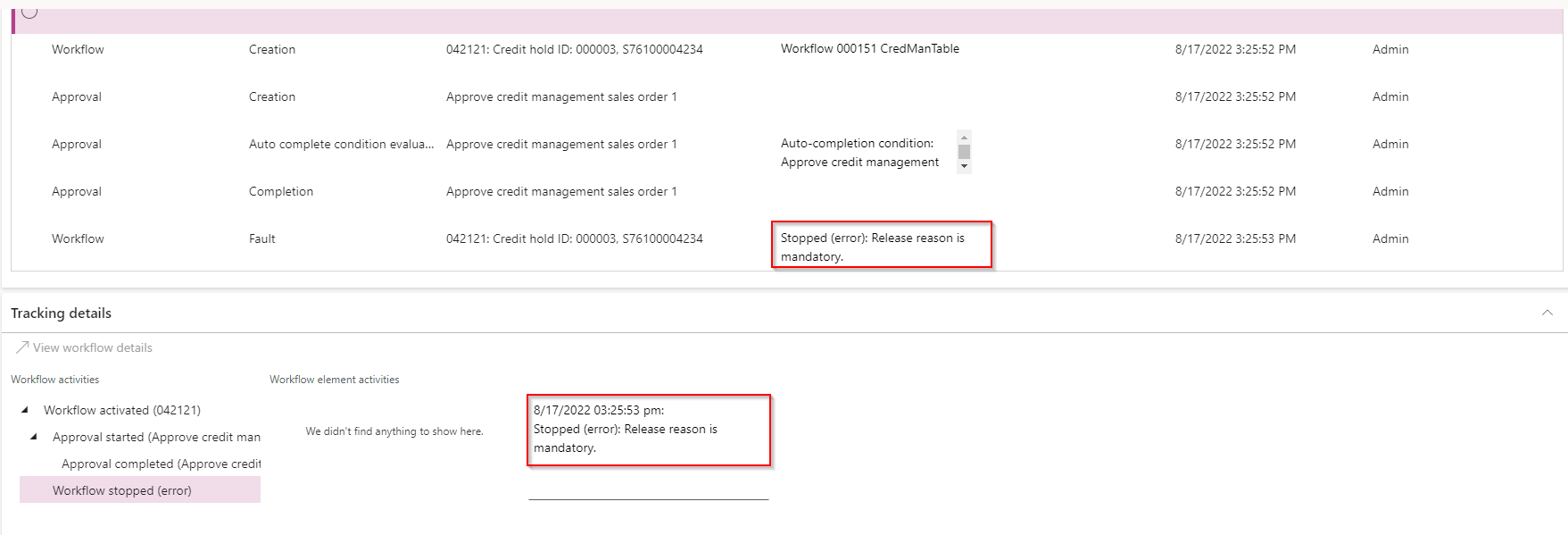
The problem is that the workflow is always giving error of "Release reason is mandatory":
pastedimage1660752558919v2.png

I've been trying all possible combinations and there's no way to make it work. Some idea?

Thanks,

I have the same question (0)
  • Community Member Profile Picture
    on at

    Hi Zmrlzna,

    Which app are you using, D365 F&O or  Supply Chain Management?

  • Zmrlzna Profile Picture
    5 on at

    Hi Steve,

    that's D365 F&O

    Thanks,

  • Komi Siabi Profile Picture
    13,208 Most Valuable Professional on at

    Hello Zmrlzna,

    Do you mind showing a screenshot of the workflow submit dialog ?

  • Zmrlzna Profile Picture
    5 on at

    Hello Komi,

    what you exactly mean by "workflow submit dialog"?

    Thanks,

  • Suggested answer
    Rob Danks Profile Picture
    4 on at
    Hi Zmrizna,
     
    The issue is that the code is looking in company DAT for the Auto release reason, instead of the company that the order relates to.
     
    You can fix this by setting up the Auto released reason in company DAT and selecting it on the Credit and collections parameters.
     
    I am waiting for Microsoft Support to confirm whether this be fixed in a future release.
     
    Rob
  • Rob Danks Profile Picture
    4 on at
    This bug is targeted to be resolved in version 10.0.37 - Issue 825298 ReleaseReason in not company specific in credit management release workflow.
    See my previous post for a workaround in the meantime.

Under review

Thank you for your reply! To ensure a great experience for everyone, your content is awaiting approval by our Community Managers. Please check back later.

Helpful resources

Quick Links

Introducing the 2026 Season 1 community Super Users

Congratulations to our 2026 Super Stars!

Meet the Microsoft Dynamics 365 Contact Center Champions

We are thrilled to have these Champions in our Community!

Congratulations to the March Top 10 Community Leaders

These are the community rock stars!

Leaderboard > Microsoft Dynamics 365 | Integration, Dataverse, and general topics

#1
11manish Profile Picture

11manish 174

#2
ManoVerse Profile Picture

ManoVerse 58 Super User 2026 Season 1

#3
Niki Patel Profile Picture

Niki Patel 42

Last 30 days Overall leaderboard

Product updates

Dynamics 365 release plans
