web
You’re offline. This is a read only version of the page.
close
Skip to main content

Announcements

No record found.

News and Announcements icon
Community site session details

Community site session details

Session Id :
Microsoft Dynamics CRM (Archived)

Stream on Interactive Dashboard gives an error (Dynamics 365 hub)

(0) ShareShare
ReportReport
Posted on by 800

Hi,

I set up a queue connected to a support emailaddress, which is working great. The queue is being filled with emails.
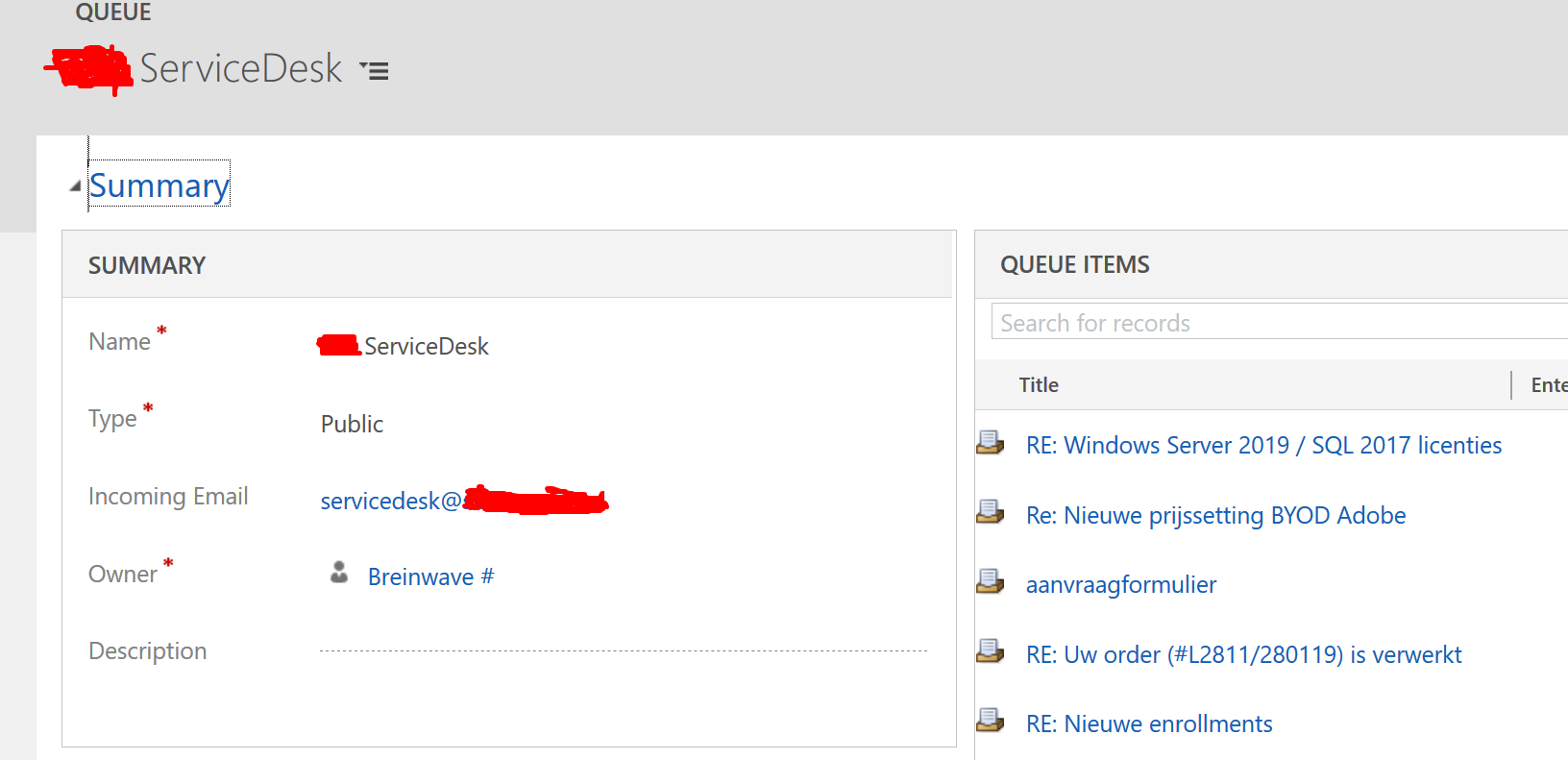
8255.queue.png

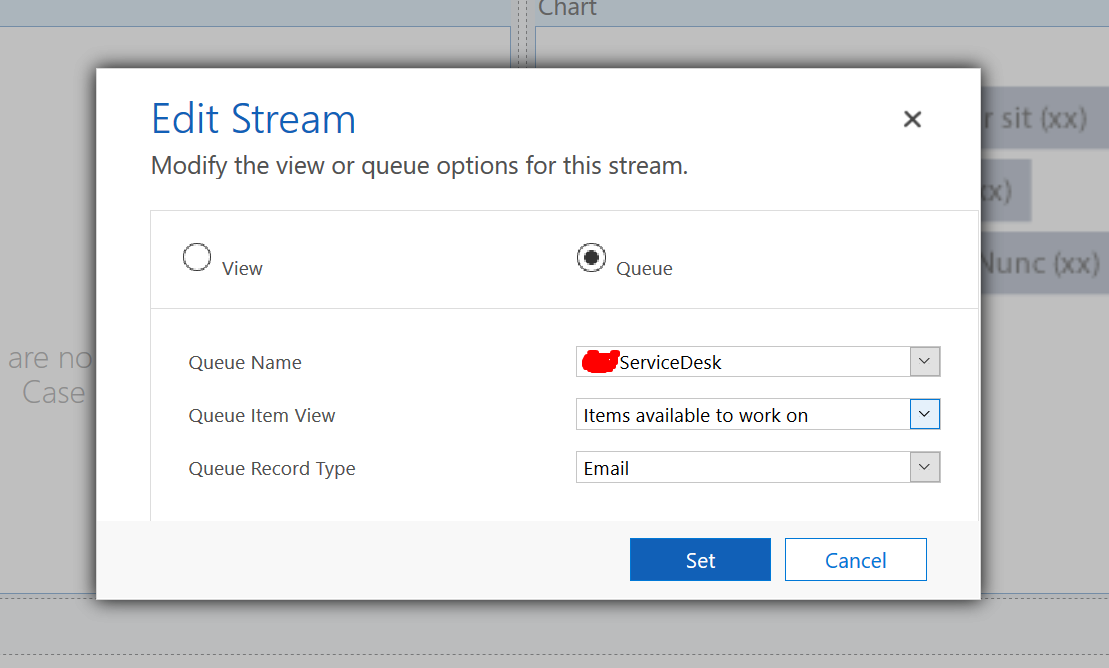
But when I set up an interactive dashboartd with a stream regarding this queue I get an error message.

This is the setup of the stream in the dashboard:
Stream1.png

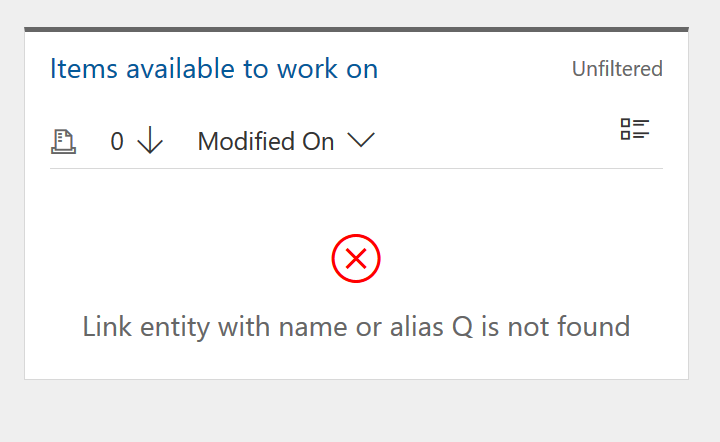
This is the error on the dashboard:
Stream2.png

Does anybody know how to fix this?

Br,

Jacques

*This post is locked for comments

I have the same question (0)
  • StefanS365 Profile Picture
    3,575 Most Valuable Professional on at

    Hoi Jacques,

    Are there any related (custom) entities that are not enabled for for interactive dashboards?

    Reference: docs.microsoft.com/.../configure-interactive-dashboards

  • JacquesNL Profile Picture
    800 on at

    Hi Stefan,

    The regarding Dynamics 365 version is newer than the article you provided. So the option Enable for Interactive Experience is gone. The new way to do this is via the My Apps option, which I checked. All related entities are enabled in the hub.

    Br,

    Jacques

  • Suggested answer
    StefanS365 Profile Picture
    3,575 Most Valuable Professional on at

    OK, thanks for the update ;-)

    I think the error is related to the FetchXML of the selected view. If you select another view you get the (same) error as well?

  • JacquesNL Profile Picture
    800 on at

    It is indeed a Fetch XML problem, but when I select any other Queue, I get the error. Pretty strange..

  • StefanS365 Profile Picture
    3,575 Most Valuable Professional on at

    And if you change the Queue Item View?

    Is the Queue Item View "Items available to work on" modified"?

    FetchXml of the view should be like this:

    <fetch version="1.0" output-format="xml-platform" mapping="logical" distinct="false">

     <entity name="queueitem">

       <attribute name="title" />

       <attribute name="enteredon" />

       <attribute name="objecttypecode" />

       <attribute name="objectid" />

       <attribute name="queueid" />

       <attribute name="workerid" />

       <order attribute="enteredon" descending="true" />

       <filter type="and">

         <condition attribute="statecode" operator="eq" value="0" />

         <condition attribute="workerid" operator="null" />

       </filter>

     </entity>

    </fetch>

  • JacquesNL Profile Picture
    800 on at

    Hi Stefan,

    Yes, the Fetch XML is correct:

    Queue-Item-Fetch.png

  • StefanS365 Profile Picture
    3,575 Most Valuable Professional on at

    Then I don't know where the alias Q is coming from. You might want to create a support ticket with Microsoft.

Under review

Thank you for your reply! To ensure a great experience for everyone, your content is awaiting approval by our Community Managers. Please check back later.

Helpful resources

Quick Links

Introducing the 2026 Season 1 community Super Users

Congratulations to our 2026 Super Stars!

Meet the Microsoft Dynamics 365 Contact Center Champions

We are thrilled to have these Champions in our Community!

Congratulations to the March Top 10 Community Leaders

These are the community rock stars!

Leaderboard > 🔒一 Microsoft Dynamics CRM (Archived)

#1
AS-17030037-0 Profile Picture

AS-17030037-0 2

Last 30 days Overall leaderboard

Featured topics

Product updates

Dynamics 365 release plans