web
You’re offline. This is a read only version of the page.
close
Skip to main content

Notifications

Announcements

No record found.

Community site session details

Community site session details

Session Id :
Microsoft Dynamics CRM (Archived)

Unsupported Security Settings - ActiveX

(0) ShareShare
ReportReport
Posted on by 35

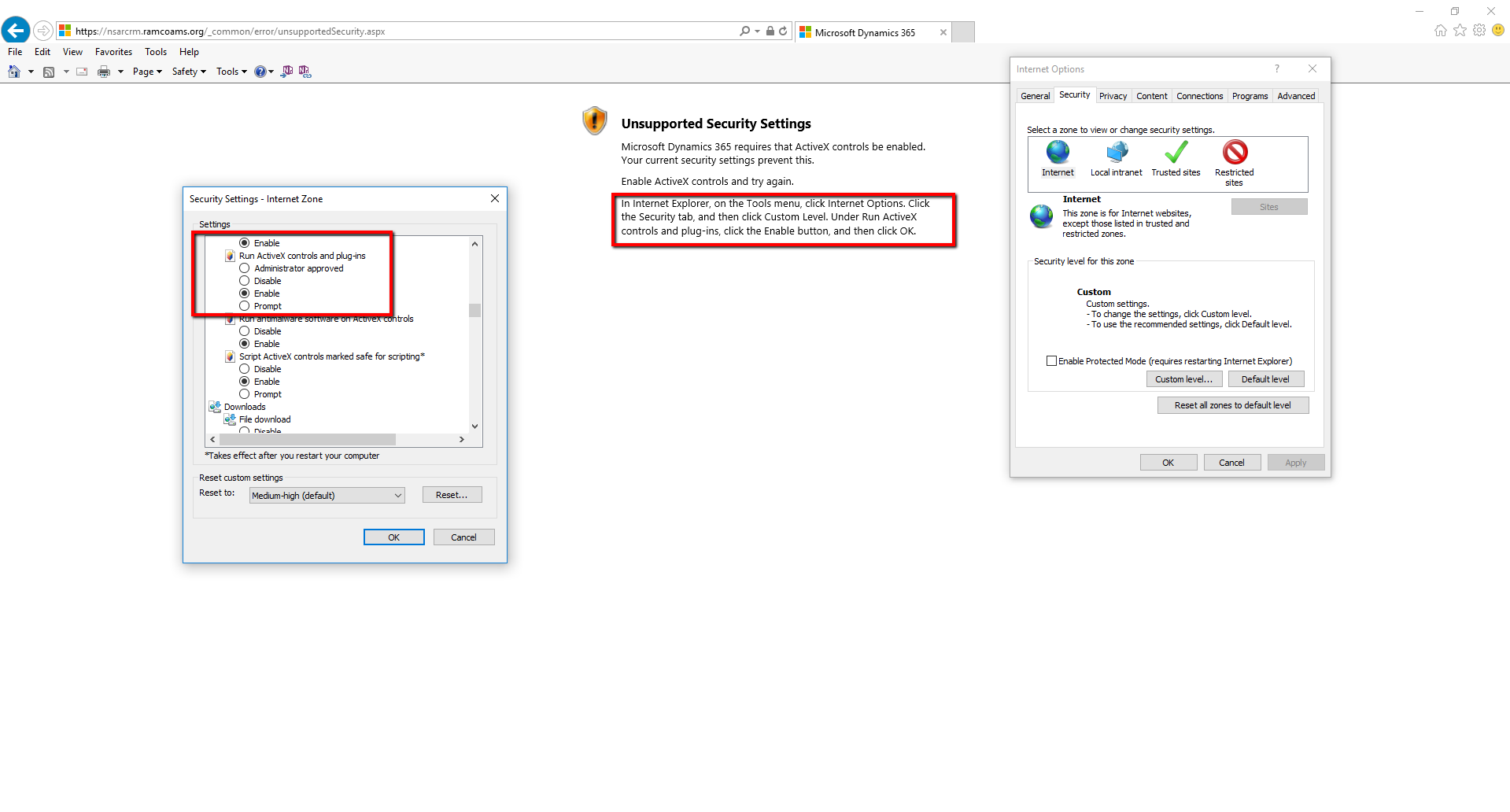
I was able to get into CRM without issue prior to this morning. I was messing with my activex controls, but now when I go to log in, I get this error (See screenshot). 


I do have the settings specified enabled, and I've tried resetting back to default/custom settings level, even restarting my computer to no avail. 

This is for CRM 2016 on-prem via the web interface.

Not sure where else to go here. ActiveX_5F00_Error.png
*This post is locked for comments

I have the same question (0)
  • Suggested answer
    Community Member Profile Picture
    on at

    Did you try clicking on tools, click on "ActiveX Filtering", exit the browser window then reopen the browser window?

  • Community Member Profile Picture
    on at

    Try adding the URL to trusted site?

  • Suggested answer
    Community Member Profile Picture
    on at

    Try using chrome,

  • Johannes O. Zettl Profile Picture
    on at

    Hello,

    I had the same problem with one user, today; and the ActiveX settings deep down in the IE options had (of course) been the correct ones, just like the error text claims.

    The solution was: She accidentally activated the "ActiveX filtering" option in the Extras ("Options" in English?) menu (e.g. by pressing the Alt key and twice the x key [those are the shortcuts on a German IE 11] while she wanted to type something else), which then made CRM show the Unsupported Security setting error.

    Deactivating this option again helped:

    acticex.PNG

    Good luck!

    Johannes

Under review

Thank you for your reply! To ensure a great experience for everyone, your content is awaiting approval by our Community Managers. Please check back later.

Helpful resources

Quick Links

Responsible AI policies

As AI tools become more common, we’re introducing a Responsible AI Use…

Neeraj Kumar – Community Spotlight

We are honored to recognize Neeraj Kumar as our Community Spotlight honoree for…

Leaderboard > 🔒一 Microsoft Dynamics CRM (Archived)

#1
SA-08121319-0 Profile Picture

SA-08121319-0 4

#1
Calum MacFarlane Profile Picture

Calum MacFarlane 4

#3
Alex Fun Wei Jie Profile Picture

Alex Fun Wei Jie 2

Last 30 days Overall leaderboard

Featured topics

Product updates

Dynamics 365 release plans



