web
You’re offline. This is a read only version of the page.
close
Skip to main content

Announcements

No record found.

News and Announcements icon
Community site session details

Community site session details

Session Id :
Microsoft Dynamics 365 | Integration, Dataverse...
Answered

After using Lookupset in SSRS report getting error while open report in CRM

(1) ShareShare
ReportReport
Posted on by

Is it possible to use Lookupset function in reports for CRM Version 1710 (9.1.0.11733) online.
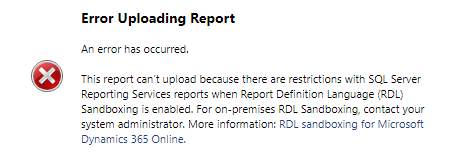
I keep getting an error "This report can’t upload because there are restrictions with SQL Server Reporting Services reports when Report Definition Language (RDL) Sandboxing is enabled." Please find error snapshot.
5282.error.PNG

I am using VS2015 and the following expression(syntax).

=Join (LookupSet(Source_dataset_field,Destination_dataset_field, Result_Field ,"Dataset_name"), "," & vbCrlf)

If I remove these expressions report working fine.

I have tried with change target server version of project property in visual studio and pick RDL file from bin/debug folder. but, Its not working.

  • Verified answer
    a33ik Profile Picture
    84,331 Most Valuable Professional on at

    Hello,

    That's weird. Here is the list of disallowed members - docs.microsoft.com/.../rdl-sandboxing that can cause mentioned error.

    You have 3 of those - Join, LookupSet and vbCrlf. Can you please use every of mentioned members in formula to find the "guilty" one? My assumption that it should be vbCrlf but I want to confirm.

    Once you know which of member causes an issue you can either find a workaround  or get in touch with Microsoft for clarification.

  • Tejas9474 Profile Picture
    on at

    Thanks Andrew,

    & vbCrlf was causing problem. for crm, we need to use & vbCRLF instead of & vbCrlf.

Under review

Thank you for your reply! To ensure a great experience for everyone, your content is awaiting approval by our Community Managers. Please check back later.

Helpful resources

Quick Links

Season of Sharing Community Challenge Winners!

Congratulations to our community stars!

Women in Power Builds Momentum

Expanding mentorship, skilling, and AI innovation

Congratulations to the August Top 10 Community Leaders

These are the community rock stars!

Leaderboard > Microsoft Dynamics 365 | Integration, Dataverse, and general topics

#1
ParthPatel249 Profile Picture

ParthPatel249 62

#2
11manish Profile Picture

11manish 48 Super User 2026 Season 2

#3
André Arnaud de Calavon Profile Picture

André Arnaud de Cal... 40 Super User 2026 Season 2

Last 30 days Overall leaderboard

Product updates

Dynamics 365 release plans



