Hi,
I am new to Dynamics 365 portals and I am working to change the layout of the portal Home page (Custom Portal installed).
Therefore, in CRM, I went to Portal > Web Pages
- Opened the Web Page "Home",
- Scroll down to "Advanced" tab
- In the Custom JavaScript section, I added "alert(0)".
- Save my changes
When I refresh the portal home page, the layout of this page is messed up and it looks like not taking the styles set in the bootstrap.css and theme.css file.
In addition, the Preview dialog of the admin is not displayed anymore.
However, this behavior is only happening on the home page even after i removed the Custom JavaScript that I have added, while other pages are properly working.
Below is a screen shot of the home page.
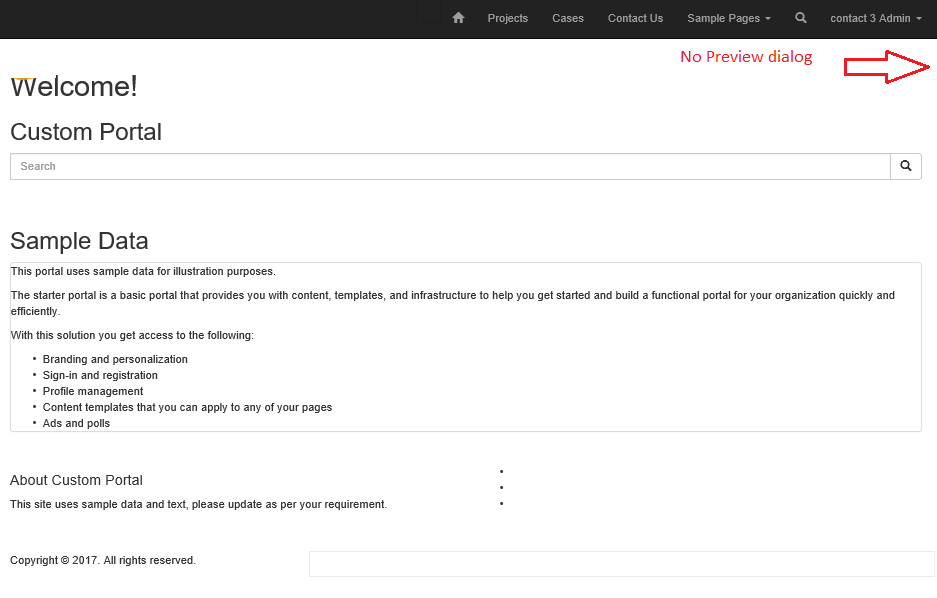
Any help would be appreciated to roll back to the previous status of the home page.
Thank you,
Charles.
*This post is locked for comments
I have the same question (0)







