Hi all, I have a report which have 2 tablix merge in the design, example :
-Tablix 1 has parent group of ProdID
- Tablix 2 is merge under tablix 1
When the report is populated, if the record is more than 1 page, the whole records in tablix 2 will move to page 2 leaving empty spaces in page 1. In order to avoid that, I have set keep together option as false in both tablix and also for the row in tablix 2.
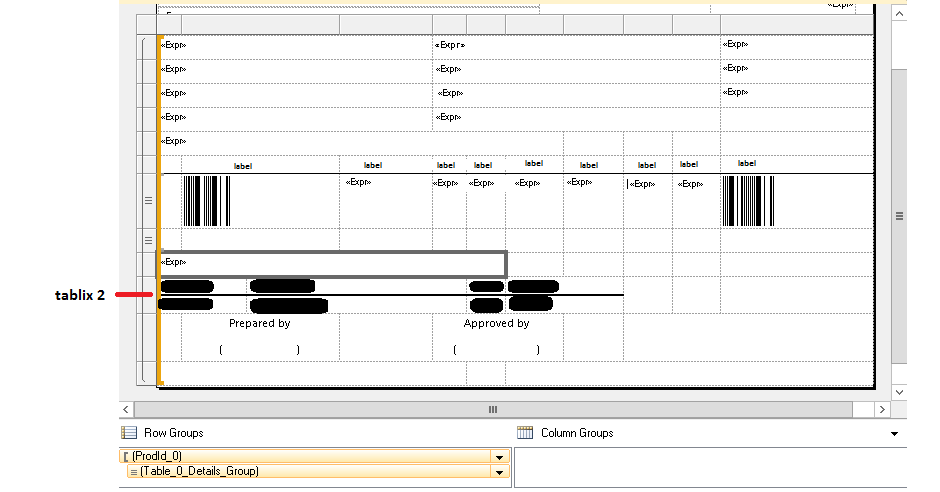
For the group ProdID, I have set page break- between each instance of group.
When I run preview from Visual Studio and export as pdf, the result is just what i want.
It has no empty spaces and records in tablix2 are populated in page 1 and continue in page 2, but when i deployed it in AX
and export as pdf, it leave empty spaces in page 1 and all records in tablix 2 goes into page 2.
How come the pdf design is different from Visual Studio and AX version?
I have restart multiple times all the services, deploy report using power script commands as well as restart the server physically and no luck so far.
I don't know whether this is because the layout in AX hasn't updated to the newest version or there are some missing steps when i design the report in visual studio.


