web
You’re offline. This is a read only version of the page.
close
Skip to main content

Announcements

No record found.

News and Announcements icon
Community site session details

Community site session details

Session Id :
Service | Customer Service, Contact Center, Fie...
Unanswered

does not show my 1-n relation entity on navigation

(0) ShareShare
ReportReport
Posted on by 160

hi. we have a 1-n relation between contact and our custom entity named document. as you see on picture attached, we have this relation on navigation on our form in customization. but when we browse crm on contact form, we don't have this relation on our form. how can i solve this?

6740.Untitled.png

I have the same question (0)
  • Community Member Profile Picture
    on at

    Hi Golnaz,

    As you mentioned, “we have a 1-n relation between contact and our custom entity named document.” Are you sure about this?

    1.If it is indeed a custom entity, you can check following points.

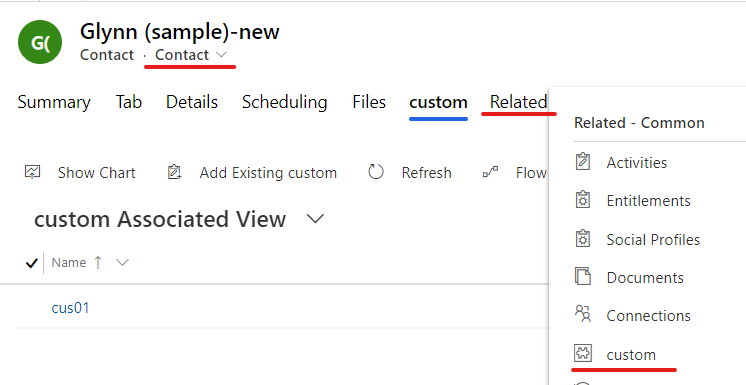
    (1)Make sure that the edit form and view are same.
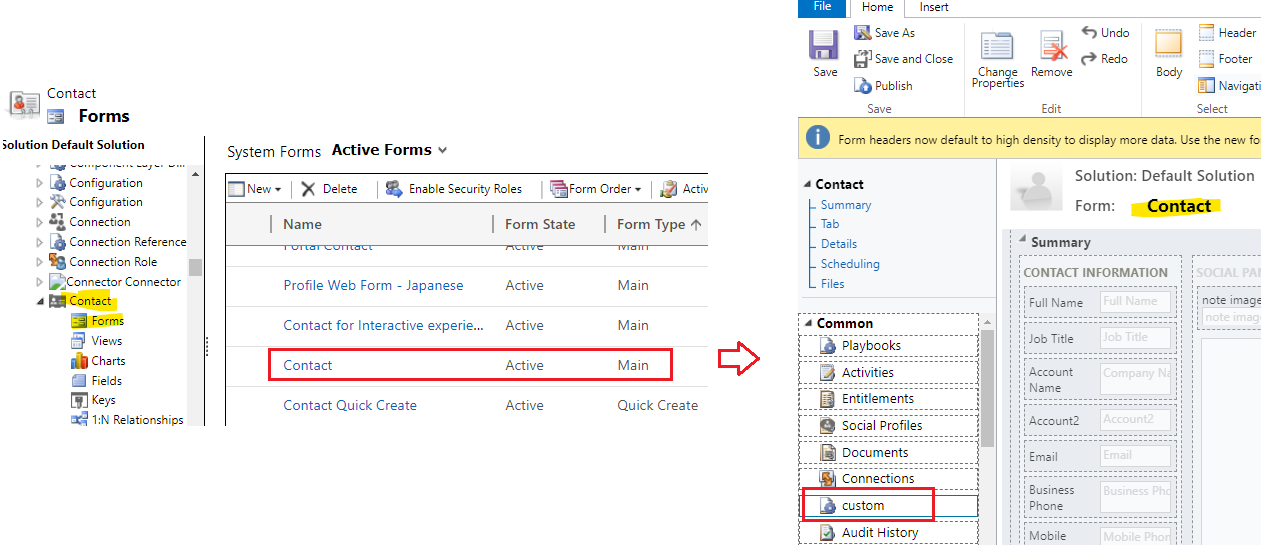
    pastedimage1618193501202v14.png

    pastedimage1618193560530v16.png

    if i change another form, the custom entity has not shown in the form.
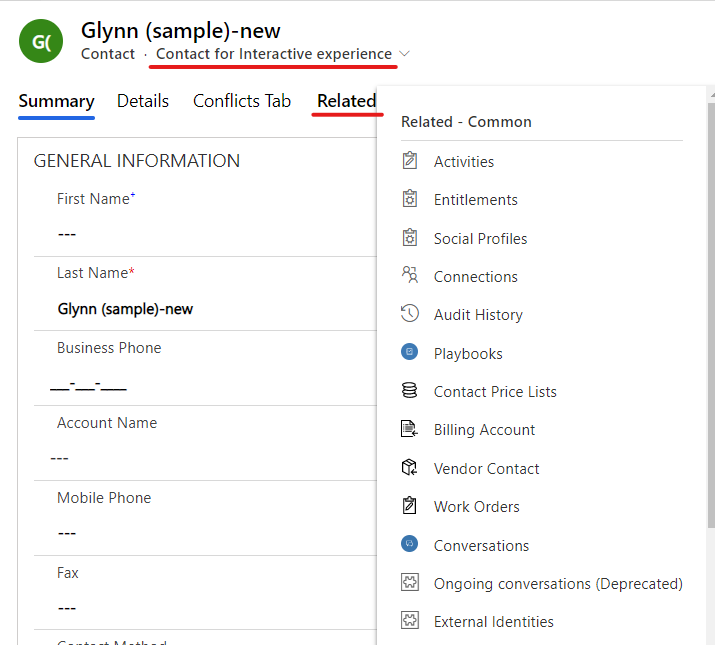
    pastedimage1618192156029v4.png

    (2)The current user's security role has sufficient privilege for this custom entity.

    Go Settings > Security > Security roles to open one role that current user has been assigned.
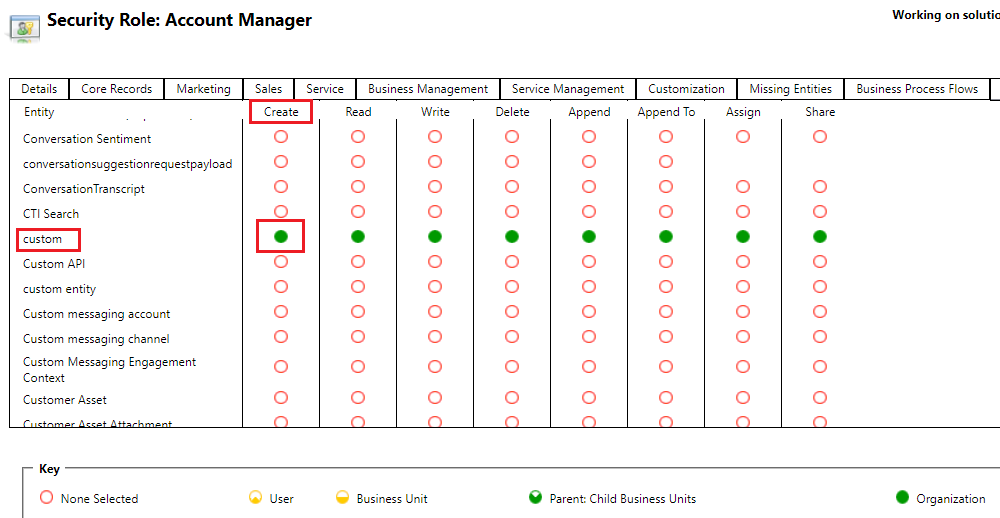
    pastedimage1618192690352v5.png

    2.Through my test, there is an OOB ‘Documents’ entity in the navigation of the contact form, but it doesn’t show in the form by default.
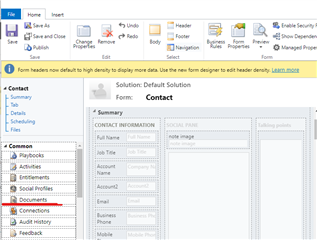
    pastedimage1618192845815v9.png

    You need check 'Document Management' option for contact entity, then save and publish it.
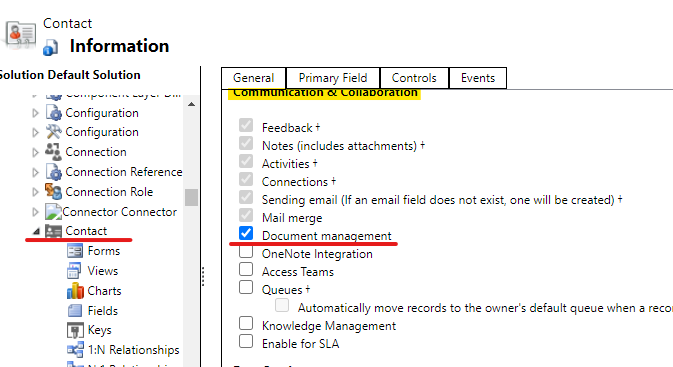
    pastedimage1618193155140v12.png

    Now, you can view it on any of the contact forms.
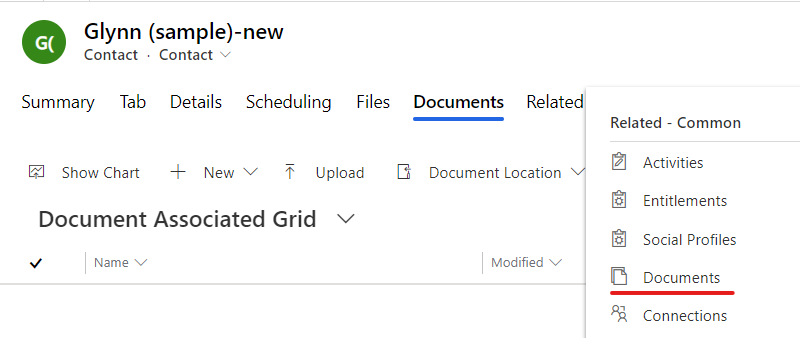
    pastedimage1618193335756v13.png

    Regards,

    Leah Ju

    Please mark as verified if the answer is helpful. Welcome to join hot discussions in Dynamics 365 Forums.

  • Community Member Profile Picture
    on at

    Hi Partner,

    Has the problem been solved? Any updates?

    Please click Yes under "Did this answer your question?" to close this thread.

     pastedimage1618392817392v1.png

    Thanks. 

    Regards,

    Leah Ju

    Please mark as verified if the answer is helpful. Welcome to join hot discussions in Dynamics 365 Forums.

Under review

Thank you for your reply! To ensure a great experience for everyone, your content is awaiting approval by our Community Managers. Please check back later.

Helpful resources

Quick Links

Introducing the 2026 Season 1 community Super Users

Congratulations to our 2026 Super Stars!

Congratulations to our 2025 Community Spotlights

Thanks to all of our 2025 Community Spotlight stars!

Leaderboard > Service | Customer Service, Contact Center, Field Service, Guides

#1
Tom_Gioielli Profile Picture

Tom_Gioielli 22 Super User 2026 Season 1

#1
Suriyanarayanan V Profile Picture

Suriyanarayanan V 22

#3
Encore Business Solutions Profile Picture

Encore Business Sol... 14

Last 30 days Overall leaderboard

Featured topics

Product updates

Dynamics 365 release plans