web
You’re offline. This is a read only version of the page.
close
Skip to main content

Announcements

No record found.

News and Announcements icon
Community site session details

Community site session details

Session Id :
Microsoft Dynamics AX (Archived)

Upload a file to SFTP server through X++ batch class

(0) ShareShare
ReportReport
Posted on by

Hi,

We need to upload a flat file from source location to a folder on SFTP server through x++ code in a Batch class.

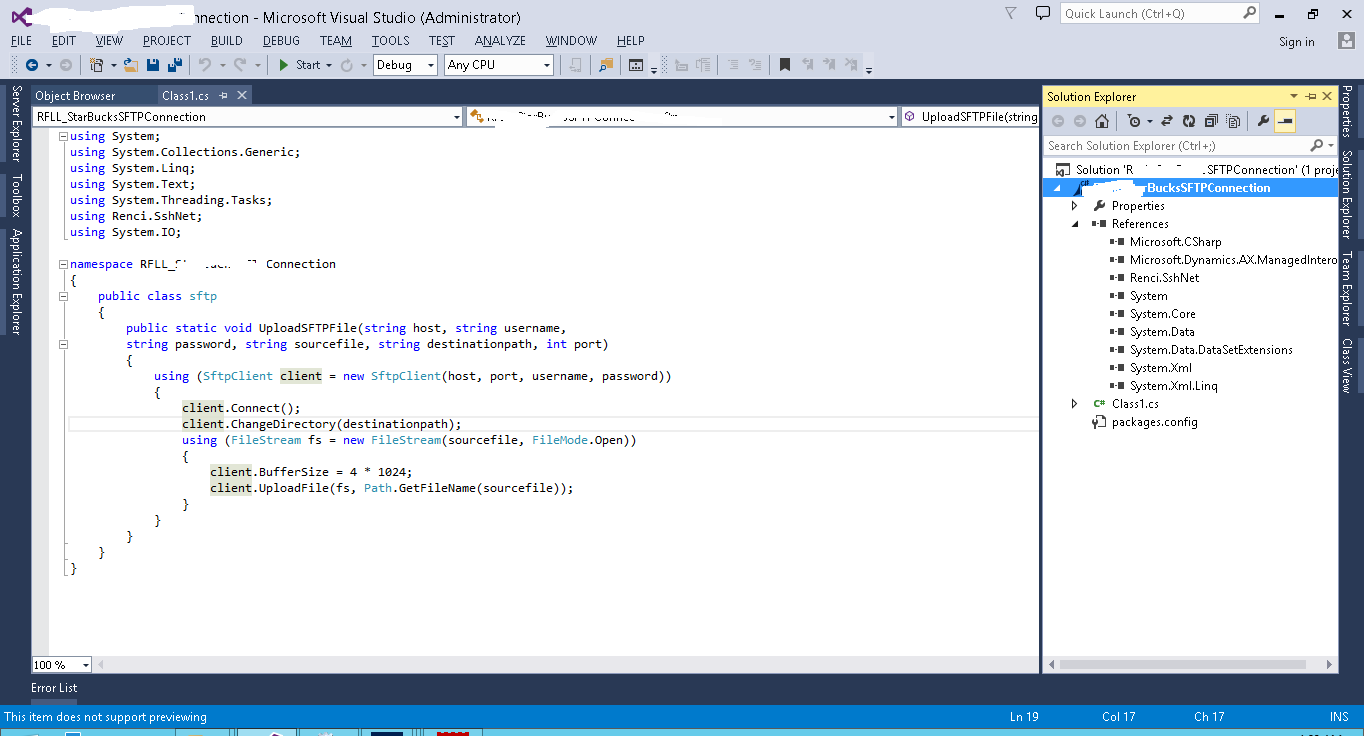
To achieve this we have created a c# class in Visual Studio 2013 with the below code mentioned in scrrenshot and also install the SSH.Net client Version 2016.1.0 .We have deployed the code to client.
0525.C_2300_-code.png

The same is is working fine when we run the code through C# console application but when we run this code through AX batch class system is giving runtime error as shown below :-

8156.AX-error.png

we had followed https://www.codeproject.com/Tips/1111060/Upload-File-to-SFTP-Site-with-Csharp-in-Visual-Stu  to achieve the result. 


kindly let us know how to resolve this issue.

Thanks in advance.

*This post is locked for comments

I have the same question (0)
  • Verified answer
    Martin Dráb Profile Picture
    239,647 Most Valuable Professional on at

    The error says that Renci.SshNet can't be loaded, which may mean several things:

    • The library isn't installed on AOS in a location where AOS can find it.
    • The library itself is there, but another library it depends on isn't.
    • Your library is built for x86 architecture (while AOS uses x64).

    Please check these things; you can also use Assembly Binding Log Viewer to find details, e.g. which dependency can't be found.

    By the way, please separate tags with comma; you attached a single long tag "Batch class C# code in ax 2012 SFTP file upload".

  • Community Member Profile Picture
    on at

    Thanks Martin for the help.

    There was the version mismatch between AOS and SSH Client.

    I need 1 more help as i run the batch class without scheduling the job the system stores the flat file on the SFTP server but when i schedules the batch job flat file is not uploading in the SFTP server.

    Thanks in advance.

  • Martin Dráb Profile Picture
    239,647 Most Valuable Professional on at

    What exactly do you mean by "without scheduling"? Running with the synchronous execution mode with "Execute business operations in CIL" ticked?

    Look at infolog messages generated by the batch, they may be telling you what's wrong. Also make sure that you catch CLR exceptions and put them into infolog, otherwise your process may be failing silently.

    Make sure your CIL is up to date.

    If you still have no idea what's going on, use the debugger. Note that I usually try to avoid debugging batches; running the code synchronously at the right tier (server vs. client) and in the runtime environment (CIL vs. X++) usually shows the same behavior as running it in batch and it makes debugging easier. Although debugging actual batches is sometimes necessary.

  • himabindukuthadi Profile Picture
    5 on at

    Hi , How did you handle mismatch between aos and ssh client.

    I have tried Select Manage NuGet Packages and search for and select SSH.Net --> Install Latest Stable Version (2013.4.7) supports .NET 3.5 and 4.0  but no use i'm not sure how to handle this version issue

Under review

Thank you for your reply! To ensure a great experience for everyone, your content is awaiting approval by our Community Managers. Please check back later.

Helpful resources

Quick Links

Introducing the 2026 Season 1 community Super Users

Congratulations to our 2026 Super Stars!

Meet the Microsoft Dynamics 365 Contact Center Champions

We are thrilled to have these Champions in our Community!

Congratulations to the April Top 10 Community Leaders

These are the community rock stars!

Leaderboard > 🔒一 Microsoft Dynamics AX (Archived)

#1
CP04-islander Profile Picture

CP04-islander 24

#2
Michel ROY Profile Picture

Michel ROY 14

#3
Jagadabi Profile Picture

Jagadabi 6

Last 30 days Overall leaderboard

Featured topics

Product updates

Dynamics 365 release plans
