web
You’re offline. This is a read only version of the page.
close
Skip to main content

Notifications

Announcements

No record found.

Community site session details

Community site session details

Session Id :
Microsoft Dynamics CRM (Archived)

Not able to add padding to borders of CRM entity

(0) ShareShare
ReportReport
Posted on by 675

Hello all,

I have 1 css file that is loaded on the start of the campaign page. We have applied border to the campaign sections.
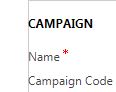
qCapture.JPG

//My CSS:

.ms-crm-FormSection {
border: 0.50px solid #ccc;

padding: 15px 15px 15px 5px;
}

Now I want to add padding left 5px but that is getting override with MS CRM css (something like read.css file) see img.

//MS CRM CSS

.refresh-form .ms-crm-FormBodyContainer
TABLE.ms-crm-FormSection {
padding: 15px 15px 15px 0px;
border-spacing: 0px;
}

12408.Capture.JPG

So I am not able to give padding 5px even though I gave it in my CustomStylesheet.css file.

How to overcome it?

-Prashant 

*This post is locked for comments

I have the same question (0)
  • gdas Profile Picture
    50,091 Moderator on at

    Hi Prashant ,

    I am sure that you are aware that changing CSS is completely unsupported,  unsupported stuff  may not work in future.

    However you could try to use important.

    stackoverflow.com/.../how-to-override-important

  • Pujan Mehta Profile Picture
    50 on at

    I have same problem. Can someone please give me suggestion how can we change TABLE.ms-crm-FormSection{
    } value in this tag ?

  • Pujan Mehta Profile Picture
    50 on at

    thanks for your response.I have tried but it didn't work.

  • VPrashant Profile Picture
    675 on at

    Hello CRM gurus out there,

    Any hints or suggestions as how I can give some 5px padding to the section borders.

    -Prashant

  • VPrashant Profile Picture
    675 on at

    Is this forum rightly assigned? I am not getting any hints. Come on CRM gurus out there.

  • VPrashant Profile Picture
    675 on at

    Hello guys,

    Important didn't worked it seems.

    Any other hints or workaround?

Under review

Thank you for your reply! To ensure a great experience for everyone, your content is awaiting approval by our Community Managers. Please check back later.

Helpful resources

Quick Links

Responsible AI policies

As AI tools become more common, we’re introducing a Responsible AI Use…

Neeraj Kumar – Community Spotlight

We are honored to recognize Neeraj Kumar as our Community Spotlight honoree for…

Leaderboard > 🔒一 Microsoft Dynamics CRM (Archived)

#1
SA-08121319-0 Profile Picture

SA-08121319-0 4

#1
Calum MacFarlane Profile Picture

Calum MacFarlane 4

#3
Alex Fun Wei Jie Profile Picture

Alex Fun Wei Jie 2

Last 30 days Overall leaderboard

Featured topics

Product updates

Dynamics 365 release plans



