web
You’re offline. This is a read only version of the page.
close
Skip to main content

Announcements

No record found.

News and Announcements icon
Community site session details

Community site session details

Session Id :
Microsoft Dynamics AX (Archived)

InMemory temporary tables must be the outer tables

(0) ShareShare
ReportReport
Posted on by

Dear all,

There is an error i would like to share when i am using AX R3 CU7

Account Payable >>  Purchase Order >> All Purchase order 

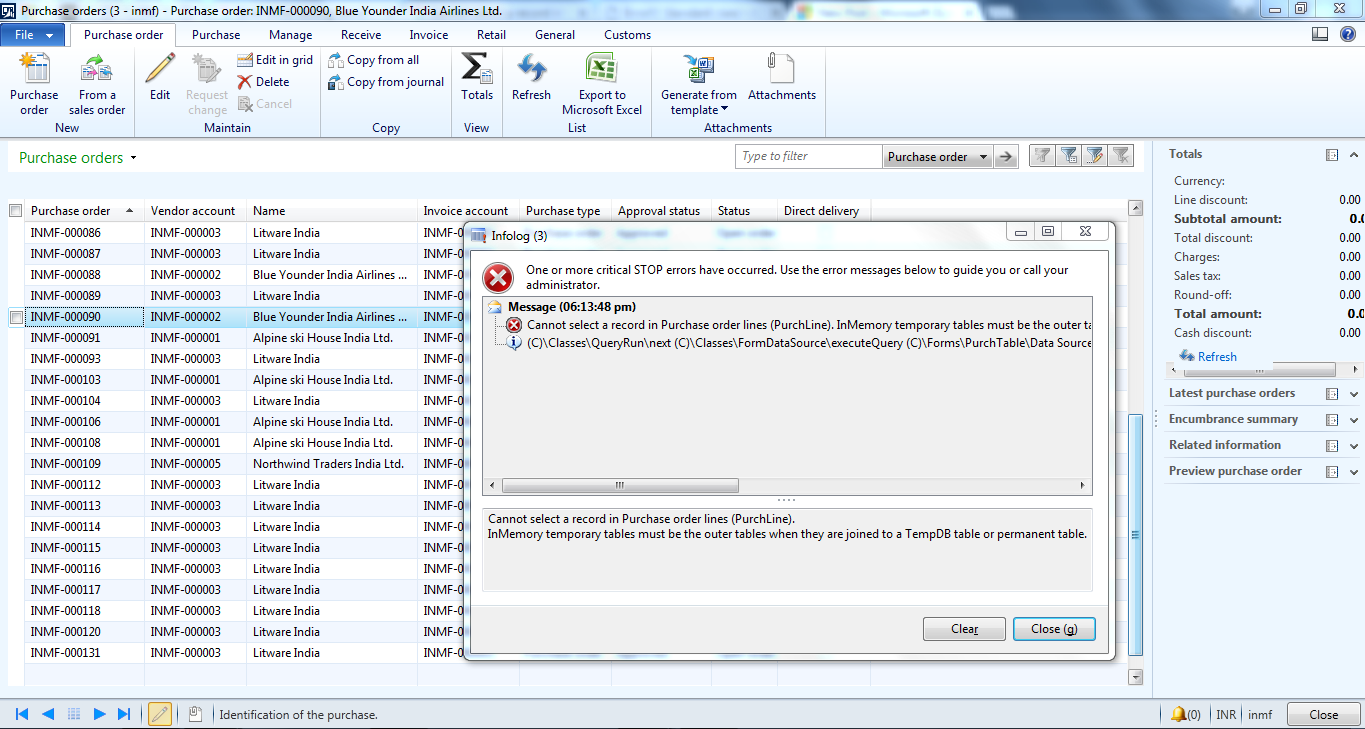
When its double Click on particular purchase Order got this class error:
1643.a.PNG

"Cannot select a record in Purchase order lines (PurchLine).
InMemory temporary tables must be the outer tables when they are joined to a TempDB table or permanent table."


I'm getting the Same error in all Modules when the follow the same process.


Im wondering what does that error means!!!!?? please advice and many Thanks for your support :)

*This post is locked for comments

I have the same question (0)
  • Iulian Cordobin Profile Picture
    8,201 on at

    The first question would be if you have by any chance code customization in your system. You are mentioning you get this on all the forms or only the PO form (I didn't understood that part well).

  • Martin Dráb Profile Picture
    239,632 Most Valuable Professional on at

    I know what the error technically means, but I don't know what's happening in your system. You'll have to give us more information.

    When did the error occurred? What happened at that time? (For example, deployment of customizations or changes in configuration keys.)

    Does it happen for all users and on all machines?

    What exactly do you mean by "in all Modules"? Which concrete forms are affected and which aren't? I assume it talks about a different table (than PurchLine) in other forms, right?

    Can you show us the complete call stack? It's not visible on your picture.

  • Community Member Profile Picture
    on at

    Hi Mr.Iulian Cordobin ,

    At first i got this error in PO Form but now when i am trying to open any form from area page of any module it is showing same error in maximum cases like this:

    s.PNG

  • Community Member Profile Picture
    on at

    Hi  Mr.Martin Drab,

    Yes it is happening for all users and on all machines...

    "all modules" but not with all menus on the area page it is happening with some menus only and u are also asking me about  configuration keys ........ as per my knowledge i my team did not made any changes but we are facing this problem after restart the services  of AOS.

  • Community Member Profile Picture
    on at

    2148.1.PNG

  • Martin Dráb Profile Picture
    239,632 Most Valuable Professional on at

    Pick one of those forms and look at its query. Maybe somebody added a temporary table. Maybe some table is considered temporary because its configuration key has been disabled.

Under review

Thank you for your reply! To ensure a great experience for everyone, your content is awaiting approval by our Community Managers. Please check back later.

Helpful resources

Quick Links

Introducing the 2026 Season 1 community Super Users

Congratulations to our 2026 Super Stars!

Meet the Microsoft Dynamics 365 Contact Center Champions

We are thrilled to have these Champions in our Community!

Congratulations to the April Top 10 Community Leaders

These are the community rock stars!

Leaderboard > 🔒一 Microsoft Dynamics AX (Archived)

#1
CP04-islander Profile Picture

CP04-islander 24

#2
Michel ROY Profile Picture

Michel ROY 14

#3
Jagadabi Profile Picture

Jagadabi 6

Last 30 days Overall leaderboard

Featured topics

Product updates

Dynamics 365 release plans
