web
You’re offline. This is a read only version of the page.
close
Skip to main content

Announcements

No record found.

News and Announcements icon
Community site session details

Community site session details

Session Id :
Microsoft Dynamics AX (Archived)

AIF inbound adapter doesn't create sales orders

(0) ShareShare
ReportReport
Posted on by 4,624

[Context added by moderator after moving the discussion from another thread: Visvash is using AIF file system adapter to import files to SalesSalesOrder document service.]

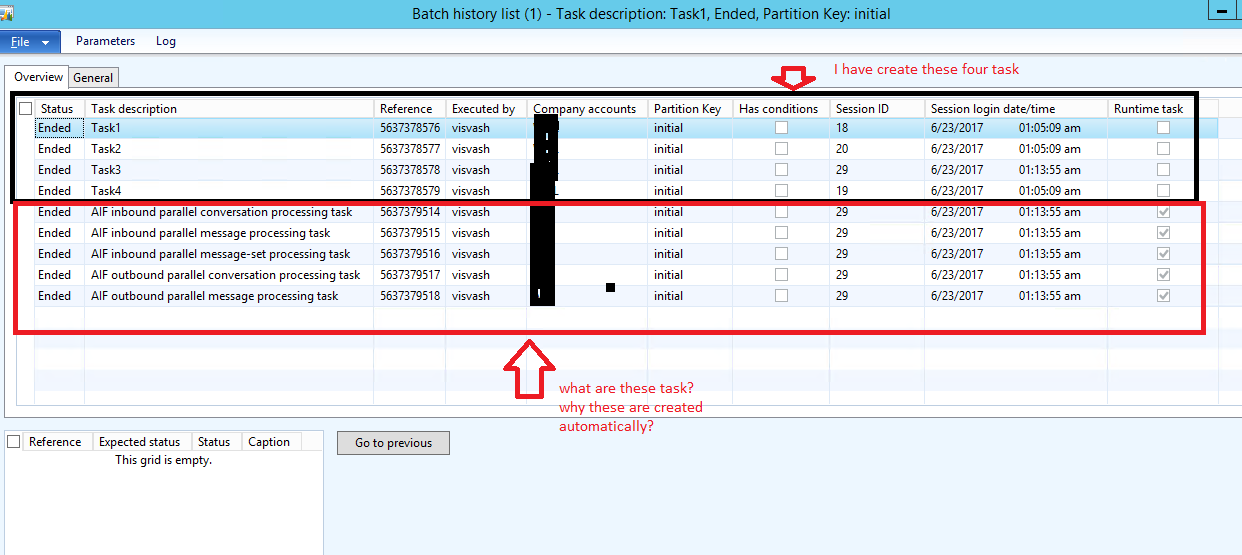
Now come to my batch job which i have created same as it was in the link and i found it is ended but doesn't create any sales order. Please see below end job task:
5857.BJ.PNG

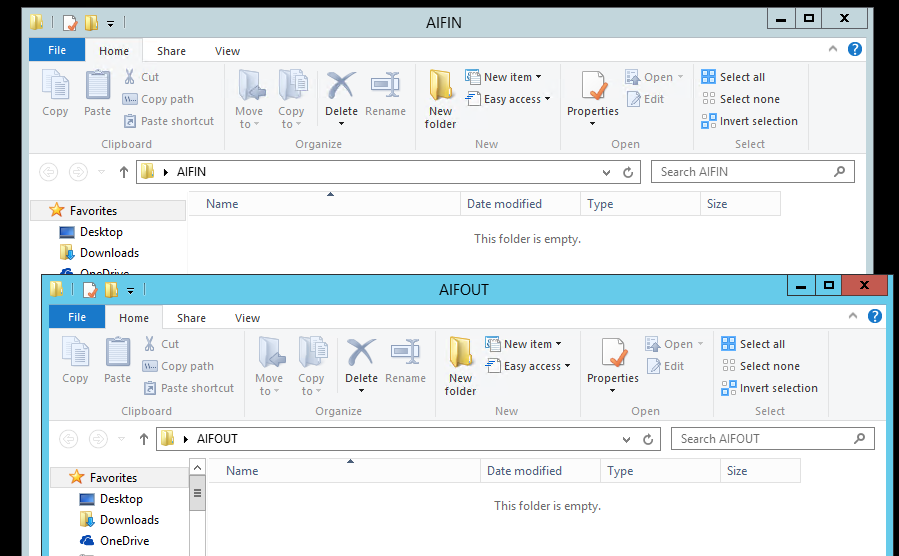
And also there is no XML file in AIFIN folder where i have put it before and there is no response file which should be in AIFOut folder:
BJ1.PNG

suggest please

*This post is locked for comments

I have the same question (0)
  • Martin Dráb Profile Picture
    239,399 Most Valuable Professional on at

    I suggest you create a new thread for your new question (i.e. the part of your last reply starting with "Now come to my batch job..."). {Update: it's been handled by moderator.] But before asking, look into logs - maybe you'll immediately spot a problem there. And even if not, you'll have more details to add to your question.

  • Rohin Profile Picture
    4,624 on at

    there is no log showing when i am clicked on Log button

  • Verified answer
    Chaitanya Golla Profile Picture
    17,225 on at

    Hi,

    It seems the batch ran successfully(without performing the intended process) with no error. To validate, execute the inbound process manually by using the following job and debug it.

    static void Inbound(Args _args)
    {
    new AifGatewayReceiveService().run(); // Pulls the XML from the folder
    new Aifinboundprocessingservice().run(); // Does inbound processing
    }

    Please execute the above job, debug it and if you feel the issue is not resolved, as Martin suggested please close this thread, mark useful answers as verified and open a new one.

    Thanks,

    Chaitanya Golla

  • Rohin Profile Picture
    4,624 on at

    When i run above job, it creates a record in Queue Manager form, please see below:

    SalesWeb.PNG

  • Suggested answer
    Chaitanya Golla Profile Picture
    17,225 on at

    Hi,

    Please execute the job again to further process the record.

    Thanks,

    Chaitanya Golla

  • Rohin Profile Picture
    4,624 on at

    When i am deleting the records from this form ,it creates response XML massage in AIFOUT folder and it looks like below:

    Reponse.PNG

  • Martin Dráb Profile Picture
    239,399 Most Valuable Professional on at

    When saying looking into logs, I didn't mean only infolog.

    When dealing with errors in AIF, one of the most important logs is System administration > Periodic > Services and Application Integration Framework > Exceptions. Take a look there.

  • Rohin Profile Picture
    4,624 on at

    Martin,

    Exceptions screen looks like below:

    2604.E1.PNG

    please suggest 

  • Verified answer
    Martin Dráb Profile Picture
    239,399 Most Valuable Professional on at

    To make it easier to read (and indexable by search engines), let me retype the error message at text:

    The tag '/SalesOrder/SalesTable/CustAccount' is not allowed; it must be removed or marked null.

    It says that you're providing a CustAccount element, which isn't allowed by the schema of your service. This element exists in the standard SalesSalesOrderService, therefore the most likely explanation is that you've set up a data policy that doesn't enable this field. Review the configuration of your inbound port (there is a button for data policies on enhanced ports).

  • Rohin Profile Picture
    4,624 on at

    exactly Martin, I changed data policy and i found i have enabled CustAccount field of wrong tag, now i disabled it and enabled correct one. Now I run job again and found new error in Exception form:

    0702.E2.PNG

    Please suggest how to fix it

Under review

Thank you for your reply! To ensure a great experience for everyone, your content is awaiting approval by our Community Managers. Please check back later.

Helpful resources

Quick Links

Introducing the 2026 Season 1 community Super Users

Congratulations to our 2026 Super Stars!

Meet the Microsoft Dynamics 365 Contact Center Champions

We are thrilled to have these Champions in our Community!

Congratulations to the March Top 10 Community Leaders

These are the community rock stars!

Leaderboard > 🔒一 Microsoft Dynamics AX (Archived)

#1
CP04-islander Profile Picture

CP04-islander 39

#2
Michel ROY Profile Picture

Michel ROY 14

#3
imran ul haq Profile Picture

imran ul haq 8

Last 30 days Overall leaderboard

Featured topics

Product updates

Dynamics 365 release plans
