web
You’re offline. This is a read only version of the page.
close
Skip to main content

Announcements

News and Announcements icon
Community site session details

Community site session details

Session Id :
Business Central forum

How to add custom field mapping between in Business Central between Business Central and Dynamics CRM

(1) ShareShare
ReportReport
Posted on by 82

Hi,

So basically my requirement is to map the No. field on the Customer form in Business Central with the Account Number field on the Account Form in Dynamics CRM when the integration takes place and the data gets synced.

Below are the fields from both the respective apps

Account Number from Dynamics CRM
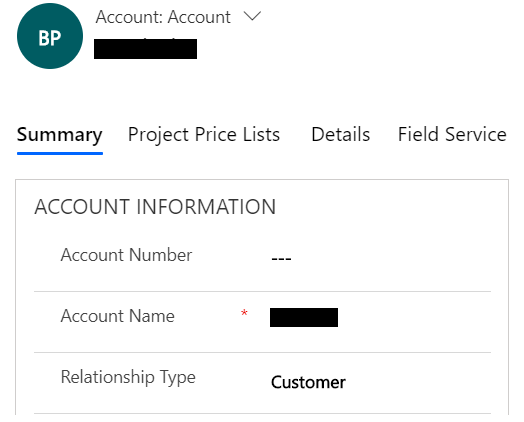
pastedimage1562256254008v2.png

No. from the Customer form in Business Central
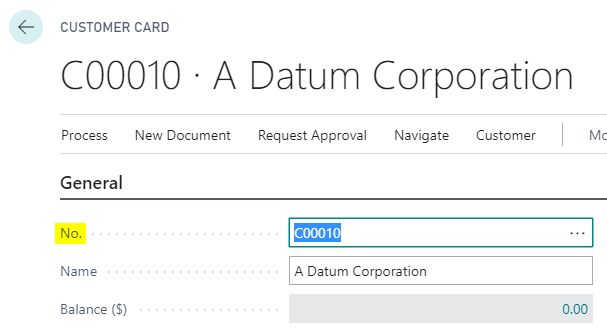
pastedimage1562256549222v3.png

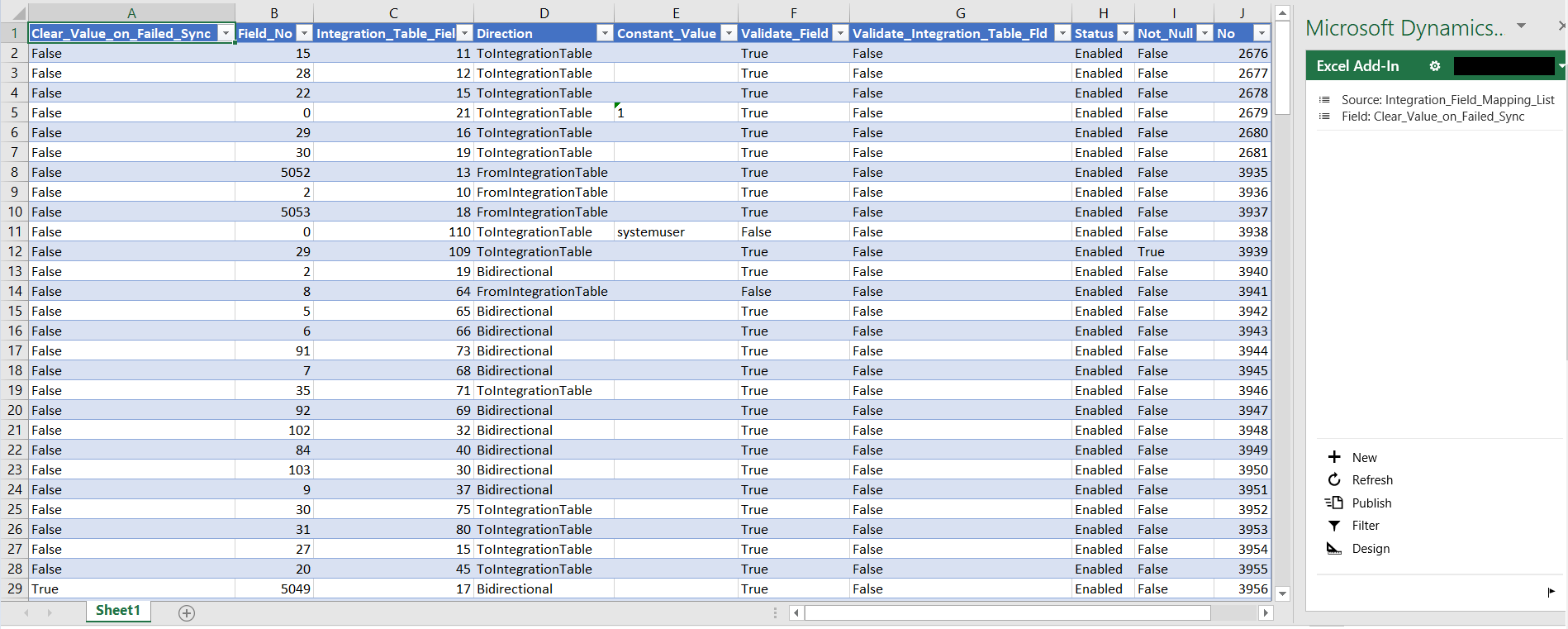
However doing some research did bring me to this window below where you can see the mappings of the respective entity and even download an excel sheet to edit the same

And once you download the excel file and open it you will see a Dynamics CRM connector getting downloaded and then after you sign in to your correct environment then there's the list of mappings as below
pastedimage1562256060183v1.png

But there few problems/concerns around this

  • To edit this downloaded excel sheet one must have Office 2016.
  • To add the custom mappings here one must be aware of the field numbers in both the apps as there are no field names in the sheet even though they are shown when in Business Central. So I am not very sure from where to find these field numbers.
  • Isn't there any way to add mapping online?

Not sure if I am missing out on something, but any help or suggestion is highly appreciated and would be of great great help.

Thanks!

I have the same question (0)
  • matt_piper Profile Picture
    14 on at

    Hello,

    Did you get anywhere with this at all?  I am now facing a similar problem.  Am familiar with configuring & customising D365 but Business Central is something I'm just starting to get to grips with.

    Regards,

  • Business Central Profile Picture
    95 on at

    Hi. How are you?

    Did you find out something?

    I have a similar problem and I am unlike you. I dominate a little Central Business, but I don't know anything about CRM.

    Let's see if we can help each other.

    Greetings.

  • Bram Anthonis Profile Picture
    40 on at

    Would really like to know if you found the solution! I tried by initaliazing and inserting a new record, but keep getting an error when I run the code.

  • MohitMalik8085 Profile Picture
    100 on at

    HI Kruti,

    Hope you are fine and doing well. Is your problem solved?

    I am a D365BC developer I have done integration setup between BC and CRM, but I am facing the issue related to get the data for our custom fields which are created into CRM, also for one field I want to validate the dimensions while going for creating the order.

    Could you please help me regarding integration for custom fields, how I can get the values in BC?

    if there is specific event or trigger in BC to write the code?

  • Suggested answer
    Community Member Profile Picture
    on at

    Hello,

    We had the same problem on one of our projects and the solution was to create an extension for Business Central that adds the mapping between the No. field from BC and the Account Number field in Dynamics CRM to the 'Integration Field Mapping List'. Basically we added a new record of type Integration Field Mapping that contains details about this two fields specified by you.

    As you can see in 1854.Capture.PNGthe screenshot this is how the integration field should look like. If you have any other questions we are looking forward to help you.

  • Maqsood Ahmad Profile Picture
    10 on at

    Hi Lavinia

    I'm also looking to integrate custom fields. Can you share some details about the extension you created and how to integrate custom fields/entities?

    Thanks

    Maqsood

  • Community Member Profile Picture
    on at

    Hi Maqsood,

    We created an extension that adds fields in the 'Integration Field List' for the necessary entity.

    If the field was a custom one created in CRM for example for the 'Account' entity, we extended the table 'CRM Account' and created a record in 'Integration Field List' with the corresponding names and ids of the fields.

  • AK3800 Profile Picture
    72 on at

    I am in the exact same situation as the OP, I need to add fields to the integration but the question of the field numbers still remains.  I can get the Integration Field Mapping List open in excel but I don't know how to find out what the field numbers are in order to add anything.  In my situation I want to add external document number field to the Sales Invoice Header integration to CRM.  Where can the field numbers be found?  Can anyone give a step-by-step example of how to go about adding an existing field to the integration field mapping?

  • Suggested answer
    Community Member Profile Picture
    on at

    Hi,

    you can find the fields number if you look for 'CRM Invoice' table. There you can see that all the standard field from CRM exist. All the tables that start with 'CRM' in BC are copies of the tables existing in CRM and all the fields existing there have a connection with the CRM fields. The connection is done by the 'External name' property.

    But if you want to map a field that does not exist like "External Document No."  you create an extension to the 'CRM Invoice' table with the field needed and you set the properties of the field after the template of the already existing fields in 'CRM Invoice'. Take care at the 'External name' property - is the most important one.

    Than you add a new record in 'Integration Field Mapping List' that mapps your newly created field (let's stay that it's field no is 50000) with the field 'External Document No.' on Sales Invoice Header (field no 100).

  • AK3800 Profile Picture
    72 on at

    Thank you for the additional info, so just to be clear you're saying I will need to create an extension (assuming AL code?) to add the out-of-box field External Document No. to the integration mapping?  Also, regarding the field numbers, I tried searching for CRM Invoice table and also looked at the Table Information listing but don't see that table.  Can you provide steps to go about finding the CRM Invoice table?

Under review

Thank you for your reply! To ensure a great experience for everyone, your content is awaiting approval by our Community Managers. Please check back later.

Helpful resources

Quick Links

November Spotlight Star - Khushbu Rajvi

Congratulations to a top community star!

Forum Structure Changes Coming on 11/8!

In our never-ending quest to help the Dynamics 365 Community members get answers faster …

Dynamics 365 Community Platform update – Oct 28

Welcome to the next edition of the Community Platform Update. This is a status …

Leaderboard > Business Central

Last 30 days Overall leaderboard

Featured topics

Product updates

Dynamics 365 release plans
