web
You’re offline. This is a read only version of the page.
close
Skip to main content

Notifications

Announcements

No record found.

Community site session details

Community site session details

Session Id :
Microsoft Dynamics CRM (Archived)

Outlook Plug-in Dynamics Tracking Pane is blank

(1) ShareShare
ReportReport
Posted on by

Hi Dynamics people,

We have an issue with some of our Users of the Outlook Plug in, where the Tracking Pane is not displaying any data what so ether. The 1st instance of this was early last week but now we are getting more and more issue. 

All IE setting are correct as only thing we can find is for CRM 2011 issue with Compatibility View Settings. Tried removing connection to server and re added this did not resolve.
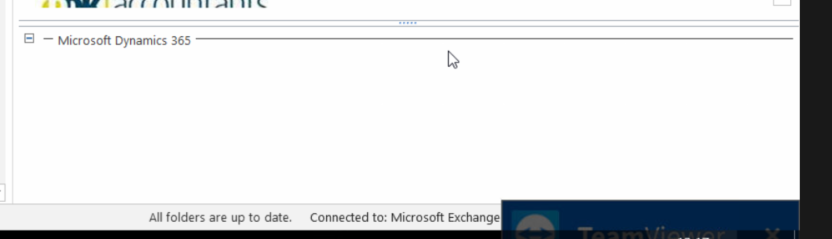
3252.Pane.png

We running on Prem 8.2.2.112 without server side sync.

Has anyone else been getting this issue or know of a fix?

*This post is locked for comments

I have the same question (0)
  • Verified answer
    Community Member Profile Picture
    on at

    Hi Jay,

    I think it's related to the September Office update. See my post here.

    The update needs to be removed to fix it.

    Thanks, Neil.

  • Community Member Profile Picture
    on at

    We hare having this problem. Any insight will be helpful

  • Verified answer
    Community Member Profile Picture
    on at

    See the answer here

  • CRMSupport Profile Picture
    65 on at

    You should enable "Optimize for compatibility" within Micorosoft Outlook:

    support.microsoft.com/.../august-office-insider-update-waiting-for-page-issue-dynamics-for-outlo

  • Suggested answer
    Community Member Profile Picture
    on at

    Thanks!!

  • Community Member Profile Picture
    on at

    Thank you very much and my gratitude. I was coming close to color coding my tracked emails out of frustration.

  • Suggested answer
    glequertier Profile Picture
    15 on at

    Have you tried clearing the cache in Internet Explorer? It worked for me.

    1. Go to Internet Explorer

    2. Press the [Ctrl], [Shift] and [Del] Key together

    3. Click "Delete "

    4. Restart Outlook

    Please let me know if it fixed your issue.

Under review

Thank you for your reply! To ensure a great experience for everyone, your content is awaiting approval by our Community Managers. Please check back later.

Helpful resources

Quick Links

Responsible AI policies

As AI tools become more common, we’re introducing a Responsible AI Use…

Neeraj Kumar – Community Spotlight

We are honored to recognize Neeraj Kumar as our Community Spotlight honoree for…

Leaderboard > 🔒一 Microsoft Dynamics CRM (Archived)

#1
SA-08121319-0 Profile Picture

SA-08121319-0 4

#1
Calum MacFarlane Profile Picture

Calum MacFarlane 4

#3
Alex Fun Wei Jie Profile Picture

Alex Fun Wei Jie 2

Last 30 days Overall leaderboard

Featured topics

Product updates

Dynamics 365 release plans



