web
You’re offline. This is a read only version of the page.
close
Skip to main content

Notifications

Announcements

No record found.

Community site session details

Community site session details

Session Id :
Microsoft Dynamics CRM (Archived)

Export to Excel produces blank sheet and ribbon disabled

(0) ShareShare
ReportReport
Posted on by

Hello,

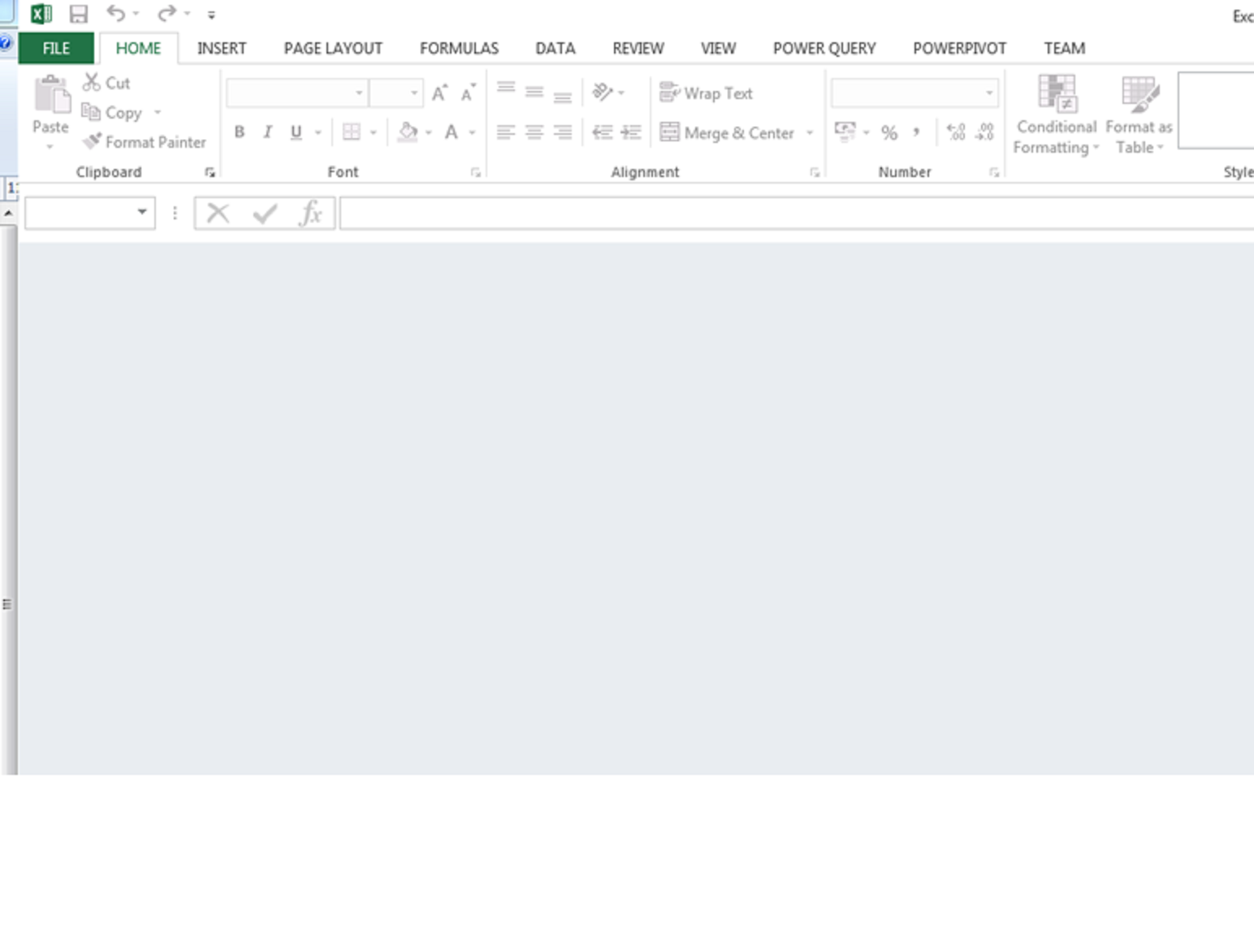
Export to excel (eg from a contacts view) produces an xls with the correct filesize but when it is opened there are no rows and the ribbon is disabled!

This has been working fine up until now. I would be grateful for any ideas...otherwise I suppose I will schedule a server reboot.

Exporting with column headings - to xml - works fine.

Thanks6082.excel.png
*This post is locked for comments

I have the same question (0)
  • CRMYogi Profile Picture
    505 on at

    See if this gets you anywhere

    social.microsoft.com/.../crm-export-to-excel-opens-blank-worksheet

    Regards,

    Yogesh

  • Community Member Profile Picture
    on at

    Thanks but it all User acccounts are experiencing it - plus there are no column headers output.

  • forco02 Profile Picture
    on at

    I have the same issue that started today on Dynamics 2015, When I log in to Dynamics from outside the network it also fails in the same way. This is for all users, and was fine yesterday

    I am interested if rebooting the server fixes the problem.

  • Community Member Profile Picture
    on at

    Will let you know tomorrow Colin. I don't know exactly when the issue started but we just became aware of it yesterday.

  • Verified answer
    Community Member Profile Picture
    on at

    The reboot solved the Excel problem – but we also updated to CRM rollup 4 (which may may or may not have helped the issue).

    Strangely now the export options are different – the option to export field headers for re-import has disappeared so this must be handled differently now??

  • JanHoefnagels Profile Picture
    15 on at

    Hi, the problem is caused by security settings in Excel.

    Please see http://community.dynamics.com/crm/f/117/t/206155

Under review

Thank you for your reply! To ensure a great experience for everyone, your content is awaiting approval by our Community Managers. Please check back later.

Helpful resources

Quick Links

Responsible AI policies

As AI tools become more common, we’re introducing a Responsible AI Use…

Neeraj Kumar – Community Spotlight

We are honored to recognize Neeraj Kumar as our Community Spotlight honoree for…

Leaderboard > 🔒一 Microsoft Dynamics CRM (Archived)

#1
SA-08121319-0 Profile Picture

SA-08121319-0 4

#1
Calum MacFarlane Profile Picture

Calum MacFarlane 4

#3
Alex Fun Wei Jie Profile Picture

Alex Fun Wei Jie 2

Last 30 days Overall leaderboard

Featured topics

Product updates

Dynamics 365 release plans



