web
You’re offline. This is a read only version of the page.
close
Skip to main content

Notifications

Announcements

No record found.

Community site session details

Community site session details

Session Id :
Finance | Project Operations, Human Resources, ...
Suggested Answer

Error: A budget check cannot be performed. The fiscal period with the accounting date is not in an open fiscal calendar period

(0) ShareShare
ReportReport
Posted on by 5

Greetings All 

Could you please assist in resolving this error: 

Error:  A budget check cannot be performed. The fiscal period with the accounting date is not in an open fiscal calendar period

We just activated budget control in July 2021 but now  old transactions captured in prior months before budget control activation are giving  this error. Some related logged fixes (Issue 3599743 &Issue 3806624) are prior for versions Ax2012 R2/R3.

Our setup :

ON Premises installation

D365  F&O  PU 40 Installed product version : 10.0.16

Fiscal calendar Jan-Dec

Error is popping up on:

PO Confirmations

PO amendments and workflow

PO creation from PRs

PR amendments and workflow

Stores Issues

Etc etc

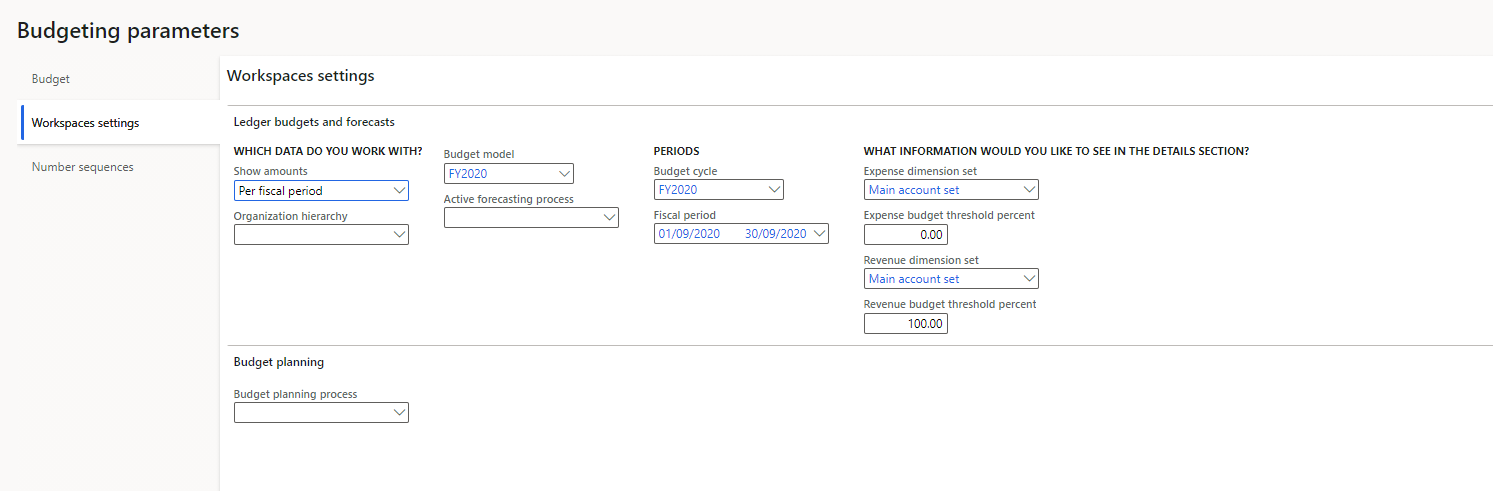
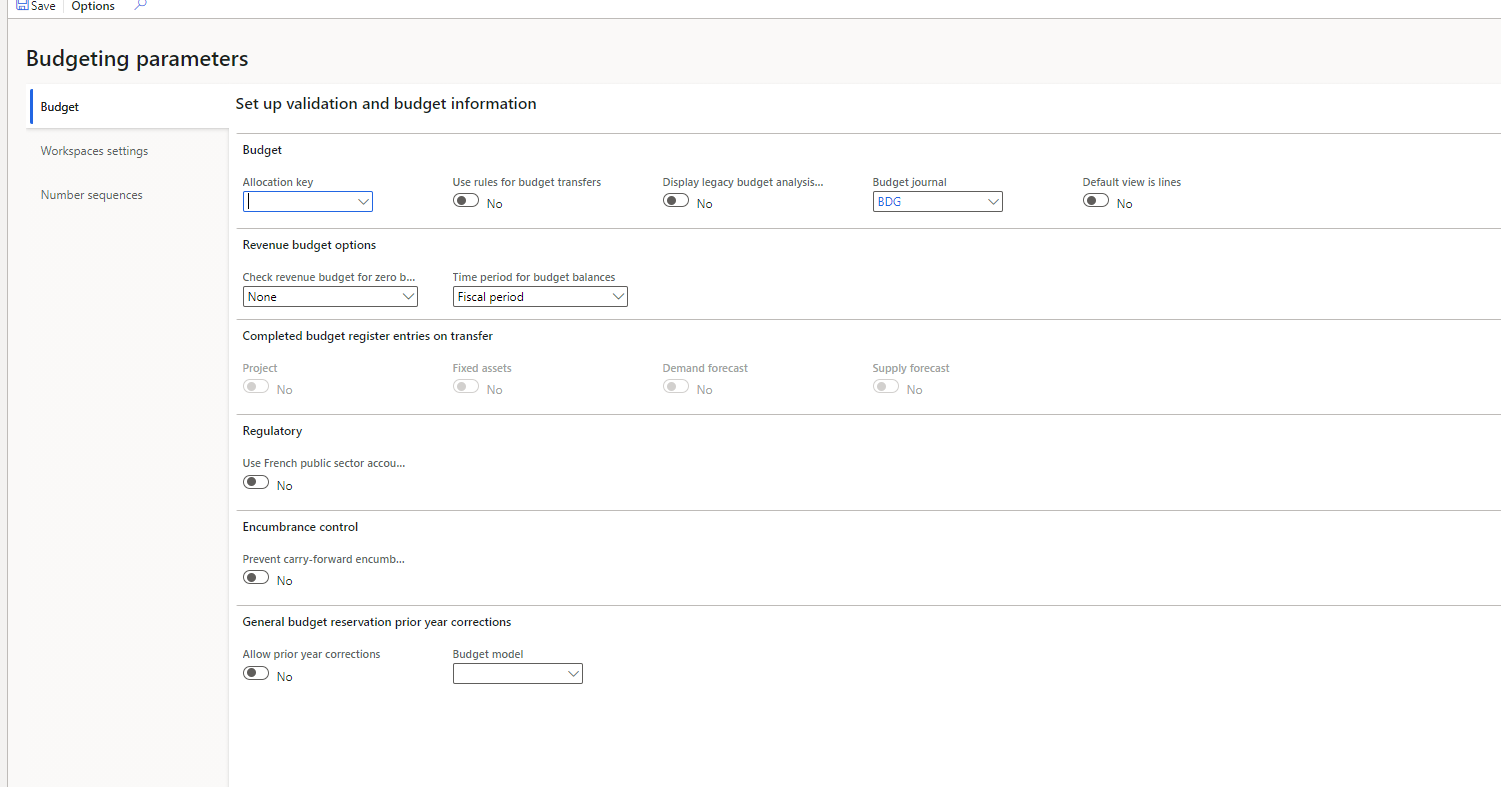
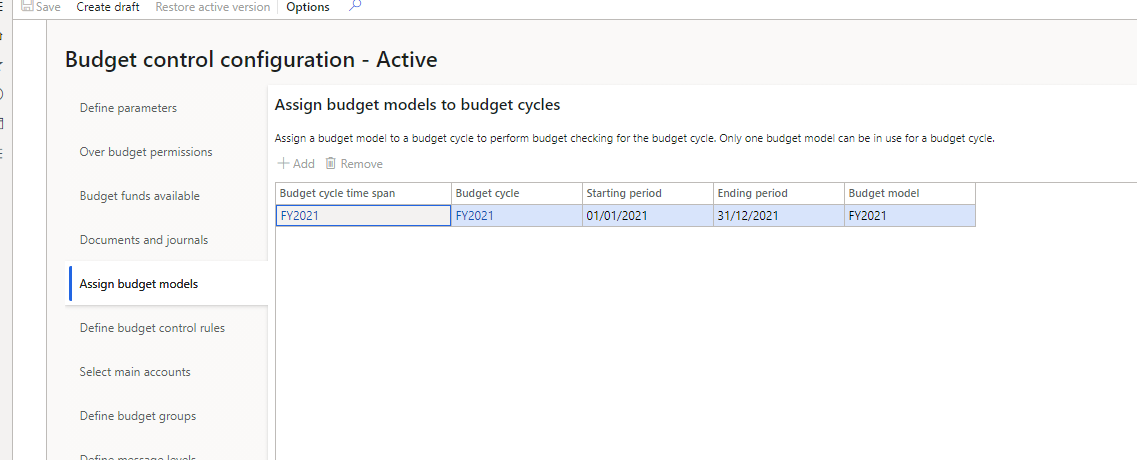
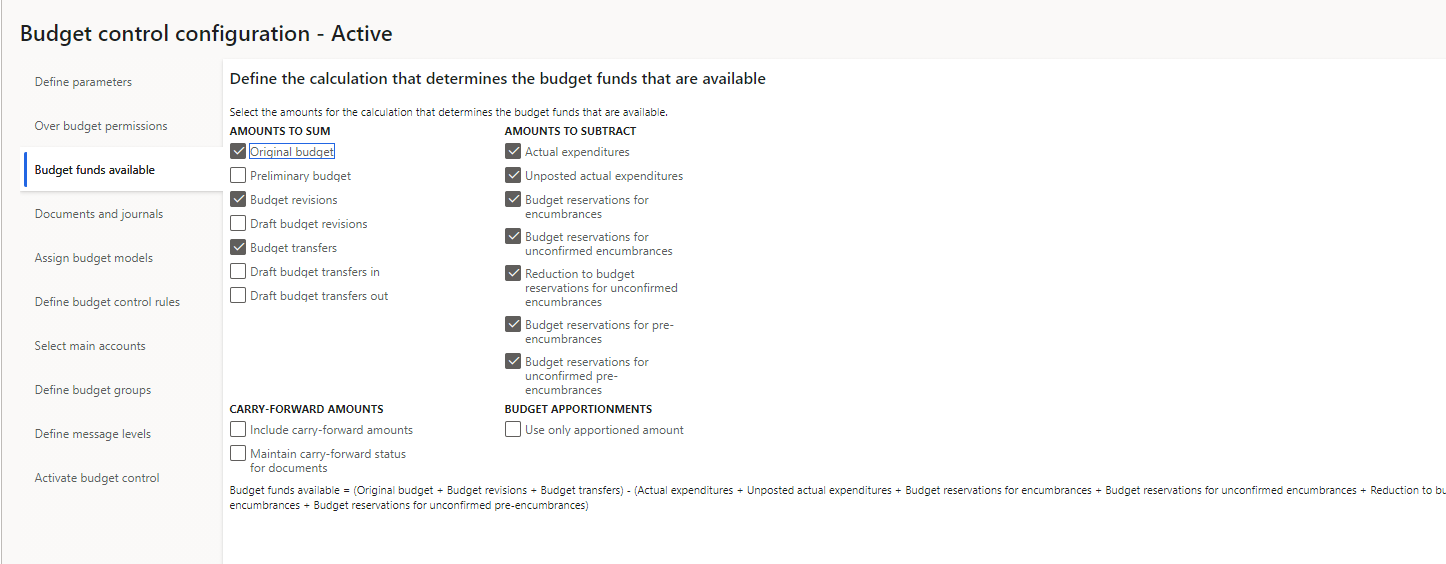
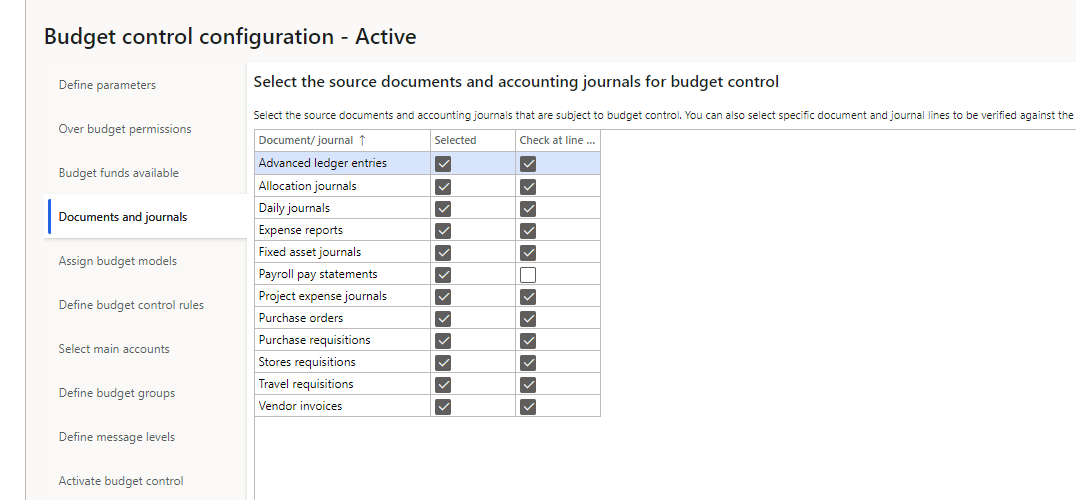
 Below are some of my setup screen shots
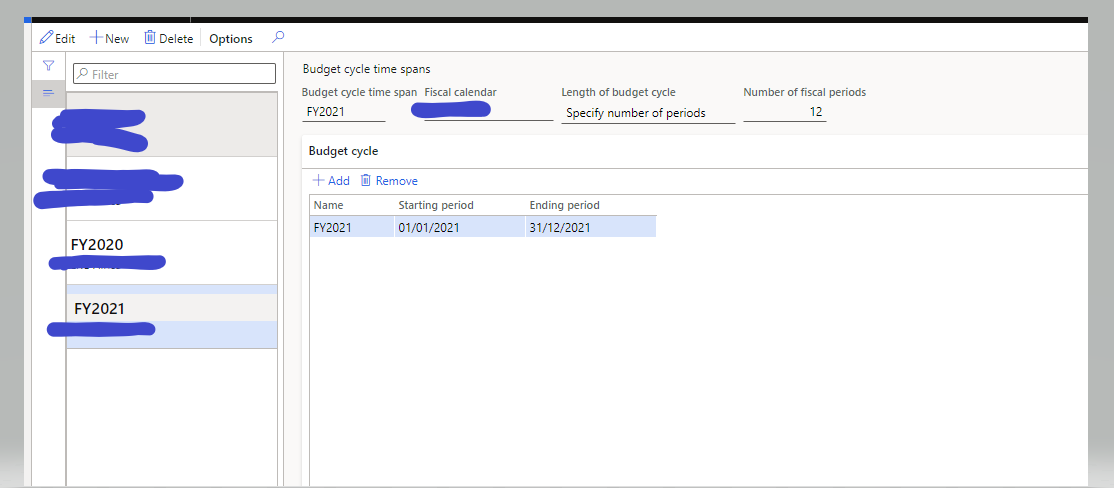
Budget-cycles.PNGBudget-parameters-workspace.PNGBudget-parameters.PNGBudget-control-config-models.PNGBudget-control-config-funds-available.PNGBgt-Control-Config-docs.PNG

I have the same question (0)
  • huijij Profile Picture
    19,811 on at

    Hi immano,

    Can you zoom screenshot a bit?it's too small to see clearly.

    regards

  • Suggested answer
    Ludwig Reinhard Profile Picture
    Microsoft Employee on at

    Hi,

    Can you check GL/setup/ledger and in the ledger form open your periods and ensure that they are not on hold.

    Best regards,

    Ludwig

  • immano Profile Picture
    5 on at

    Thank you Ludwig for the swift response.

    I forget to mention that no budget errors if  periods are left "Open" but we have to put them(prior periods) ON HOLD as per business norm. Each time monthend is closed finance mgr has to put that period  On hold.

    Leaving them  open will not be ideal for the business practices

    Could there be a way to avoid this error without leaving prior periods Open

  • ThangNguyen Profile Picture
    184 on at

    Hi,

    Budget control based on budget cycle time span, not active date. In your case, I assume that you want to control budget from July to December.

    If correct, please change set up budget cycle time span for 6 periods from Jul/1/2021->Dec/31/2021. For 2022, create new budget cycle time span for 12 periods.

    If incorrect, we must set period in open status.

  • immano Profile Picture
    5 on at

    Hi Thang

    Thank you for the response.

    Even if  the time span is July-Dec 2021 we are still running into errors  with documents created from prior "on Hold" periods.

    A PO or PR created/with accounting date  say August  is giving an error when resuming the processing of it in September whilst August is On Hold.

    We want such historical open documents to be processed in the now current open period without this accounting date error. Business does not want to operate with prior periods Open. If the month end processing is done, the period MUST be  put on HOLD.

  • Ehab Farhan Profile Picture
    10 on at

    I have the same error and found that Activate budget control not activated as below 

    pastedimage1647164439918v1.png

  • Mahesh9 Profile Picture
    10 on at

    Hi Ehab Farhan,

    Same issue i am facing now.

    Did you resolve it ?

    If yes,can you let me know how it got resolved ?

    Thankyou

  • Mahesh9 Profile Picture
    10 on at

    Hi immano,

    Same issue i am facing now.

    Did you resolve it ?

    If yes,can you let me know how it got resolved ?

  • Ehab Farhan Profile Picture
    10 on at

    It Solved with me when I care about below steps:

    1- I check the Account of Purchasing which is related to budget, in Account structure i am using it in Budget Control

    2- During posting Check the Financial Dimension related to account

    2- During posting i must put the Posting Date (don't forget it')

Under review

Thank you for your reply! To ensure a great experience for everyone, your content is awaiting approval by our Community Managers. Please check back later.

Helpful resources

Quick Links

Responsible AI policies

As AI tools become more common, we’re introducing a Responsible AI Use…

Neeraj Kumar – Community Spotlight

We are honored to recognize Neeraj Kumar as our Community Spotlight honoree for…

Leaderboard > Finance | Project Operations, Human Resources, AX, GP, SL

#1
Martin Dráb Profile Picture

Martin Dráb 664 Most Valuable Professional

#2
André Arnaud de Calavon Profile Picture

André Arnaud de Cal... 522 Super User 2025 Season 2

#3
Sohaib Cheema Profile Picture

Sohaib Cheema 303 User Group Leader

Last 30 days Overall leaderboard

Product updates

Dynamics 365 release plans