web
You’re offline. This is a read only version of the page.
close
Skip to main content

Notifications

Announcements

Community site session details

Community site session details

Session Id :
Customer experience | Sales, Customer Insights,...
Answered

Quick Campaigns: Excluded Members view

(0) ShareShare
ReportReport
Posted on by

Hello, 

I am a BA, investigating how my organization might use Quick Campaigns and I have a question about the views that are/should be used for the Selected Members/Excluded Members sub-grids on the QC Summary tab. As it stands, both of these sub-grids are displaying the exact same members. Since my Quick Campaign successfully sent emails to the 3 members of my Marketing List, I would not expect to see any records displayed as Excluded Members. Yet, I do. 
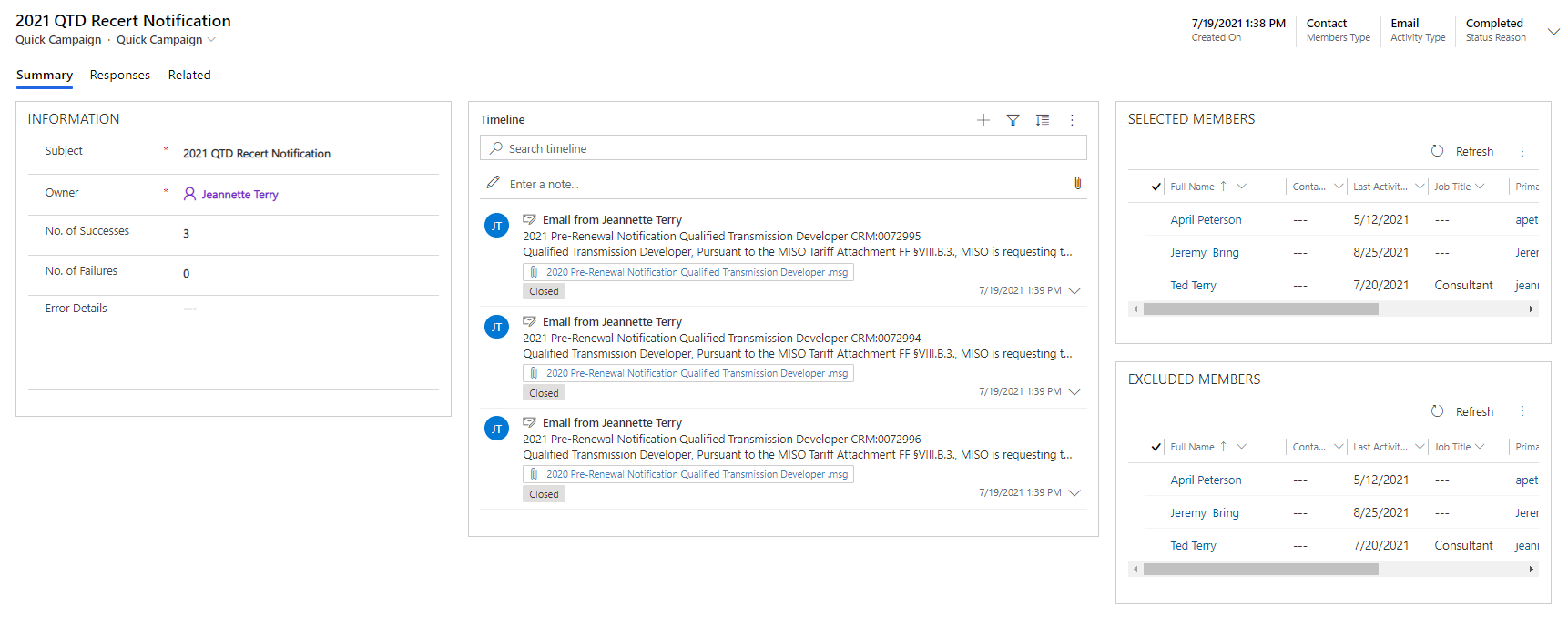
pastedimage1633349867307v1.png

I believe the issue rests with the default view selected for the sub-grids. For example, I see the Default View selected in the Contacts sub-grid is Active Contacts. I believe it should be set to some associated view or maybe the bulk operations view. However, the only views I can select do not include any of these views:
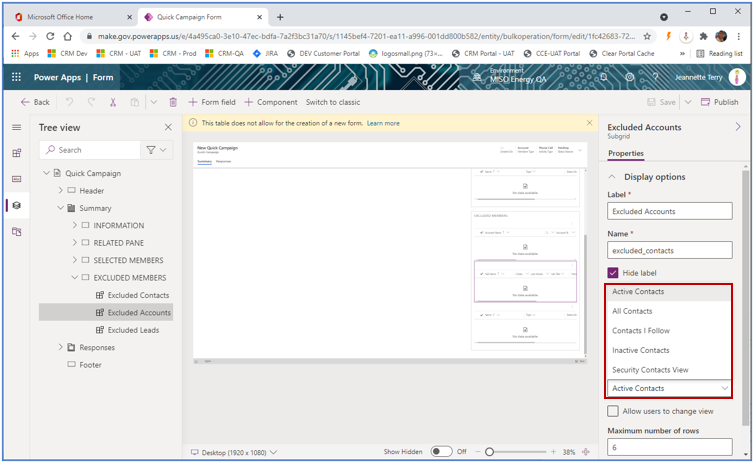
pastedimage1633351908356v2.png

Can someone help me to understand what I'm missing here?  

I have the same question (0)
  • Suggested answer
    Community Member Profile Picture
    on at

    Thank you Nya!

    While this didn’t exactly answer my question, it helped me to understand the views I needed were inactive. Now that I’ve activated them, I can set them as the default view for these sub-grids. My testing shows this has fixed my problem!

  • Verified answer
    Nya Profile Picture
    29,060 on at

    Hi,

    I have checked that the default view here is "Excluded Accounts / Contacts / Leads Campaigns".

    pastedimage1633412049666v1.png

    Have you ever made some customization on it?

Under review

Thank you for your reply! To ensure a great experience for everyone, your content is awaiting approval by our Community Managers. Please check back later.

Helpful resources

News and Announcements

Season of Giving Solutions is Here!

Quick Links

Responsible AI policies

As AI tools become more common, we’re introducing a Responsible AI Use…

Neeraj Kumar – Community Spotlight

We are honored to recognize Neeraj Kumar as our Community Spotlight honoree for…

Leaderboard > Customer experience | Sales, Customer Insights, CRM

#1
Pallavi Phade Profile Picture

Pallavi Phade 94

#2
Tom_Gioielli Profile Picture

Tom_Gioielli 69 Super User 2025 Season 2

#3
TAHER Mehdi Profile Picture

TAHER Mehdi 58

Last 30 days Overall leaderboard

Product updates

Dynamics 365 release plans
