web
You’re offline. This is a read only version of the page.
close
Skip to main content

Notifications

Announcements

No record found.

Community site session details

Community site session details

Session Id :
Finance | Project Operations, Human Resources, ...
Answered

LCS in an "Incomplete" State when deleting environment

(0) ShareShare
ReportReport
Posted on by 1,982

Hi all,

Sorry if I post in a wrong forum. 

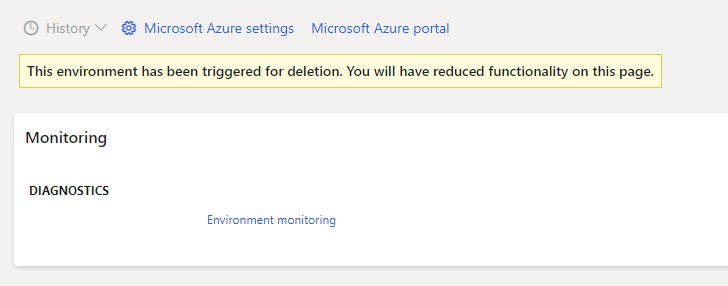
I have problem with LCS, one of my environment stopped in a "incomplete" state when I try to delete. Know how to fix this?

7343.pastedimage1579233712662v1.png

4863.pastedimage1579233781143v2.png

Now the environment just stuck there, can't start, can't delete, can't continue. I want to delete this environment. Does anyone know how to fix this?

Thank you.

Jefry

I have the same question (0)
  • Blue Wang Profile Picture
    on at

    Hi Jefry,

    Have you done anything to your environment? Such as replacing a certificate.

    Can you describe in detail.

  • Jefry Then Profile Picture
    1,982 on at

    Hi Blue Wang,

    No, I didn't replace any certificates. No configurations on this project has been made.

    My project originally had 2 environments. Lately, I rarely use this 1 environment, so I decide to deallocate it and then delete it to preserve my Azure subscriptions' balance. As you already know, this is done automatically. I just type my environment and then stuck with "Incomplete" state.

    Thank you.

    Jefry

  • Suggested answer
    André Arnaud de Calavon Profile Picture
    301,075 Super User 2025 Season 2 on at

    Hi Jefry,

    Did you check what is the delete status by going to your Azure admin portal? If it has been deleted already, I would suggest to log a ticket for Microsoft Support. They would be able to see what went wrong and can potentially complete the deletion then.

  • Suggested answer
    nmaenpaa Profile Picture
    101,160 Moderator on at

    Did you delete it from Azure portal or from LCS?

    Anyway, you can always go to Azure Portal and delete the resource group of this environment. This way there is no cost anymore. But the environment icon will stay in LCS.

  • Jefry Then Profile Picture
    1,982 on at

    Hi Andre, Nikolaos,

    Thank you for your reply.

    First, I delete it via LCS. After I saw it was stucked in "Incomplete" state, then I went to azure portal to delete my resource group for this environment. Now in my azure portal, resource group for this environment is already completely deleted but still remains in LCS. I guess, it is OK as long as Azure doesn't charge for "any remnants" (if any) left.

  • Verified answer
    André Arnaud de Calavon Profile Picture
    301,075 Super User 2025 Season 2 on at

    Hi Jefry,

    You can check in Azure if indeed also the storage account related to this VM is deleted. If not, there will be still a small amount charged.

Under review

Thank you for your reply! To ensure a great experience for everyone, your content is awaiting approval by our Community Managers. Please check back later.

Helpful resources

Quick Links

Responsible AI policies

As AI tools become more common, we’re introducing a Responsible AI Use…

Neeraj Kumar – Community Spotlight

We are honored to recognize Neeraj Kumar as our Community Spotlight honoree for…

Leaderboard > Finance | Project Operations, Human Resources, AX, GP, SL

#1
Martin Dráb Profile Picture

Martin Dráb 503 Most Valuable Professional

#2
André Arnaud de Calavon Profile Picture

André Arnaud de Cal... 434 Super User 2025 Season 2

#3
BillurSamdancioglu Profile Picture

BillurSamdancioglu 278 Most Valuable Professional

Last 30 days Overall leaderboard

Product updates

Dynamics 365 release plans
