web
You’re offline. This is a read only version of the page.
close
Skip to main content

Notifications

Announcements

No record found.

Community site session details

Community site session details

Session Id :
Microsoft Dynamics CRM (Archived)

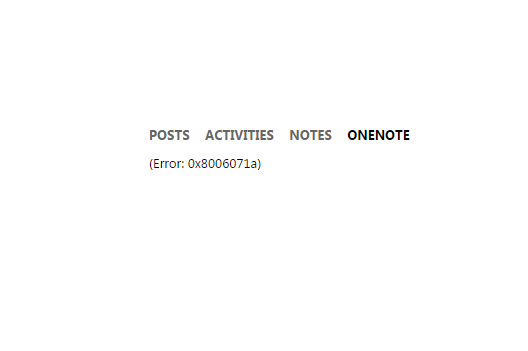
One Note integration with Dynamics CRM 365: (Error: 0x8006071a)

(0) ShareShare
ReportReport
Posted on by 290

Hello,

I have gone through these steps https://blogs.technet.microsoft.com/lystavlen/2015/03/31/make-a-note-of-this-onenote-is-coming-to-crm/ but I receive an error everytime when I try to open Onenote tab among activities on Account's form. 

Steps:

1) Create own site  ...sharepoint.com/sites/Test2

2) Enabled Server Side SharePoint integr. & validate site

3) Select Accounts in OneNote Integration among CRM settings

4) Refresh Account page

5) Select One note tab among activitis and got this message  (Error: 0x8006071a)

Did someone had similiar problem? Do you know for any workarounds/solutions? I tried to google it but without any success.

BR,

Miha
0636.Capture.PNG

*This post is locked for comments

I have the same question (0)
  • wperkinson3 Profile Picture
    2 on at

    I am having the same issue and have not been able to resolve.

  • Community Member Profile Picture
    on at

    Having the same issue...

  • wperkinson3 Profile Picture
    2 on at

    I have contacted Microsoft Support on this issue and they have been mostly useless on this matter.

    Their first response was that it was caused because we were trying to add a OneNote entry to a read-only CRM record.  I then proceed to show them that it occurs on records that are read/write.  I have not heard back from them.

    If this is to be the best thing for storing information in CRM Online, I would expect a better response from Microsoft Support.  Has anyone else had any response from Microsoft that is useful?

  • Suggested answer
    Yash Patel Profile Picture
    11 on at

    Hey Guys,

    The fix for this issue is fairly simple. The reason why you are seeing this error is because CRM is unable to create a OneNote document under the location in SharePoint which is otherwise specified by CRM. To fix this, we need to specify document locations in SharePoint for CRM.

    You will need to go into Settings > Document Management > Document Management Settings > and finish configuring document locations for the entities you wish to have OneNote enabled for.

    Once this is done, you will have OneNote functionality.

    Thanks,

    Yash

  • Community Member Profile Picture
    on at

    Thanks for sharing a solution, Yash! Haven't tried this yet but will bookmark the conversation for reference.

Under review

Thank you for your reply! To ensure a great experience for everyone, your content is awaiting approval by our Community Managers. Please check back later.

Helpful resources

Quick Links

Responsible AI policies

As AI tools become more common, we’re introducing a Responsible AI Use…

Neeraj Kumar – Community Spotlight

We are honored to recognize Neeraj Kumar as our Community Spotlight honoree for…

Leaderboard > 🔒一 Microsoft Dynamics CRM (Archived)

#1
SA-08121319-0 Profile Picture

SA-08121319-0 4

#1
Calum MacFarlane Profile Picture

Calum MacFarlane 4

#3
Alex Fun Wei Jie Profile Picture

Alex Fun Wei Jie 2

Last 30 days Overall leaderboard

Featured topics

Product updates

Dynamics 365 release plans



