web
You’re offline. This is a read only version of the page.
close
Skip to main content

Notifications

Announcements

No record found.

Community site session details

Community site session details

Session Id :
Microsoft Dynamics GP (Archived)

Management Reporter 2012 - Unable to cast COM object type error

(0) ShareShare
ReportReport
Posted on by 230

We have users that recently began receiving the following error message when running any report in MR 2012:

Unable to cast COM object type "System._ComObject' to interface type "Microsoft.Office.Uc.UCOffice Integration'. This operation failed because the QueryInterface call on the COM component for the interface with IID '{6A222195-F65E-467F-8F77-EB180BD85288} failed due to the following error: No such interface supported (Exception from HRESULT: 0x80004002(E_NOINTERFACE)). 
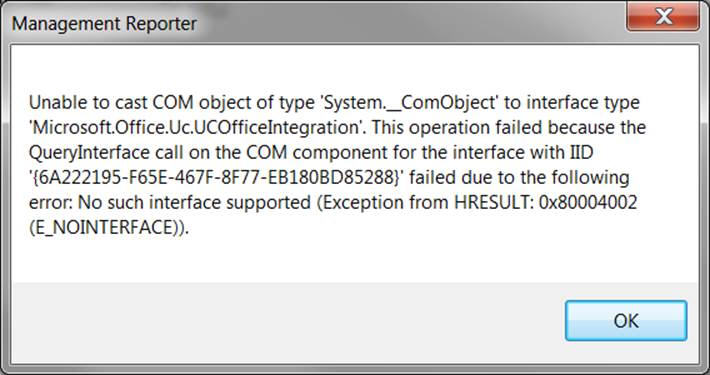

I've seen similar errors that reference the Dynamics.exe file; this error appears to have something to do with Office.  Has anyone ever encountered  and resolved this issue?  Any suggestions are welcomed.

Thanks,

*This post is locked for comments

I have the same question (0)
  • Suggested answer
    Redbeard Profile Picture
    12,931 on at

    Rodney,

    Peeling back the error to the trailing portion, you'll find this error all over the Internet on stackoverflow and other technical sites.

    (Exception from HRESULT: 0x80004002(E_NOINTERFACE)).

    To avoid this problem, all single threaded apartment (STA) threads should use pumping wait primitives (such as CoWaitForMultipleHandles) and routinely pump messages during long running operations. Also you should not share the object between threads - each object should be called only on the thread that created it.

    If you don't understand any of this techno-speak, log a support incident with Microsoft to implement the fix.

  • Suggested answer
    Rodney Bass Profile Picture
    230 on at

    Turns out the issue was directly related to Office Communicator R2 being uninstalled on the affected machines.  Apparently someone noticed that the user had Lync 2013 and Communicator R2 installed on the machine, so they decided to remove Communicator.  When the uninstall occurred, there was a registry key that gets removed. HKEY_CLASSES_ROOT\Wow6432Node\Interface\{6A222195-F65E-467F-8F77-EB180BD85288}  It appears that this same key is created when Lync 2013 is installed also.

    I was able to resolve this by doing a System Restore.  Registry key returns, functionality returns.  Through further testing, I observed, that this key isn't always the direct reason for this issue, but in our situation, it was.

Under review

Thank you for your reply! To ensure a great experience for everyone, your content is awaiting approval by our Community Managers. Please check back later.

Helpful resources

Quick Links

Responsible AI policies

As AI tools become more common, we’re introducing a Responsible AI Use…

Neeraj Kumar – Community Spotlight

We are honored to recognize Neeraj Kumar as our Community Spotlight honoree for…

Leaderboard > 🔒一 Microsoft Dynamics GP (Archived)

#1
Community Member Profile Picture

Community Member 2

#2
mtabor Profile Picture

mtabor 1

#2
Victoria Yudin Profile Picture

Victoria Yudin 1

Last 30 days Overall leaderboard

Featured topics

Product updates

Dynamics 365 release plans



