This is a returning subject in Microsoft Customer Support Service. The following error may happen in Dynamics NAV releases:
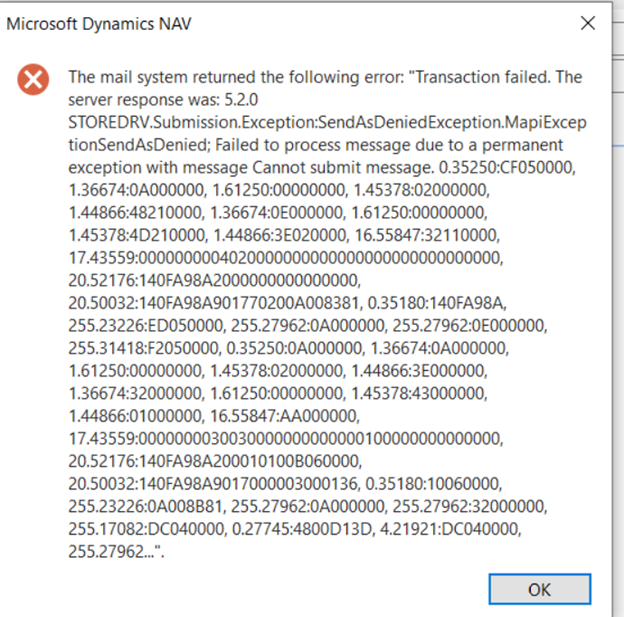
What you must do is adding the SMTP User to the mailbox permissions of all users that do need to be authenticated via the SMTP user account.
To do so, please follow steps:
- note the SMTP User account defined in Dynamics NAV
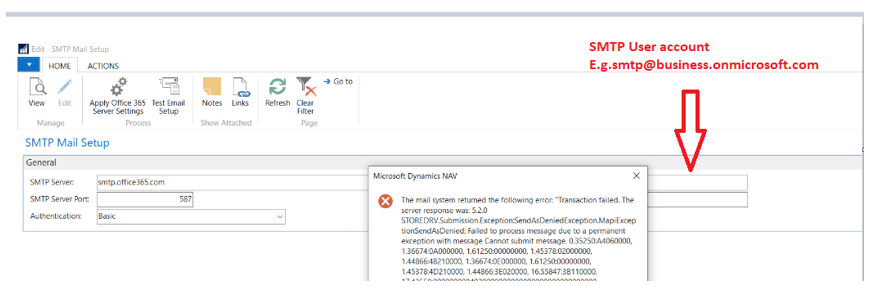
- logon to Office 365 via https://portal.office365.com with the Global Admin account
- click on Users, Active Users on the left hand site
- click on Edit User
- select the user that you would like to be able to send mails from Dynamics NAV
- select Mail
- select Manage Mailbox Permissions under Mailbox Permissions
- click on the Edit

- click on + Add Permission
- type in the name of the SMTP user account (in the above screenshot, it is SMTP) in the "Search for users to add" field
- select the checkbox before the SMTP user account and select Save and close the screens
NOTE: it may take a few minutes before the SendAs permissions is picked up by Exchange Online
- repeat this for every Dynamics NAV user you would like to be used to Send As the SMTP user account via Dynamics NAV SMTP server.
More information related to this setup (though written for Dynamics 365 Business Central):
https://docs.microsoft.com/en-us/dynamics365/business-central/admin-how-setup-email


