web
You’re offline. This is a read only version of the page.
close
Skip to main content

Notifications

Announcements

No record found.

Community site session details

Community site session details

Session Id :
Small and medium business | Business Central, N...
Suggested Answer

Data migration from GP to BC

(0) ShareShare
ReportReport
Posted on by

Hi Everyone!

I'm working on data migration from GP to BC online and have a problem that cannot resolve. I feel like I'm in mission impossible.  Here is the problem:

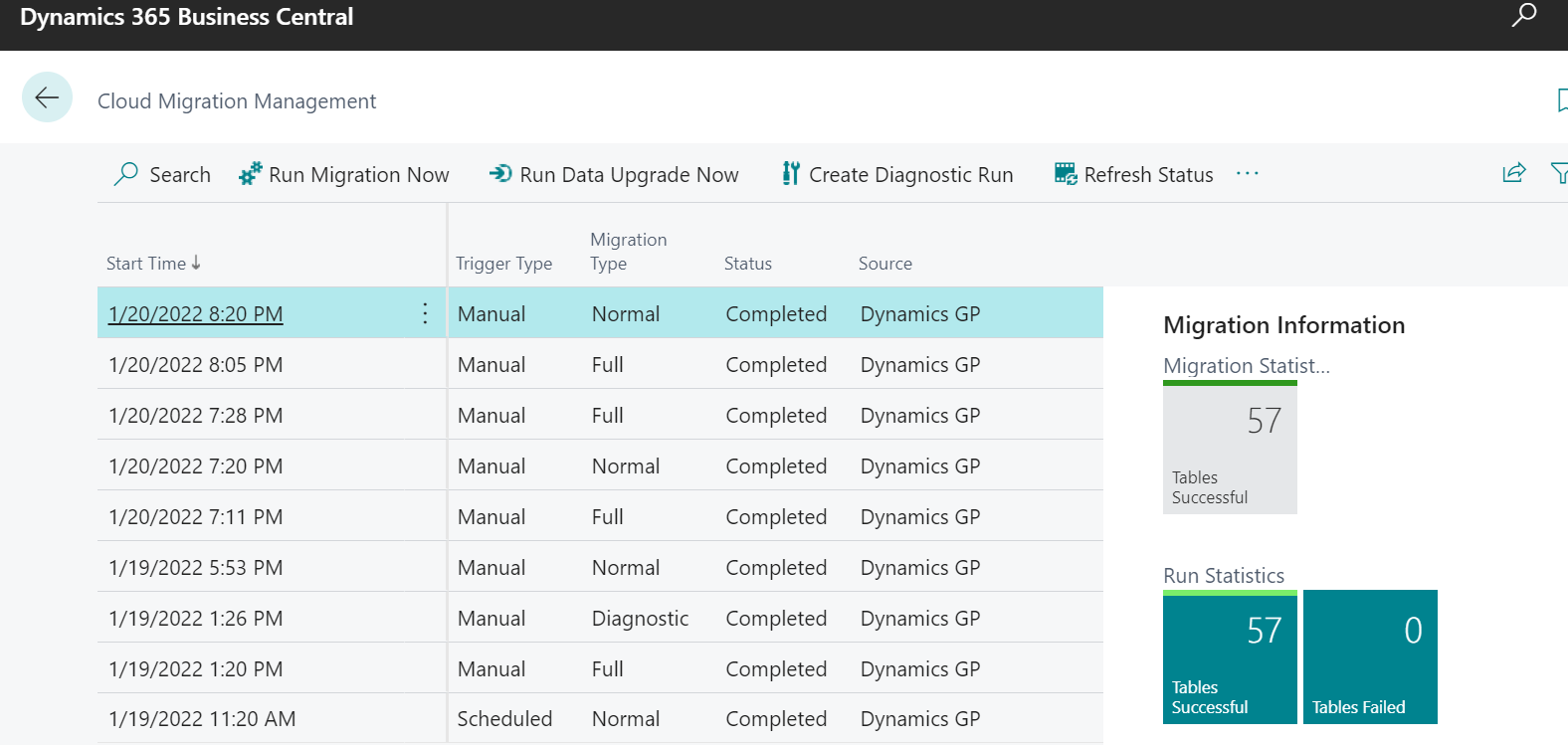
- In Cloud Migration Management page status of migration is Completed and I successfully migrated 57 tables:
pastedimage1642713066912v1.png

- In the company where I'm migrate the data, there is nothing! CoA, Customers, Vendors, etc. ... nothing. BUT, in GP tables I see the data. For example, in table 4090 GP Account: 

pastedimage1642713542090v2.png  

How to make the data appear in standard tables???? What I miss? Please help!

I have the same question (0)
  • Suggested answer
    Marco Mels Profile Picture
    on at

    Hello,

    Maybe this helps:

    docs.microsoft.com/.../migrate-dynamics-gp

    Thanks.

  • Suggested answer
    Community Member Profile Picture
    on at

    Jelena,

    I did a migration from GP to BC and when I completed this it created a new Company that was not the company I wanted the data to populate into.  Maybe check to see if you have a new Company.

    Thanks,

    Steve

  • tlhgolfer Profile Picture
    23 on at

    Steven is correct I have done multiple of these and what it does is create a new company you do not get to choose where the data goes only what the dimension will be and if you want inactive customer and vendors.  You should have a company for all companies migrated and it will have the same name as what is in SQL.

    Hope this helps.

    Tanya

  • SonnyPawchuk Profile Picture
    114 on at

    Good Afternoon Jelena,

    Did you ever get an answer to this question?

    In the June, 2022 Data Migration release, I see that a number GPSOP tables have been added to Business Central when the Data Migration is executed.  However, the data just seems to be stuck in these tables and isn't assessible from the Business Central Interface (i.e. the GPSOPTrxHist table data doesn't show up on the Posted Sales Invoices form in Business Central).

    I am thinking of developing a list/query to show the GPSOPTrxHist table information, or running a configuration worksheet to load up the transactions (still considering my options).

    Thank you,

    Sonny Pawchuk.

    Geoson Solutions.

Under review

Thank you for your reply! To ensure a great experience for everyone, your content is awaiting approval by our Community Managers. Please check back later.

Helpful resources

Quick Links

Responsible AI policies

As AI tools become more common, we’re introducing a Responsible AI Use…

Neeraj Kumar – Community Spotlight

We are honored to recognize Neeraj Kumar as our Community Spotlight honoree for…

Leaderboard > Small and medium business | Business Central, NAV, RMS

#1
OussamaSabbouh Profile Picture

OussamaSabbouh 3,229

#2
Jainam M. Kothari Profile Picture

Jainam M. Kothari 1,867 Super User 2025 Season 2

#3
YUN ZHU Profile Picture

YUN ZHU 1,153 Super User 2025 Season 2

Last 30 days Overall leaderboard

Featured topics

Product updates

Dynamics 365 release plans
