My guess is that you did not change Report Selection to use your custom report, and you are trying to import your new layout into the standard version.
Business Central has functionality to set up which report object is used for certain functions. In general this is called 'Report Selection', and there are a number of them throughout the app. For sales you would need to use 'Report Selection - Sales'. Hit Alt+Q to get to the search box and start typing that, you should see it pop in. Click on the dropdown next to 'Usage' and select 'Quote', and now you should see the detail in the bottom, and you would not be surprised to see report number 1304 in there.
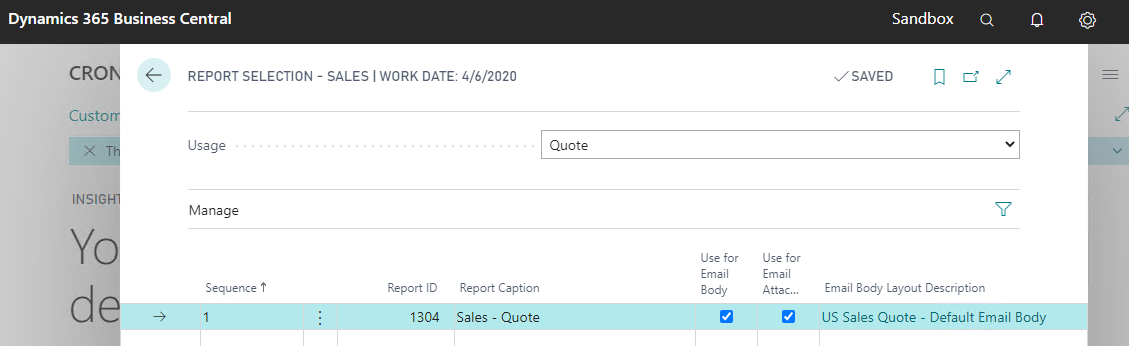
This means that when you hit 'Print' from a sales quote, the system will look in Report Selection to see which report to use, and it will pick 1304 because that's what is defined. What you need to do is remove that line and replace it with the report number that you used for your copy.
Now to import your custom layout, you need to link that to the right report object as well. Under 'Custom Report Layouts' you should see your new number in the list. I am guessing that you are trying to import the custom layout into report 1304 which will fail because you are using a field that doesn't exist in that report.
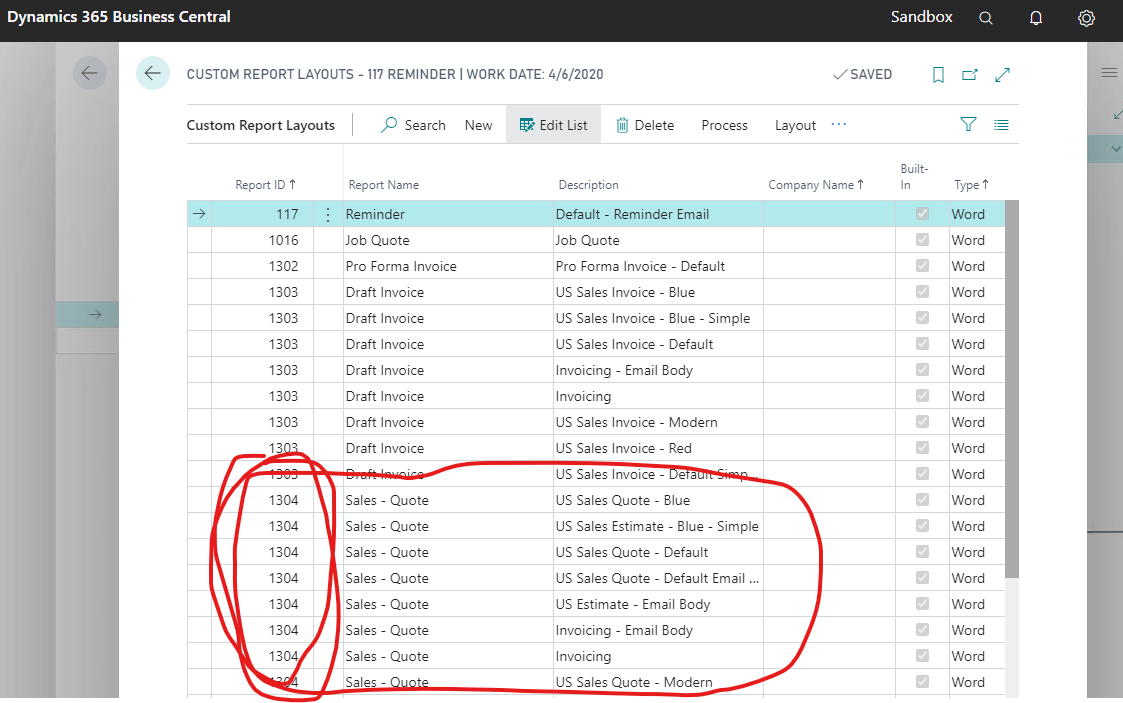
I don't think you even need to import the report layout because if you created a new report object, and you created a custom Word or RDLC layout for that report, everything should just be part of your app, and when you install that app into BC, it should work because the layout is just part of your app. Another thing that might have gone wrong is that you did not include the report layout in your workspace when you built your app file, or you didn't build it after you modified the layout.


