web
You’re offline. This is a read only version of the page.
close
Skip to main content

Notifications

Announcements

No record found.

Community site session details

Community site session details

Session Id :
Small and medium business | Business Central, N...
Answered

Blob field empty in Posted Invoice

(0) ShareShare
ReportReport
Posted on by 1,106

During Service Order invoicing, my new blob field in the Service Invoice Header is somehow getting cleared of data.

Using both debugger and "message boxing", I can see that during the posting routine the field in the ServInvHeader table is getting populated, but after the final commit, the field is empty.

Anyone have suggestions on why/how that would be happening?

I have the same question (0)
  • Suggested answer
    Inge M. Bruvik Profile Picture
    1,105 Moderator on at

    Do you remember to use calcfields on the blob before you check if it is empty or not?

    If that is not the case then i think you need to share some code with us so we can look at what you are trying to achieve.

  • Suggested answer
    Nitin Verma Profile Picture
    21,700 Moderator on at

    Hi,

    please share your code also don’t forget to mention the cal cfield method before using the desired field value

  • Greg Enns Profile Picture
    1,106 on at

    This is BC14. Here is the code I'm using to ensure that the field is copied from the Order to the Posted Invoice.

    [EventSubscriber(Codeunit,5988,OnBeforeServInvHeaderInsert)]
    LOCAL PROCEDURE ServiceOrderToInvoiceOnBeforeFinalInsert@50211(VAR ServiceInvoiceHeader@50099 : Record 5992;ServiceHeader@50104 : Record 5900);
    VAR
      FieldTable@50100 : Record 2000000041;
      RecRefSVO@50101 : RecordRef;
      RecRefInv@50102 : RecordRef;
      BlobText@50105 : Text;
    BEGIN
      RecRefSVO.GETTABLE(ServiceHeader);
      RecRefInv.GETTABLE(ServiceInvoiceHeader);
    
      FieldTable.SETRANGE(TableNo,RecRefSVO.NUMBER);
      FieldTable.SETRANGE(Type,FieldTable.Type::BLOB);
      FieldTable.SETRANGE("No.",50000,59999);
      IF FieldTable.FINDSET THEN
        REPEAT
          BlobText := GetTextFromBlob(RecRefSVO,FieldTable."No.");
          IF BlobText <> '' THEN
            SetBlobTextNoModify(RecRefInv,FieldTable."No.",BlobText);
        UNTIL FieldTable.NEXT = 0;
      RecRefInv.SETTABLE(ServiceInvoiceHeader);
    END;
    
    
    PROCEDURE GetTextFromBlob@50101(VAR RecRef@50100 : RecordRef;FieldNo@50102 : Integer) : Text;
    VAR
      TempBlob@50099 : Record 99008535;
      BlobFieldRef@50101 : FieldRef;
    BEGIN
      BlobFieldRef := RecRef.FIELD(FieldNo);
      BlobFieldRef.CALCFIELD;
      TempBlob.INIT;
      TempBlob.Blob := BlobFieldRef.VALUE;
      IF NOT TempBlob.Blob.HASVALUE THEN
        EXIT('');
      Text1 := TempBlob.ReadAsTextWithCRLFLineSeparator;
      EXIT(Text1);
    END;
    
    
    PROCEDURE SetBlobTextNoModify@50102(VAR RecRef@50102 : RecordRef;FieldNo@50099 : Integer;NewText@50100 : Text) : Boolean;
    VAR
      TempBlob@50101 : Record 99008535;
      BlobFieldRef@50103 : FieldRef;
    BEGIN
      BlobFieldRef := RecRef.FIELD(FieldNo);
      BlobFieldRef.CALCFIELD;
      TempBlob.INIT;
      BlobFieldRef.VALUE := TempBlob.Blob; //clear field
    
      IF NewText <> '' THEN BEGIN
        TempBlob.WriteAsText(NewText,TEXTENCODING::UTF8);
        BlobFieldRef.VALUE := TempBlob.Blob;
        EXIT(TRUE);
      END ELSE
        EXIT(FALSE);
    
    END;

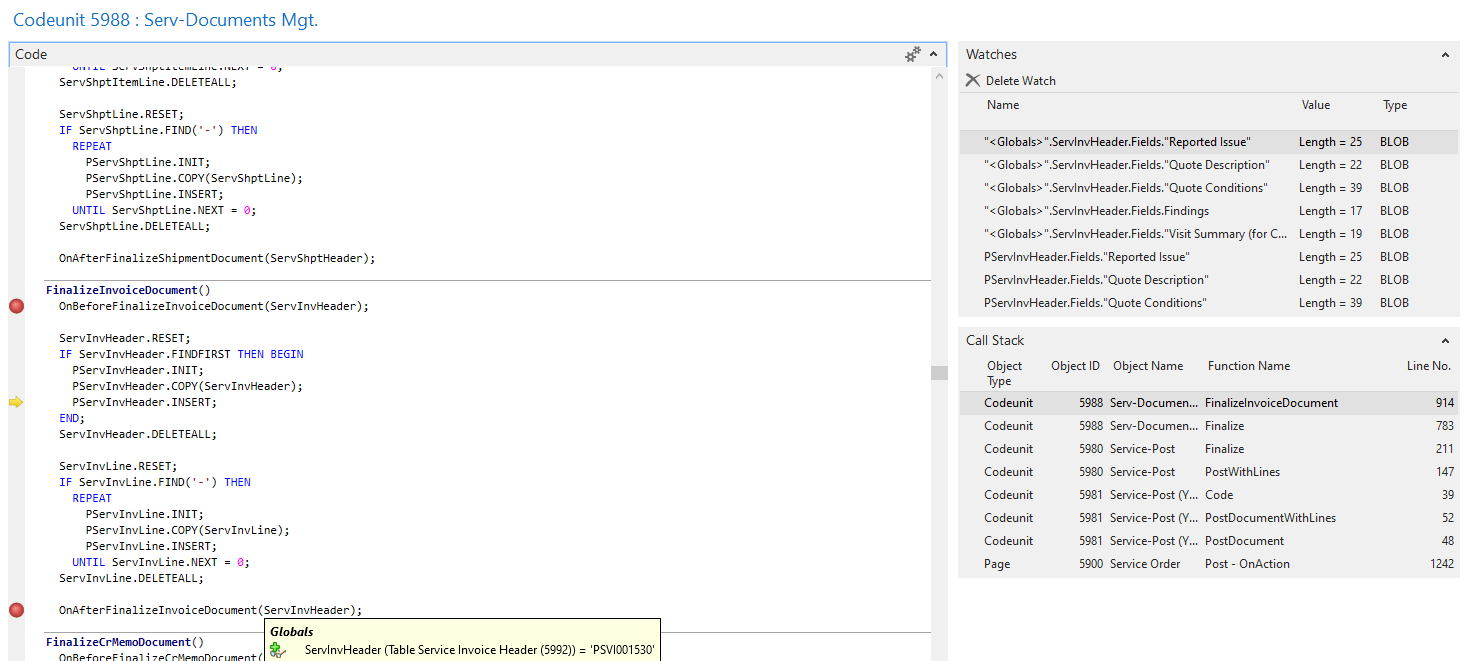
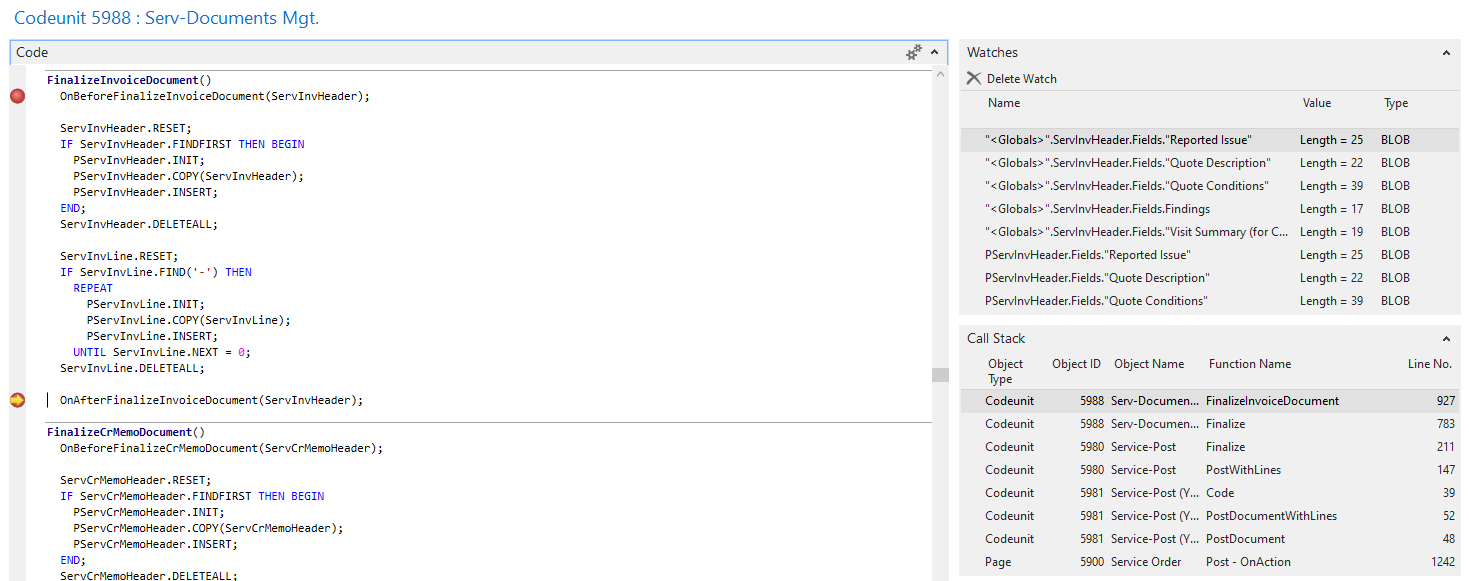
    Below are screenshots from the debugger showing that the temporary ServInvHeader has the blob fields updated (by my code above) and the physical ServInvHeader also has those blob fields populated both before and after the "INSERT" statement:
    pastedimage1655753180537v4.png

    pastedimage1655753163277v3.png

    But (after COMMIT) when I open up the Service Invoice Header, all the blob fields are blank--and when I check them with SQL, the fields are blank in the database as well.

  • Verified answer
    Greg Enns Profile Picture
    1,106 on at

    I ended up resolving this by updating the OnAfterFinalizeInvoiceDocument publisher function to include the PServInvHeader (like it does in newer versions of BC). I subscribed to this and updated the blob fields there and did a PServInvHeader.MODIFY.

  • dkkipfer Profile Picture
    336 on at

    Thank you for posting your final solution! It finally got me pointed in the right direction after spending a couple hours trying to find the right event subscriber.

Under review

Thank you for your reply! To ensure a great experience for everyone, your content is awaiting approval by our Community Managers. Please check back later.

Helpful resources

Quick Links

Responsible AI policies

As AI tools become more common, we’re introducing a Responsible AI Use…

Neeraj Kumar – Community Spotlight

We are honored to recognize Neeraj Kumar as our Community Spotlight honoree for…

Leaderboard > Small and medium business | Business Central, NAV, RMS

#1
OussamaSabbouh Profile Picture

OussamaSabbouh 3,151

#2
Jainam M. Kothari Profile Picture

Jainam M. Kothari 1,443 Super User 2025 Season 2

#3
YUN ZHU Profile Picture

YUN ZHU 1,092 Super User 2025 Season 2

Last 30 days Overall leaderboard

Featured topics

Product updates

Dynamics 365 release plans
