web
You’re offline. This is a read only version of the page.
close
Skip to main content

Announcements

No record found.

News and Announcements icon
Community site session details

Community site session details

Session Id :
Microsoft Dynamics AX (Archived)

Budget Control on Fixed Assets

(0) ShareShare
ReportReport
Posted on by 85

Dear Ludwig!

I want to apply budget control on fixed assets and for this I read your following blog :

https://community.dynamics.com/ax/b/dynamicsaxfinanceandcontrolling/archive/2016/04/16/budget-control-for-fixed-assets-part-1-ax2012

In above blog you share the screen in which you edit budget control classes as below :
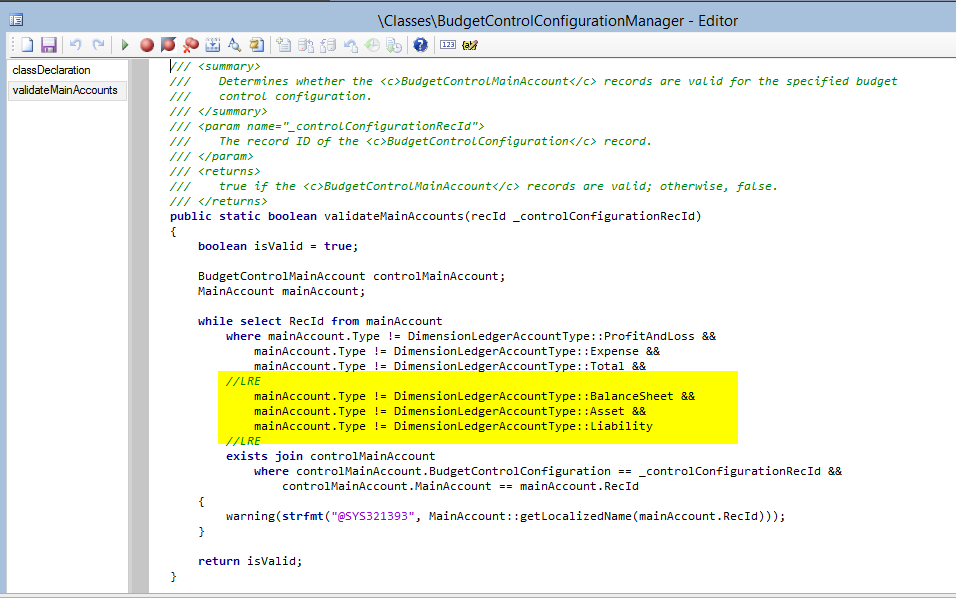
en_5F00_1_5F00_124_5F00_0050.png

I have applied the same changes in my local system but when I compile the said change , then AX shows syntax error as shown below:

syntax.png Please guide me .

In addition to this, i have create budget code of Fixed Assets in Setup section but the required code is not showing in Budget Register Entry Screen as shown below:
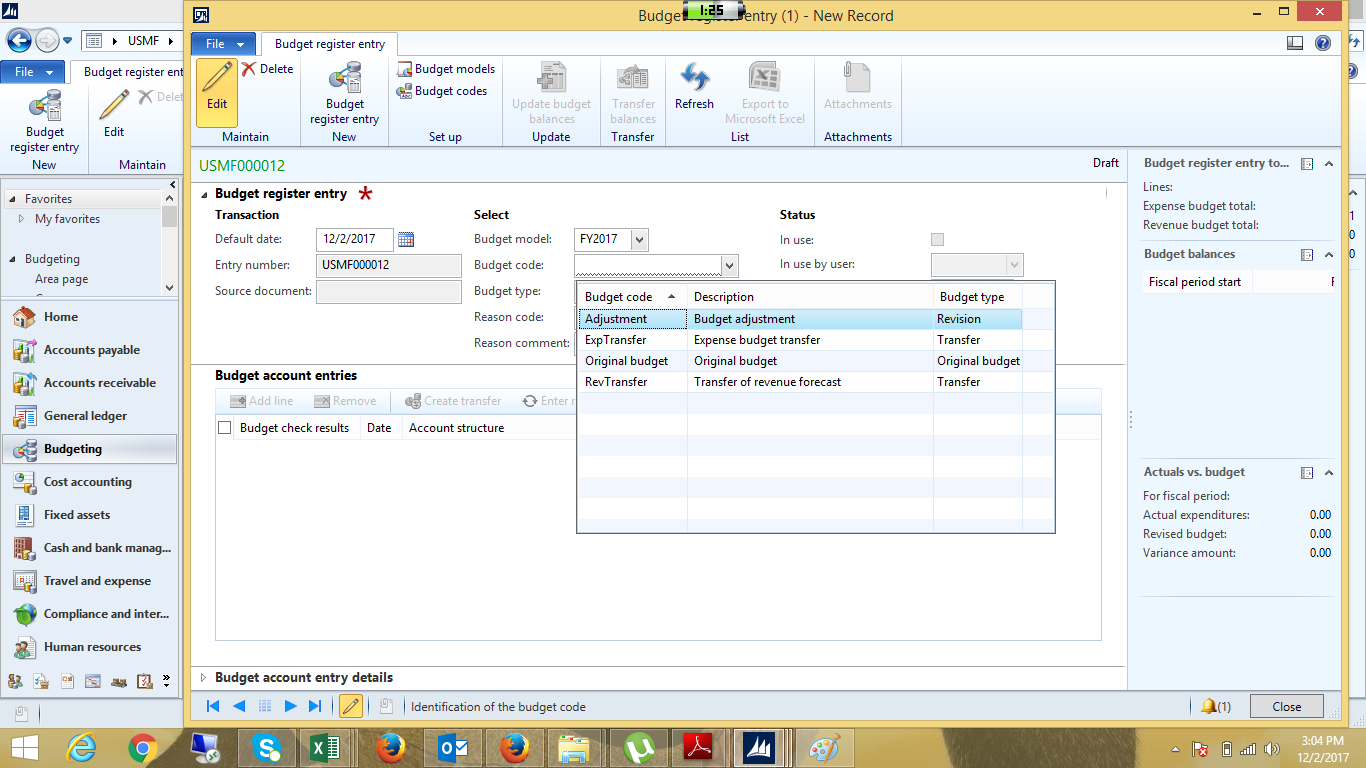
BRE.png

*This post is locked for comments

I have the same question (0)
  • Verified answer
    Ludwig Reinhard Profile Picture
    Microsoft Employee on at

    Hi,

    Can you enter && after the line that includes the total type

    That is

    ... ::Total &&

    Then try to compile.

    Best regards,

    Ludwig

  • Ammarali Profile Picture
    85 on at

    Yes it's working now .. Thanks

    But my 2nd query is that I'm unable to select the budget code "Fixed Asset" although I have already created the budget code in Budgeting parameters.

  • Suggested answer
    Ludwig Reinhard Profile Picture
    Microsoft Employee on at

    Hi,

    The budget code fixed asset cannot be selected manually.

    It is automatically assigned if you create a FA budget in the FA module and transfer it to the budgeting module.

    The same holds for project budgets.

    Best regards,

    Ludwig

Under review

Thank you for your reply! To ensure a great experience for everyone, your content is awaiting approval by our Community Managers. Please check back later.

Helpful resources

Quick Links

Introducing the 2026 Season 1 community Super Users

Congratulations to our 2026 Super Stars!

Meet the Microsoft Dynamics 365 Contact Center Champions

We are thrilled to have these Champions in our Community!

Congratulations to the March Top 10 Community Leaders

These are the community rock stars!

Leaderboard > 🔒一 Microsoft Dynamics AX (Archived)

#1
CP04-islander Profile Picture

CP04-islander 16

#2
GiacomoRovai Profile Picture

GiacomoRovai 4

#3
Douglas Noel Profile Picture

Douglas Noel 2

Last 30 days Overall leaderboard

Featured topics

Product updates

Dynamics 365 release plans
