web
You’re offline. This is a read only version of the page.
close
Skip to main content

Notifications

Announcements

No record found.

Community site session details

Community site session details

Session Id :
Microsoft Dynamics AX (Archived)

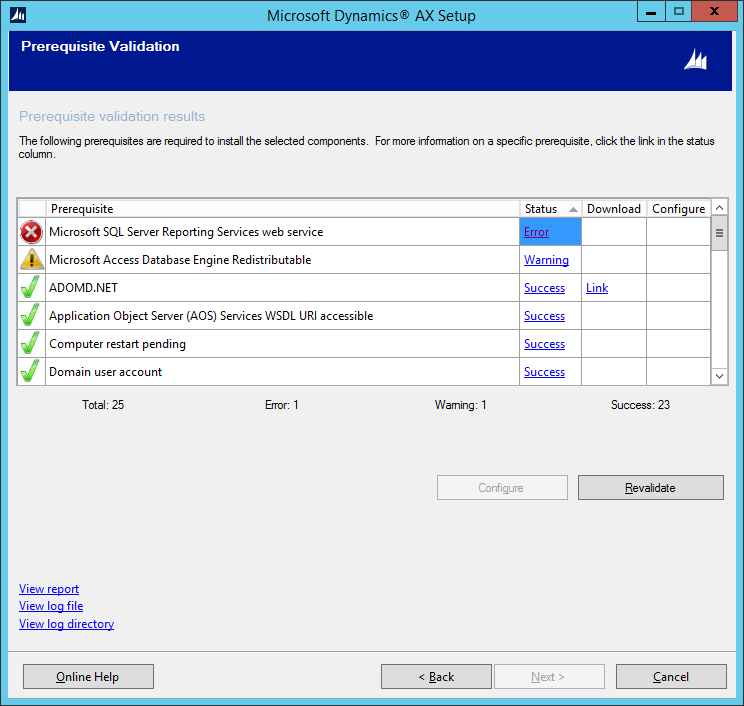
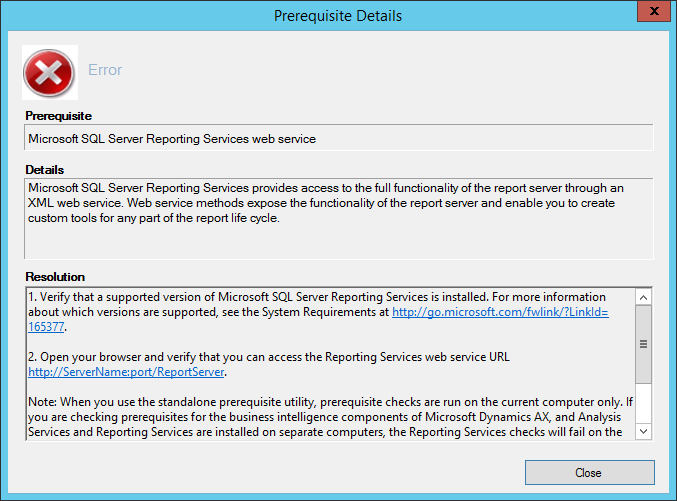
Installation Prerequisite Error: MS SQL Server Reporting Services web service

(0) ShareShare
ReportReport
Posted on by 275

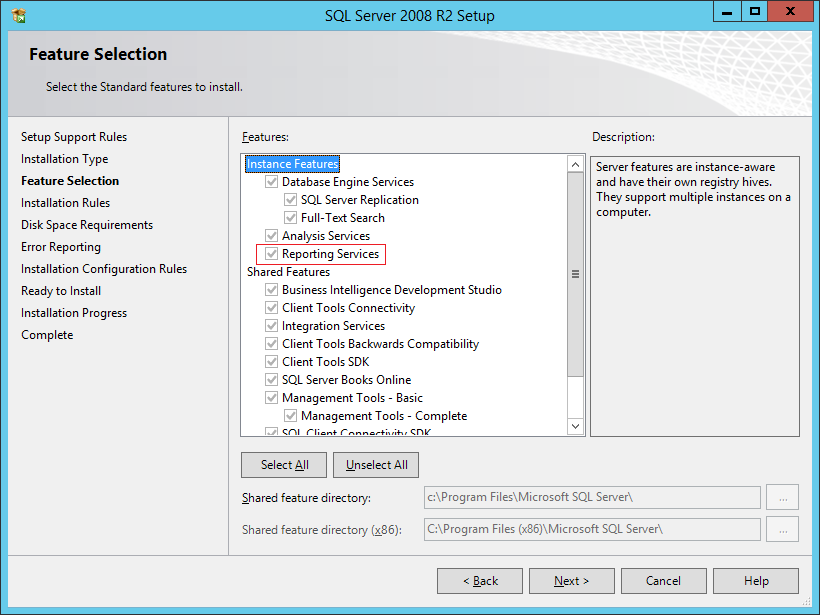
I'm trying to install reporting services because I cannot open reports on this machine. Currently I am facing this pre req failure and cannot resolve it. I believe I have installed SQL Reporting Services through the SQL installer.
7651.AX2.png

AX3.png

*This post is locked for comments

I have the same question (0)
  • nunomaia Profile Picture
    25 Moderator on at

    Hi,

    Are you trying to install AX 2012 R3 ? Did you install SP1 for SQL 2008 R2 ?

  • thills Profile Picture
    275 on at

    It is 2012 R3, although it is already installed. I'm using the installation media to install additional features (reporting services) that were not initially installed. I will check on SP1 and let you know.

  • Suggested answer
    Umesh Pandit Profile Picture
    9,315 User Group Leader on at

    Try with SQL 2014, if you are at AX 2012 R3 or AX 2012 R3 CU8

  • Sohaib Cheema Profile Picture
    49,438 User Group Leader on at

    which version of SQL server you are using with AX2012-R3

  • Juan Rafael Profile Picture
    405 on at

    Install the  SP3 of SQL Server 208 R2 (update components) , next run Install Extesions SSRS for AX.

  • Suggested answer
    Community Member Profile Picture
    on at

    This is because you have not configured Reporting Services yet. Open Reporting Services Configuration Manager and create the Web Services URl, Report Manger URL and databases.

  • Community Member Profile Picture
    on at

    Dear,

    Install the Service Pack for the SQL.

    What ever the version is.

    Hope answer your question

  • Suggested answer
    RM-22040759-0 Profile Picture
    2,014 on at

    Matt solution worked for the reported error.

    Its old thread, but still its a common issue, we face during installation.

    We must create Web Service URL and Report Manager URL from Reporting Server Configuration Manager. And also Reports Urls should be accessible from Browser.

    Example : http://Servername:Port/ReportServer

                   http://Servername:Port/Reports

    Best Regards.,

    Ravi Theja Madisetty

    http://technoguns.com

    Note : The information provided reflects my personal view, answers should be validated in a test environment and comes without any warranty.

  • Community Member Profile Picture
    on at

    This worked for me. Thank you Matt

Under review

Thank you for your reply! To ensure a great experience for everyone, your content is awaiting approval by our Community Managers. Please check back later.

Helpful resources

Quick Links

Responsible AI policies

As AI tools become more common, we’re introducing a Responsible AI Use…

Neeraj Kumar – Community Spotlight

We are honored to recognize Neeraj Kumar as our Community Spotlight honoree for…

Leaderboard > 🔒一 Microsoft Dynamics AX (Archived)

#1
Martin Dráb Profile Picture

Martin Dráb 4 Most Valuable Professional

#1
Priya_K Profile Picture

Priya_K 4

#3
MyDynamicsNAV Profile Picture

MyDynamicsNAV 2

Last 30 days Overall leaderboard

Featured topics

Product updates

Dynamics 365 release plans