web
You’re offline. This is a read only version of the page.
close
Skip to main content

Announcements

No record found.

News and Announcements icon
Community site session details

Community site session details

Session Id :
Customer experience | Sales, Customer Insights,...
Suggested Answer

External Form Capture is not working - Fields are not visible for Dynamics for Marketing

(0) ShareShare
ReportReport
Posted on by 140

Are there any conditions/requirements that an external form must meet in the implementation for the form capture to scan the fields correctly? 
Unfortunately, I do not get any result when scanning the form. The form is hosted in an external CMS and the Java-Script is also integrated in the body. Web page visits are also tracked, but it does not recognize any form fields on the web page, but that can't be - because there are some there.

Unfortunately, there is nothing to be found in the documentation for the requirements instead the following:

https://docs.microsoft.com/en-us/dynamics365/marketing/embed-forms#use-form-capture-to-integrate-a-form-created-externally

I have the same question (0)
  • Suggested answer
    cloflyMao Profile Picture
    25,210 on at

    Hi Jenni,

    You could add field logical name to input field name attribute

    E.g: <input name="firstname" type="text"> is used for First Name value.

     <input name="emailaddress1" type="email"> is used for Email value.

    In other word, give your input fields with proper name attribute.

    My input fields could be detected by above settings. 

    Regards,

    Clofly

  • Jenni221 Profile Picture
    140 on at

    Here my examples:

    this litte form can be found on the website:

    <form class="ci-search-container" id="cm-search-form" action="/blueprint/servlet/service/search/5340" role="search">
    <input id="cm-search-query" type="search" class="ci-search-input" name="query" autocomplete="off" value="" placeholder="Was suchen Sie?" data-placeholder-xs="Suche" minlength="2">
    <span class="ci-search-icon ci-icon-ic_search"></span>
    </form>

    this form cannot be found on the same website:

    <div class="ci-form-container ci-m08-contact-form" data-ci-module="contact-form" data-ci-form-url="/blueprint/servlet/service/contactRequest/4818/48250" data-ci-recaptcha-version="" data-ci-recaptcha-key="6LeEQ74UAAAAAGSmaSYb_lxYmFgMsmkbegwFr_QD"><div class="ci-brick-form js-brick-form"><div><form novalidate=""><div class="ci-input ci-floating-label ci-input-validation"><input type="text" name="firstname" id="input-0" class="ci-input-element" value=""><label for="input-0"><span>Vorname</span><span> *</span></label><div class="ci-validation-status"></div></div><div class="ci-input ci-floating-label ci-input-validation"><input type="text" name="lastname" id="input-1" class="ci-input-element" value=""><label for="input-1"><span>Nachname</span><span> *</span></label><div class="ci-validation-status"></div></div><div class="ci-input ci-floating-label ci-input-validation"><input type="text" name="company" id="input-2" class="ci-input-element" value=""><label for="input-2"><span>Unternehmen</span><span> *</span></label><div class="ci-validation-status"></div></div><div class="ci-input ci-floating-label ci-input-validation"><input type="text" name="position" id="input-3" class="ci-input-element" value=""><label for="input-3"><span>Position</span></label><div class="ci-validation-status"></div></div><div class="ci-input ci-floating-label ci-input-validation"><input type="email" name="email" id="input-4" class="ci-input-element" value=""><label for="input-4"><span>E-Mail</span><span> *</span></label><div class="ci-validation-status"></div></div><div class="ci-form-label">Ihre Anfrage</div><div class="ci-textarea ci-floating-label ci-input-validation"><textarea type="textarea" name="message" id="input-5" class="ci-input-element"></textarea><label for="input-5"><span>Geben Sie hier Ihre Anfrage ein</span><span> *</span></label><div class="ci-validation-status"></div></div><div class="ci-input ci-input-legal"><div class="ci-form-label">Rechtlicher Hinweis</div><div class="ci-checkbox ci-checkbox-required"><input type="checkbox" name="legalAcknowledged" id="checkbox-0" value="true"><label for="checkbox-0"><div><span class="ci-legal-text-container"> 

    ----this is not the whole form for posting here


    input-captcha ci-input-validation"><div id="select-0"><div><div class="ci-form-submit"><div><button class="ci-button" type="submit">Absenden</button></div></div></form></div></div></div>

    So what is the form validation microsoft is expecting?

    Please help!

  • cloflyMao Profile Picture
    25,210 on at

    Hi Jenni,

    It seems that your website is built with JSP from your code, would my guess be right?(I found servlet in data url)

    If so, due to JSP is dynamic web page, so there would be some control code which might affect your second form.

    For example, will both first form and second form display on website by default? If second form will only appear when first form has been populated,

    then the second might not be detected by Dynamics Marketing scanner.

    I copied you pasted code on my website, and both forms can be detected, the difference is that my website is pure HTML page.

    So I suggest you could create a new HTML page on your website, then copy and paste source code of my website to test whether both of forms could be detected.(Remember to replace "Form capture code" with your owns, I only added "Form capture code")


        CRM Test Page


    You'll learn:

    ✅ Marketing email

    ✅ Marketing page

    ✅ Marketing form


    Ihre Anfrage

    Copyright @ 2020 Contoso Ltd

    You source code works from my test in pure HTML page.

    1. My marketing website record for my web page.
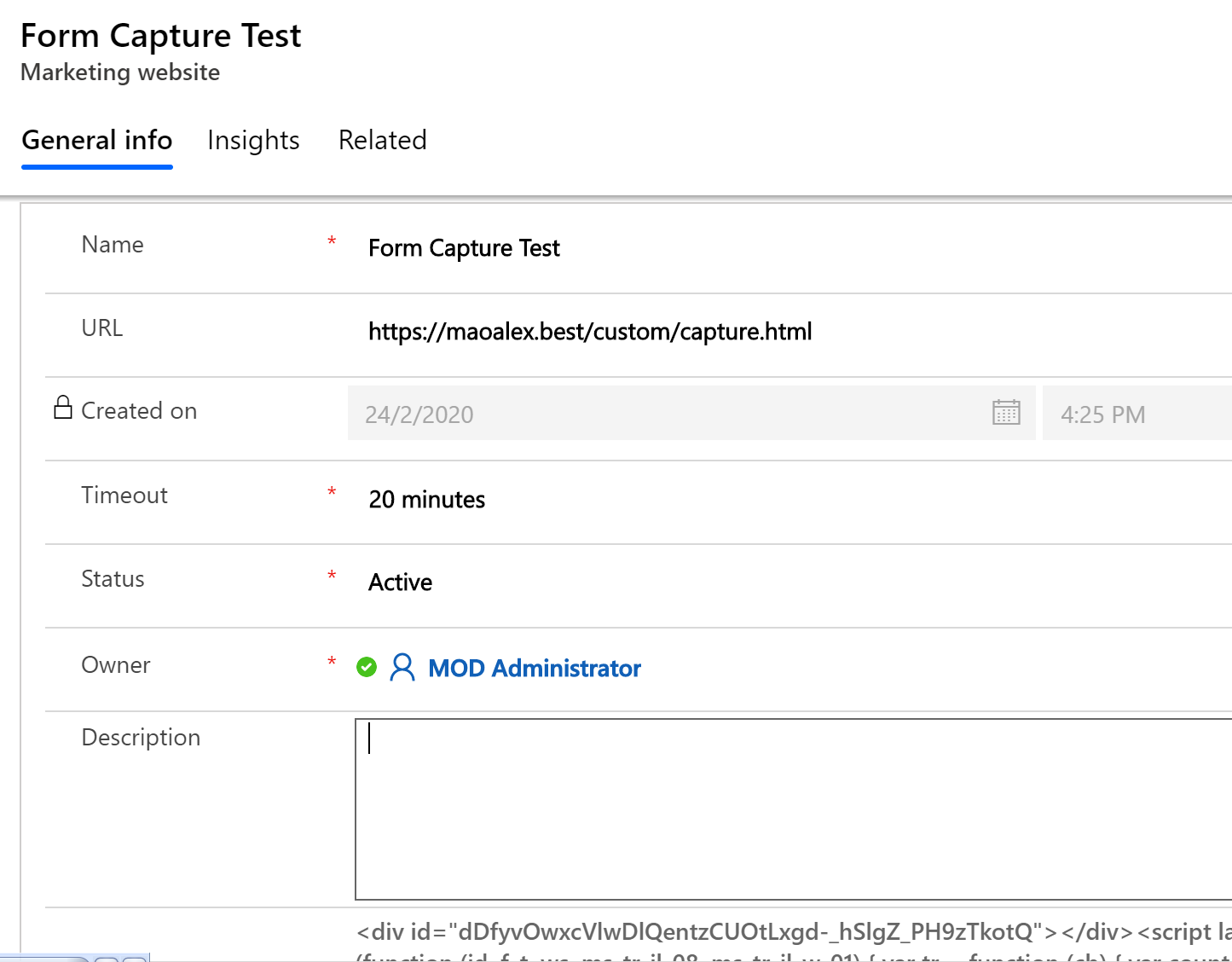
    pastedimage1582857206049v2.png

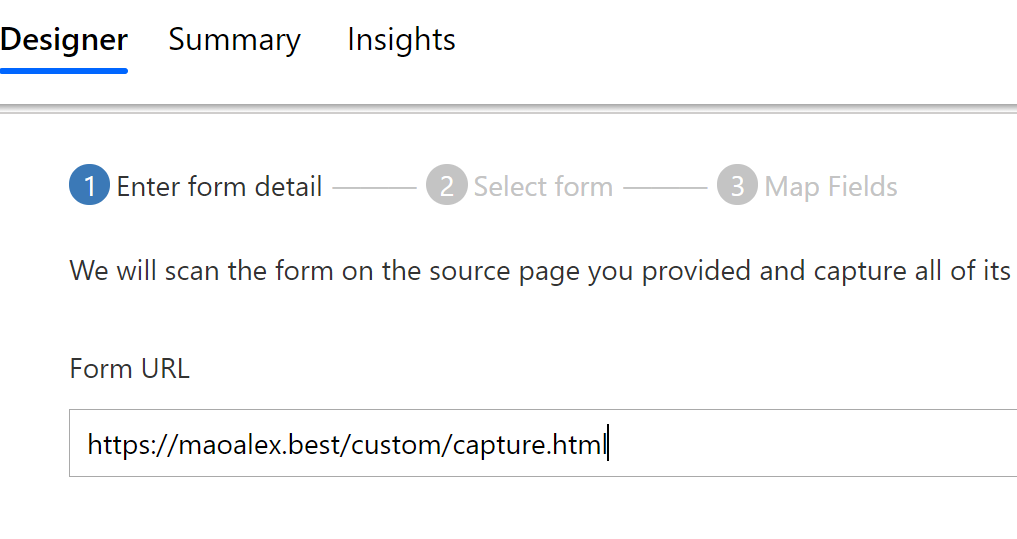
    2. URL I entered.

    pastedimage1582856876164v1.png

    3. Two forms are found, this is form 2 result.
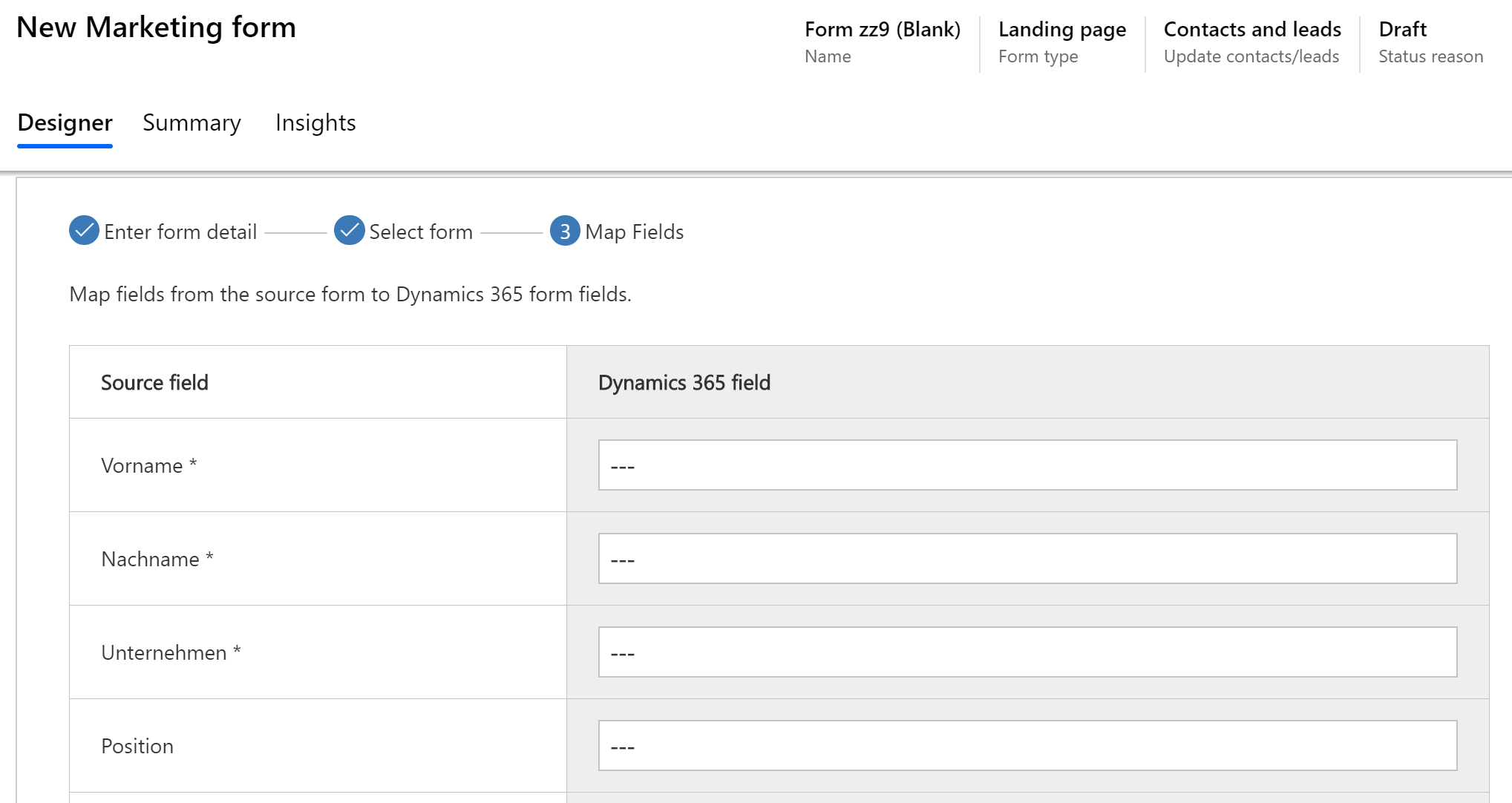
    pastedimage1582856787845v1.png

    My test page:

    https://maoalex.best/custom/capture.html

    Regards,

    Clofly

Under review

Thank you for your reply! To ensure a great experience for everyone, your content is awaiting approval by our Community Managers. Please check back later.

Helpful resources

Quick Links

Introducing the 2026 Season 1 community Super Users

Congratulations to our 2026 Super Stars!

Congratulations to our 2025 Community Spotlights

Thanks to all of our 2025 Community Spotlight stars!

Leaderboard > Customer experience | Sales, Customer Insights, CRM

#1
ManoVerse Profile Picture

ManoVerse 189 Super User 2026 Season 1

#2
CU11031447-0 Profile Picture

CU11031447-0 100

#3
NeerajPawar Profile Picture

NeerajPawar 66

Last 30 days Overall leaderboard

Product updates

Dynamics 365 release plans