web
You’re offline. This is a read only version of the page.
close
Skip to main content

Notifications

Announcements

No record found.

Community site session details

Community site session details

Session Id :
Finance | Project Operations, Human Resources, ...
Answered

parameter dimension value cannot be null in financial report/ management reporter

(0) ShareShare
ReportReport
Posted on by 192

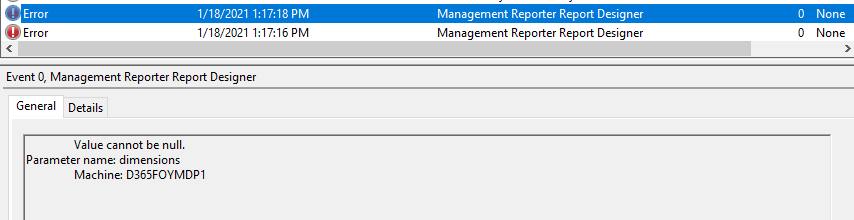
Hi All, I am getting this error on opening Financial reports in D365 finance& operations:
pastedimage1610957231025v5.png

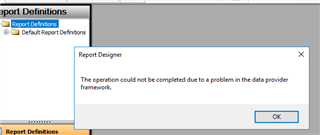
When I click OK or close the error dialog a new error opens: Value cannot be Null, Parameter:Dimensions
pastedimage1610957207406v4.png

After clicking Ok applications(Report Designer) terminates.

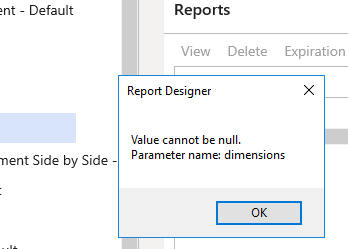
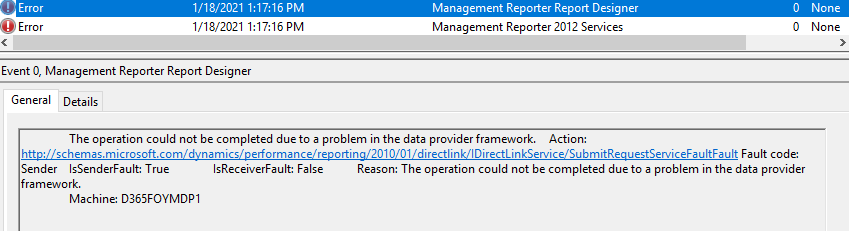
Below are the snapshots of event viewer :
pastedimage1610957086945v2.png

pastedimage1610957060425v1.png

Below is the Financial reporting setup under General ledger
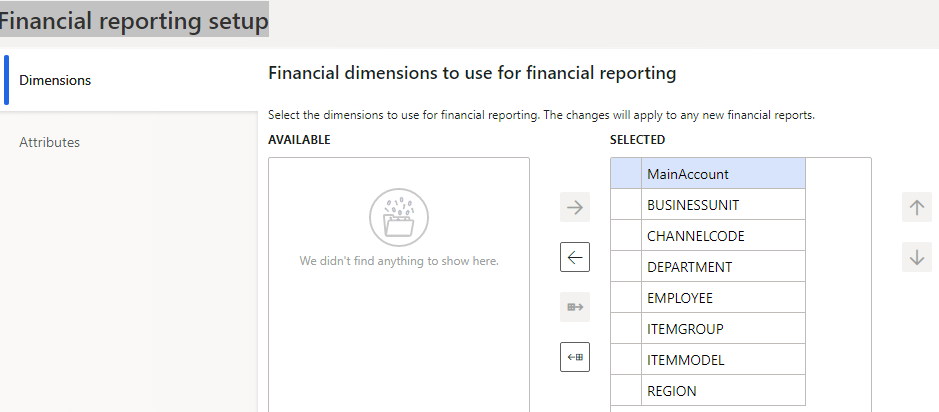
pastedimage1610965255436v1.png

Kindly help me finding the issue and solution 

I have the same question (0)
  • Verified answer
    WillWU Profile Picture
    22,361 on at

    Hi Jasdeep Singh,

    Please try to refresh the data mart.

    Check the following steps:

    1.Run PowerShell as Administrator.

    2.Browse to .\MRInstallDirectory.For a demo or DEV deployment, this will typically be J:\MROneBox\MRInstallDirectory.For Production or HA deployments, this will typically be J:\MRProcessService\MRInstallDirectory for the BI machine and F:\MRApplicationService\MRInstallDirectory for the AOS.

    3.In the PowerShell window type the following command to import the MRDeploy.psd1 module: Import-Module.\Server\MRDeploy\MRDeploy.psd1

    4.You can then run the following command to reset the data mart:

    Reset-DatamartIntegration -Reason OTHER -ReasonDetail “Testing reset”

    5.Stop MR Process Service.

    6.Answer Yes when prompted in PowerShell to continue.

    7.Start MR Process Service.

  • Suggested answer
    Ludwig Reinhard Profile Picture
    Microsoft Employee on at

    Hi,

    Do you have the financial reporting setup in the GL module of D365FO completed?

    Best regards,

    Ludwig

  • JasdeepSingh Profile Picture
    192 on at

    Hi Ludwig,

    Yes the reporting setups are done i.e Main accounts and All financial dimensions are under Selected.

    I have edited the post and added the screenshot

  • Verified answer
    JasdeepSingh Profile Picture
    192 on at

    Hi everyone, I resolved this issue by resetting the Data mart through SQL Server Management Studio, since Report designer was not opening due to this error.

    One can follow this link: docs.microsoft.com/.../reset-financial-reporting-datamart-after-restore

    and run the queries provided.

  • JasdeepSingh Profile Picture
    192 on at

    Hi Will Wu,

    Thanks, but I couldn't follow your approach because I was unable to find the initial path. I did it through SSMS , but since your solution can also work we can reset data mart using power shell too, I will verify your answer.

  • WillWU Profile Picture
    22,361 on at

    Hi Jasdeep Singh,

    Thank you for your sharing!

Under review

Thank you for your reply! To ensure a great experience for everyone, your content is awaiting approval by our Community Managers. Please check back later.

Helpful resources

Quick Links

Responsible AI policies

As AI tools become more common, we’re introducing a Responsible AI Use…

Neeraj Kumar – Community Spotlight

We are honored to recognize Neeraj Kumar as our Community Spotlight honoree for…

Leaderboard > Finance | Project Operations, Human Resources, AX, GP, SL

#1
Martin Dráb Profile Picture

Martin Dráb 659 Most Valuable Professional

#2
André Arnaud de Calavon Profile Picture

André Arnaud de Cal... 533 Super User 2025 Season 2

#3
Sohaib Cheema Profile Picture

Sohaib Cheema 289 User Group Leader

Last 30 days Overall leaderboard

Product updates

Dynamics 365 release plans