web
You’re offline. This is a read only version of the page.
close
Skip to main content

Announcements

No record found.

News and Announcements icon
Community site session details

Community site session details

Session Id :
Customer experience | Sales, Customer Insights,...
Suggested Answer

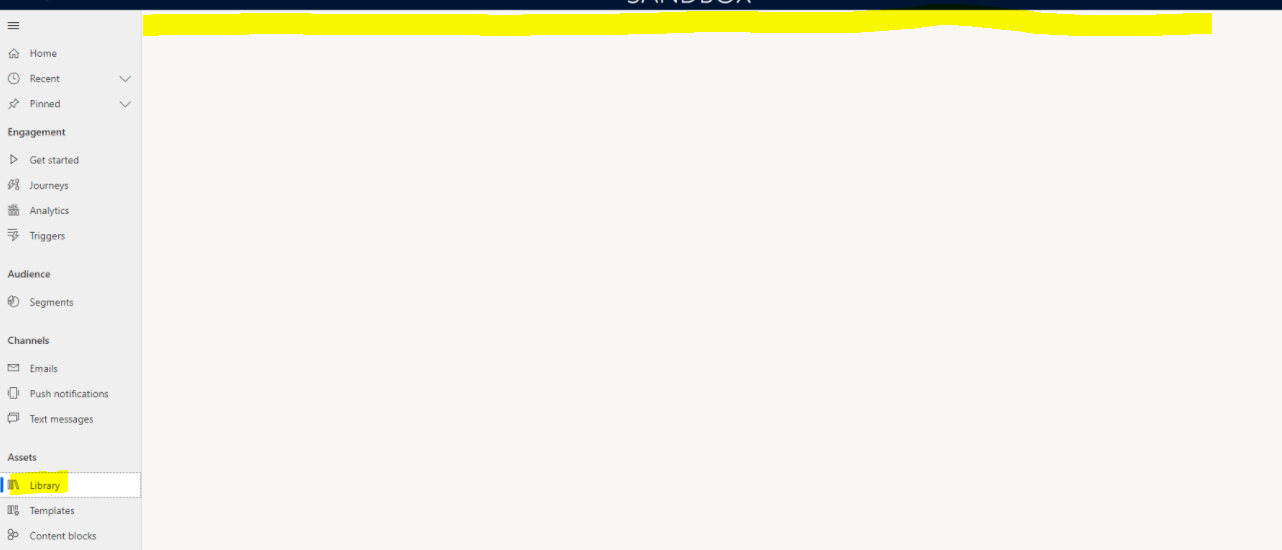
Unable to see ribbon items in Asset Library

(0) ShareShare
ReportReport
Posted on by 102

Hello All,

Thanks for seeing my post.

We started building a security from the scratch. Currently we were able to see asset Library but ribbon items are missing and page looks empty.

Can anyone help me, which entities we need to give access to display the ribbon menu items.
pastedimage1669839732294v2.png

Regards
Karthik

I have the same question (0)
  • Leco Lv Profile Picture
    Microsoft Employee on at

    Hi partner,

    What security roles does your user have? I assigned two security roles to my user, Basic User and Marketing Professional Business, and after testing I found that I could see the command bar as well.

    pastedimage1669871543704v1.png

  • Suggested answer
    Tereza Kirk Profile Picture
    Microsoft Employee on at

    Hi Kar,

    When designing your own security roles, we strongly recommend to base them on the default system roles available - either Marketing Professional-Business or Marketing Manager - Business.

    The ribbon bar is controlled by number of entities, namely Digital assets configuration, Image entity (msdyncrm_file), and Asset library add-on entity (msdymkt_image). I asked the engineering team to help document these for future purposes.

    Thanks,

    PM, D365 Marketing

Under review

Thank you for your reply! To ensure a great experience for everyone, your content is awaiting approval by our Community Managers. Please check back later.

Helpful resources

Quick Links

Introducing the 2026 Season 1 community Super Users

Congratulations to our 2026 Super Stars!

Meet the Microsoft Dynamics 365 Contact Center Champions

We are thrilled to have these Champions in our Community!

Congratulations to the March Top 10 Community Leaders

These are the community rock stars!

Leaderboard > Customer experience | Sales, Customer Insights, CRM

#1
11manish Profile Picture

11manish 164

#2
ManoVerse Profile Picture

ManoVerse 141 Super User 2026 Season 1

#3
Zhilan Profile Picture

Zhilan 55

Last 30 days Overall leaderboard

Product updates

Dynamics 365 release plans
