web
You’re offline. This is a read only version of the page.
close
Skip to main content

Announcements

No record found.

News and Announcements icon
Community site session details

Community site session details

Session Id :
Customer experience | Sales, Customer Insights,...
Answered

#each Repeating dynamic content when more than one child record meets criteria

(1) ShareShare
ReportReport
Posted on by 422
Hi all,
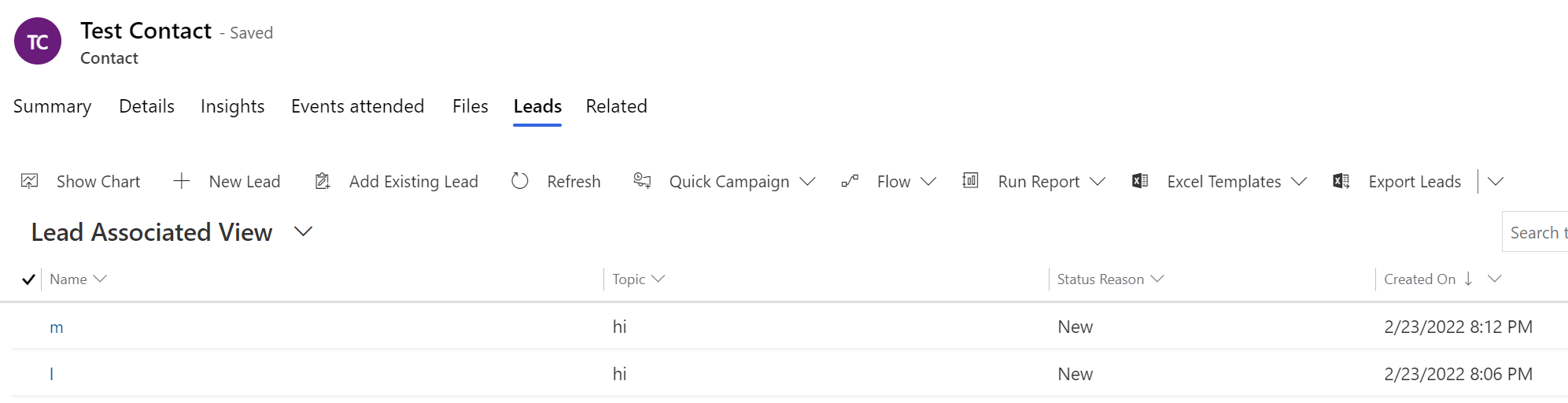
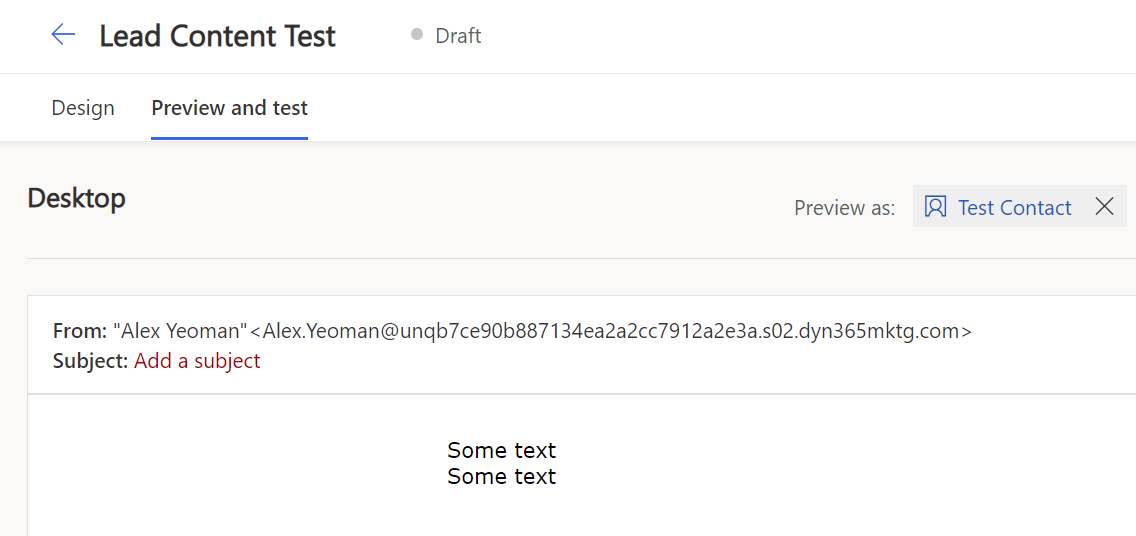
So I want to show/hide a block of content in an email based on one or more child records of a contact having a certain value. This example is using leads. What I'm finding is that if I have two leads with the same value which meet the criteria, then it will repeat the section two times.
Has anyone else hit this?
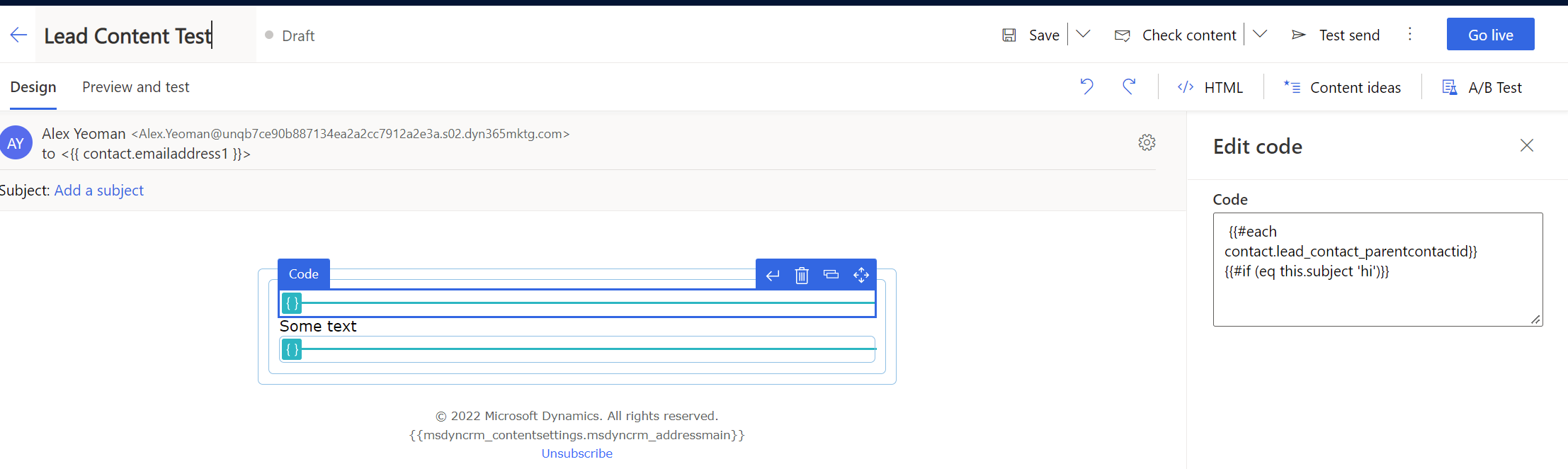
I've code elements with my #each and #if statements and "some text" in-between, if the subject of the lead is "hi" then show the section (everything up until the 2nd code element where the /each and /if statements are):
Lead-Dynamic-Content-1.PNG

Lead-Dynamic-Content-2b.PNG

Lead-Dynamic-Content-3.PNG

Aside from rolling attributes up to the Contact record, is there a way to only show one section implementing the "show single block if one or more child record = x" type logic here?

Thanks

Alex

I have the same question (0)
  • Suggested answer
    Nya Profile Picture
    29,060 on at

    Hi Alex,

    The code snippet should be something like:

    {{#each contact.lead_contact_parentcontactid}}
        {{#if (eq this.subject 'hi')}}
            Sometext
        {{/if}}
    {{/each}}

    The text which is needed to be shown should be contained in the code block.

  • AlexJay Profile Picture
    422 on at

    Hi Nya

    Thank you for your reply.

    I am using the same syntax as you have posted. The issue is that the section/text is repeated if more than one child record meets the criteria.

    Perhaps if you have time you can confirm if you experience the same?

    Thanks

    Alex

  • Verified answer
    Nya Profile Picture
    29,060 on at

    Hi Alex,

    Yes, it will be repeated.

    But for the time being there is no solution to this problem, it is a limitation of the function itself.

    Maybe you could post a proposal in Ideas forum for further help.

  • AlexJay Profile Picture
    422 on at

    Ok Nya, thank you for confirming this is just how it works for now and I’m not missing anything, this is helpful, I will post on the ideas forum. Cheers.

  • slx Profile Picture
    386 on at

    Do you know if I can compare two values in the [tag:each] iteration ?

    Let's say the results has 4 counts, could I copy the values in a JS array and do the search array[0] and array[1] value ?

Under review

Thank you for your reply! To ensure a great experience for everyone, your content is awaiting approval by our Community Managers. Please check back later.

Helpful resources

Quick Links

Introducing the 2026 Season 1 community Super Users

Congratulations to our 2026 Super Stars!

Congratulations to our 2025 Community Spotlights

Thanks to all of our 2025 Community Spotlight stars!

Leaderboard > Customer experience | Sales, Customer Insights, CRM

#1
ManoVerse Profile Picture

ManoVerse 168 Super User 2026 Season 1

#2
NeerajPawar Profile Picture

NeerajPawar 65

#3
Jimmy Passeti Profile Picture

Jimmy Passeti 51 Most Valuable Professional

Last 30 days Overall leaderboard

Product updates

Dynamics 365 release plans