web
You’re offline. This is a read only version of the page.
close
Skip to main content

Notifications

Announcements

No record found.

Community site session details

Community site session details

Session Id :
Microsoft Dynamics AX (Archived)

SKU Error when creating 365 Dynamics For operation in LCS

(0) ShareShare
ReportReport
Posted on by 645

dears I try to create demo environment for dynamcis 365 for operation . I created the project already select the methodology and follow the steps here 

https://docs.microsoft.com/en-us/dynamics365/unified-operations/dev-itpro/deployment/deploy-demo-environment

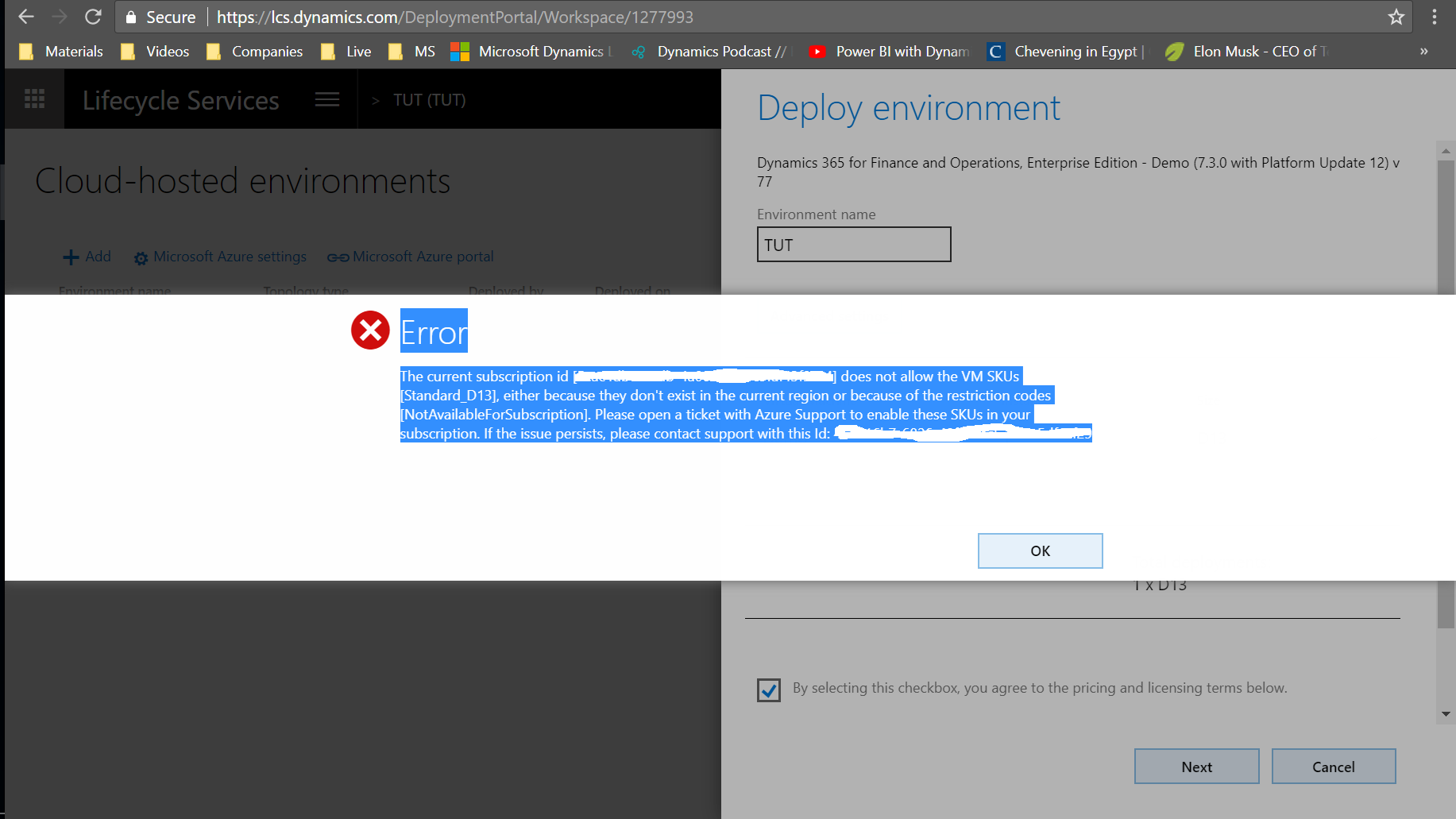
however, this was the result ;  

ErrorThe current subscription id [000000000000000000000000] does not allow the VM SKUs [Standard_D13], either because they don't exist in the current region or because of the restriction codes [NotAvailableForSubscription]. Please open a ticket with Azure Support to enable these SKUs in your subscription. If the issue persists, please contact support with this Id: 00000000000000000000000000
SKU_2D00_01.png

*This post is locked for comments

I have the same question (0)
  • KusmanLIM Profile Picture
    42 on at

    I got the same error.

    I have try to deploy to my friend Azure with the same domain between LCS and Azure account and it work.

  • Mea_ Profile Picture
    60,284 on at

    Hi Mohamed Hathout,

    What kind of Azure subscription are you suing ? Did you try to select different VM size ?

  • KusmanLIM Profile Picture
    42 on at

    I am using MPN free subscription.

    Yes, change from lower to the higher of D*

  • Suggested answer
    dekaasboer Profile Picture
    1,530 on at

    You can check here what VM's are available in your region and what they cost.

    azure.microsoft.com/.../calculator

    Under deployment options select a VM type that is available in your region.

  • Eugen Glasow Profile Picture
    6,359 on at

    Use Azure PowerShell to get the list of available SKU's, e.g. Get-AzureRmComputeResourceSku | where {$_.Locations -icontains "northeurope"} 

    It turned our for example, that in North Europe only Gx are available, and no Dx.

    https://docs.microsoft.com/en-us/azure/azure-resource-manager/resource-manager-sku-not-available-errors

Under review

Thank you for your reply! To ensure a great experience for everyone, your content is awaiting approval by our Community Managers. Please check back later.

Helpful resources

Quick Links

Responsible AI policies

As AI tools become more common, we’re introducing a Responsible AI Use…

Neeraj Kumar – Community Spotlight

We are honored to recognize Neeraj Kumar as our Community Spotlight honoree for…

Leaderboard > 🔒一 Microsoft Dynamics AX (Archived)

#1
Martin Dráb Profile Picture

Martin Dráb 4 Most Valuable Professional

#1
Priya_K Profile Picture

Priya_K 4

#3
MyDynamicsNAV Profile Picture

MyDynamicsNAV 2

Last 30 days Overall leaderboard

Featured topics

Product updates

Dynamics 365 release plans
