web
You’re offline. This is a read only version of the page.
close
Skip to main content

Notifications

Announcements

No record found.

Community site session details

Community site session details

Session Id :
Microsoft Dynamics 365 | Integration, Dataverse...
Answered

Quick create form unable to use business rule

(0) ShareShare
ReportReport
Posted on by 55

Hi,

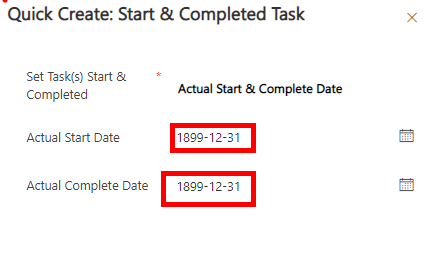
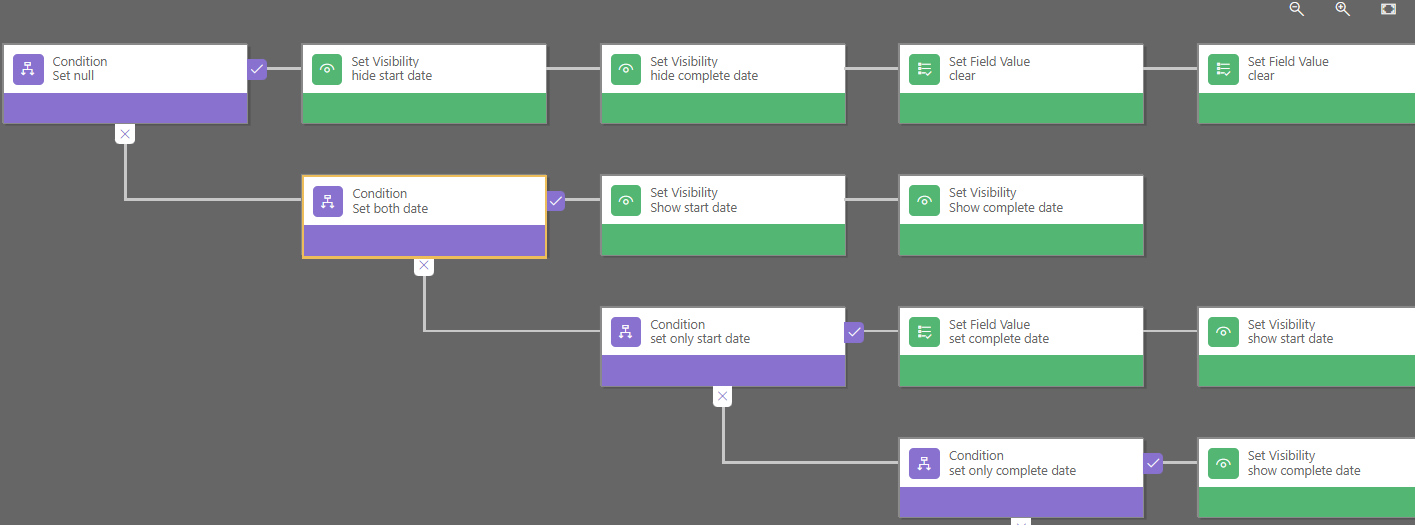
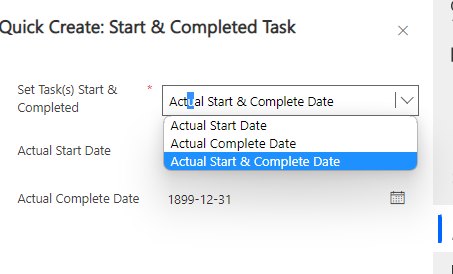
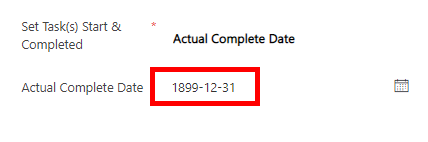
The problem is I can change the option like choose the start date, you can enter the start date and hide the complete date and give a dummy value to it to pass the parameter to the flow. If I switch to the completion date, it will hide the start date, but the dummy complete date will show up. If I clear it by business rule, it will clear the value but after I enter the new date, then save the form. It shows a null value.
pastedimage1673910803181v3.pngpastedimage1673910514976v2.pngpastedimage1673911241585v5.png

pastedimage1673911210894v4.png

I have the same question (0)
  • Suggested answer
    Leco Lv Profile Picture
    on at

    Hi partner,

    Do you mean the business rule does not take effect after you saved the form?Here are some restrictions of the business rule, you can refer to the first one.

    learn.microsoft.com/.../mt826761(v=crm.8)

  • CBGF Profile Picture
    55 on at

    After I change the option and clear the default value, then re-enter the new value and save the form. However, I can't not get the new value after the form was saved.

  • Suggested answer
    Amit Katariya007 Profile Picture
    10,409 Super User 2025 Season 2 on at

    What is the scope of your Business rule? Is it specific to form level? If yes then check if it is selected correctly.

  • Verified answer
    Pradeep Rai Profile Picture
    5,489 Moderator on at

    Hi,

    Please below link which will help to know about limitations of Business Rules.

    https://learn.microsoft.com/en-us/previous-versions/dynamicscrm-2016/admins-customizers-dynamics-365/mt826761(v=crm.8)?redirectedfrom=MSDN#limitations

    One more point in your business rule you need to add condition to check the created on field value. With Created On you can differentiate Create Mode and Edit Mode.

    For e.g when created on is null then Clear value but when created contains data then do not do anything.

Under review

Thank you for your reply! To ensure a great experience for everyone, your content is awaiting approval by our Community Managers. Please check back later.

Helpful resources

Quick Links

Responsible AI policies

As AI tools become more common, we’re introducing a Responsible AI Use…

Neeraj Kumar – Community Spotlight

We are honored to recognize Neeraj Kumar as our Community Spotlight honoree for…

Leaderboard > Microsoft Dynamics 365 | Integration, Dataverse, and general topics

#1
iampranjal Profile Picture

iampranjal 41

#2
Martin Dráb Profile Picture

Martin Dráb 38 Most Valuable Professional

#3
Satyam Prakash Profile Picture

Satyam Prakash 35

Last 30 days Overall leaderboard

Product updates

Dynamics 365 release plans