web
You’re offline. This is a read only version of the page.
close
Skip to main content

Notifications

Announcements

No record found.

Community site session details

Community site session details

Session Id :
Microsoft Dynamics CRM (Archived)

Change Stage Names Across Top

(0) ShareShare
ReportReport
Posted on by

Hi There,

I have changed the names of the stages but I do not know how to change those listed across the top of a lead and opportunity to match.

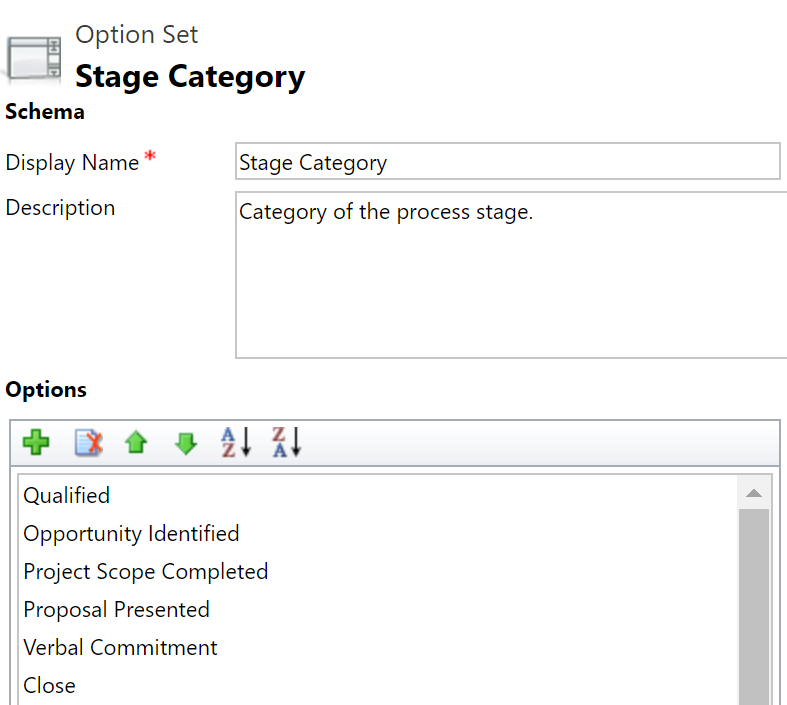
I changed Develop to Opportunity Identified and Propose to Proposal Presented; I also added Project Scope Completed and Verbal Commitment

change-stages-3.PNG

Now what I want is for 4 stages to display across the top of the lead/opportunity; currently, the old ones are listed.  How do I change these? 
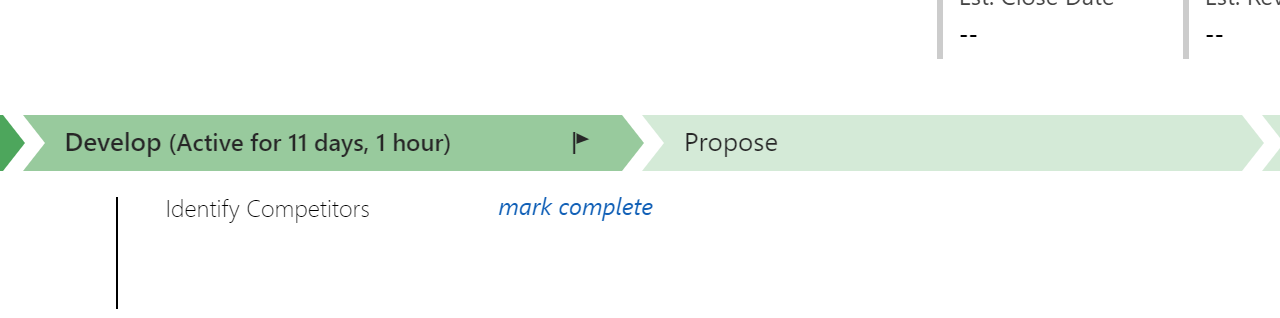
lead-name-changes-2.PNG

Thanks for your help!

*This post is locked for comments

I have the same question (0)
  • Suggested answer
    Steven O'Neill Profile Picture
    575 on at

    Hi Billy

    You should be able to change these within the Business Process Flow in your solution. If you don't have the Process in your solution then either access it directly via Customization or add the relevant Process to your solution and update it accordingly.

    When you open the Business Process Flow, change the Display Name to be what you want. You can add more/remove Stages at this point as well.

  • Suggested answer
    Preeti Sharma Profile Picture
    2,678 on at

    Hi,

    You should edit names of stages in business process flow in CRM.

    Thanks:)

Under review

Thank you for your reply! To ensure a great experience for everyone, your content is awaiting approval by our Community Managers. Please check back later.

Helpful resources

Quick Links

Responsible AI policies

As AI tools become more common, we’re introducing a Responsible AI Use…

Neeraj Kumar – Community Spotlight

We are honored to recognize Neeraj Kumar as our Community Spotlight honoree for…

Leaderboard > 🔒一 Microsoft Dynamics CRM (Archived)

#1
SA-08121319-0 Profile Picture

SA-08121319-0 4

#1
Calum MacFarlane Profile Picture

Calum MacFarlane 4

#3
Alex Fun Wei Jie Profile Picture

Alex Fun Wei Jie 2

Last 30 days Overall leaderboard

Featured topics

Product updates

Dynamics 365 release plans