Hi Peter,
Unfortunately, it seems that only the one solution you provide can translate kb article automatically, so you need translate it manually.
And I try to download and install it, there is not any error appear in the environment, can you download it correctly.
I download file from address as following screenshot shown:


Then i import the solution:


But AutomaticKMTranslationSetting entity not appear under ‘service’ automatically after importing the solution, so I add it manually.
Go Settings > Apps to open one app designer.


Click pencil button of the site Map to go to Sitemap designer page to add the entity:
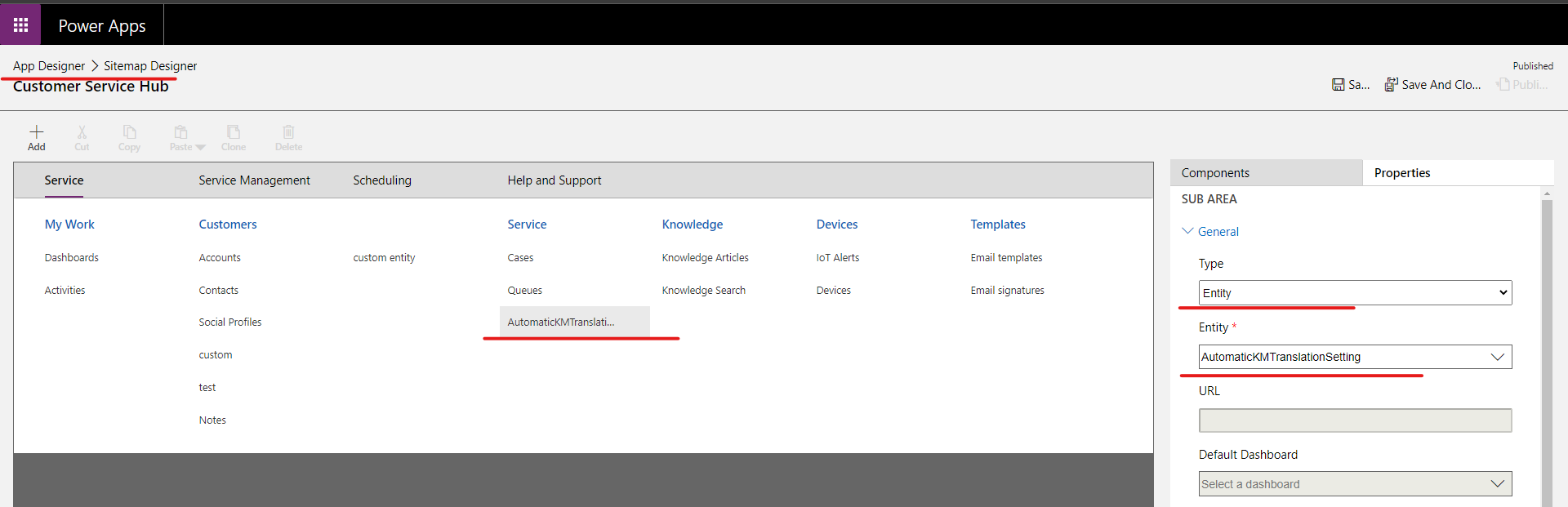
After Saving and publishing all customizations, the entity will appear in the sitemap, then you can do other settings as document provide.

Regards,
Leah Ju
Please mark as verified if the answer is helpful. Welcome to join hot discussions in Dynamics 365 Forums.


