web
You’re offline. This is a read only version of the page.
close
Skip to main content

Notifications

Announcements

Community site session details

Community site session details

Session Id :
Customer experience | Sales, Customer Insights,...
Suggested Answer

Marketing email button error

(1) ShareShare
ReportReport
Posted on by 15

Hi,

I get and "Error loading control" error when I add or try to edit a button in an old template, it shows this in place of where I should put the button destination url on the right side menu.
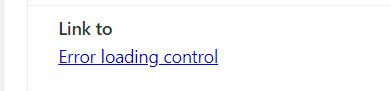
8713.Capture1.PNG

The error prompt is clickable and it gives me a popup with following info:

5342.Capture2.PNG

Error
Error occured during initialization of control: MscrmControls.ContentEditor.CustomAttribute.Control;Message: Could not find/invoke MscrmControls.ContentEditor.CustomAttribute.Control's constructor. Shape of MscrmControls.ContentEditor.CustomAttribute.Control: {MscrmControls: Common,AppCommon,GetStartedTrialControl,Grid,Containers,BusinessRuleTelemetry,FieldControls,Marketing,TemplatePickerControl,ContentEditor,PreviewSelectButtonControl,PreviewHostControl,Gallery,Widget,EmailEditor,FormCapturingWizardV2,AssistEditCommonV2,AssistEditControlV2,InsightsControl,FilterWidgetControl,KPIListControl,MarketingChartControl,ListWidgetControl,BingMapControl,GridWidgetControl,LookupControl,AssetsUploadControl,ListViewControl},{ContentEditor: EditorControl,Common}

Error code: 0x0Session Id: 3bdc4feb-4bc5-48fd-9974-752b9e4cb5b0Activity Id: abead135-122f-4184-8541-cac4d13cad0aTime: Fri Mar 18 2022 15:52:28 GMT+0200 (Eastern European Standard Time)

The error log is attached below and screenshots. 

[View:/cfs-file/__key/communityserver-discussions-components-files/768/ErrorDetails.txt]

I have the same question (0)
  • Arnaud De Jonghe Profile Picture
    135 on at

    Not the same issue but today we also have issue with our old templates.

  • Hari Narayan Singh Profile Picture
    230 on at

    Hi jyrihin,

    I do see this on my customer journey's.

    When I select a marketing segment and move on to next tile the segment name is replaced by this (Error Loading Control) but a simple refresh works for me.

    Let me know if it does for you as well.

  • Nya Profile Picture
    29,060 on at

    Hi,

    I'd like to know will it occur in a new created template?

  • Hari Narayan Singh Profile Picture
    230 on at

    I am not sure if it happens only on new templates

    pastedimage1647931597015v1.png

    Here's the same error for me, but on journey (this is on a blank template)

    Error details:

    Error occured during initialization of control: MscrmControls.MarketingOrchestration.Condition.ConditionControl;Message: Cannot read properties of undefined (reading 'map')

    Error Details: TypeError: Cannot read properties of undefined (reading 'map')

    by the way this journey is already live, and once I refresh the segment tile appears back again.
  • Suggested answer
    StefanClaus Profile Picture
    15 on at

    We had a similar problem, and the issue was reported as a code defect on Microsoft side.

    Do you have the last version of the Marketing app? After the update, the issue was solved, as it includes a fix.

Under review

Thank you for your reply! To ensure a great experience for everyone, your content is awaiting approval by our Community Managers. Please check back later.

Helpful resources

Quick Links

Responsible AI policies

As AI tools become more common, we’re introducing a Responsible AI Use…

Congratulations to our 2025 Community Spotlights

Thanks to all of our 2025 Community Spotlight stars!

Leaderboard > Customer experience | Sales, Customer Insights, CRM

#1
Tom_Gioielli Profile Picture

Tom_Gioielli 60 Super User 2026 Season 1

#2
Eugen Podkorytov Profile Picture

Eugen Podkorytov 49

#3
Jimmy Passeti Profile Picture

Jimmy Passeti 33 Most Valuable Professional

Last 30 days Overall leaderboard

Product updates

Dynamics 365 release plans
