web
You’re offline. This is a read only version of the page.
close
Skip to main content

Announcements

News and Announcements icon
Community site session details

Community site session details

Session Id :
Small and medium business | Business Central, N...
Answered

Word templates - How to use "Sales Line" as related entity?

(0) ShareShare
ReportReport
Posted on by 401 User Group Leader

Hello, does anyone have experience about how to get data from a related entity?

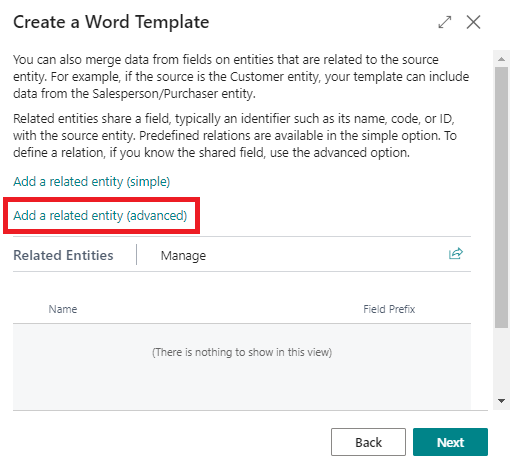
I set everything - see blow - but didn't get any data from the Sales Line - Sales Header is working!

btw -  is it possible to repeat merge fields? would be necessary for the sales lines...

Just found that: https://kb.realpage.com/articles/Instructional/Adding-a-Repeater-Merge-Field-to-a-Word-Document - 

Have a nice day! Thank you.

Tom

Sales Header as main entity:
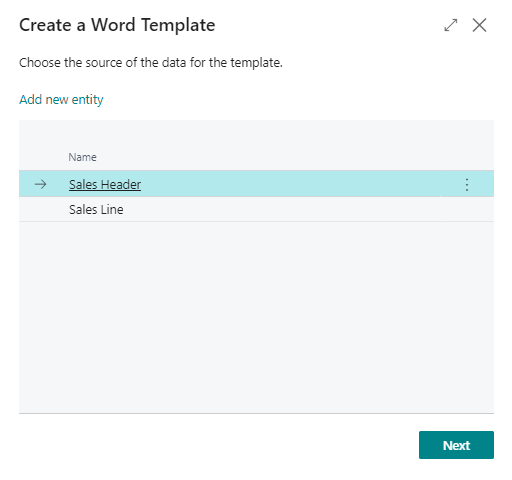
pastedimage1659524345534v1.png

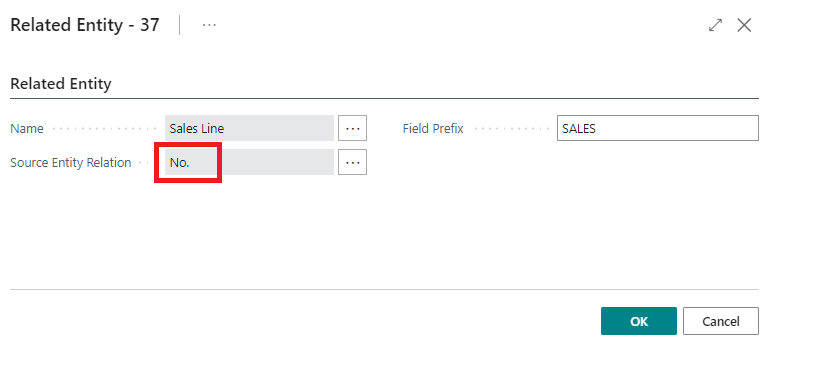
Set related entity:

pastedimage1659524397482v2.png

Choose "No." as entity relation: (also tried "Sell-to Customer No.")
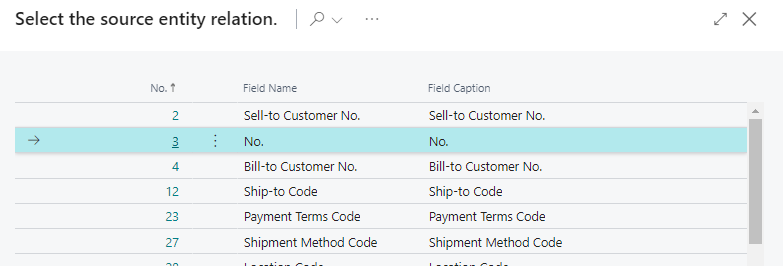
pastedimage1659524433932v3.png

pastedimage1659524465785v4.png

I have the same question (0)
  • Suggested answer
    Andy Sather Profile Picture
    Microsoft Employee on at

    Hello,

    If you don't get further responses to this issue, you may want to raise a support request to Microsoft support via your CSP / Partner.

  • Suggested answer
    JAngle Profile Picture
    159 on at

    I doubt this is possible in the current format of the feature. The primary key of the tables involved is more than 1 field and the current entity relation relies on a single field relationship. Are you able to achieve what you need with a custom report layout for a sales document? That will already have the relationship between the two figured out. If the need to have the user make a selection on which layout to use this may help: www.youtube.com/watch

Under review

Thank you for your reply! To ensure a great experience for everyone, your content is awaiting approval by our Community Managers. Please check back later.

Helpful resources

Quick Links

Season of Sharing Community Challenge Winners!

Congratulations to our community stars!

Women in Power Builds Momentum

Expanding mentorship, skilling, and AI innovation

Congratulations to the June Top 10 Community Leaders

These are the community rock stars!

Leaderboard > Small and medium business | Business Central, NAV, RMS

#1
OussamaSabbouh Profile Picture

OussamaSabbouh 690 Super User 2026 Season 1

#2
YUN ZHU Profile Picture

YUN ZHU 545 Super User 2026 Season 1

#3
Khushbu Rajvi. Profile Picture

Khushbu Rajvi. 304 Super User 2026 Season 1

Last 30 days Overall leaderboard

Featured topics

Microsoft Training Manuals

Product updates

Dynamics 365 release plans