web
You’re offline. This is a read only version of the page.
close
Skip to main content

Notifications

Announcements

Community site session details

Community site session details

Session Id :
Microsoft Dynamics CRM (Archived)

Auto Task Reminders

(0) ShareShare
ReportReport
Posted on by 15

Hi There, 

I want to set auto task reminders for my users and came across the follow-up option in my research:
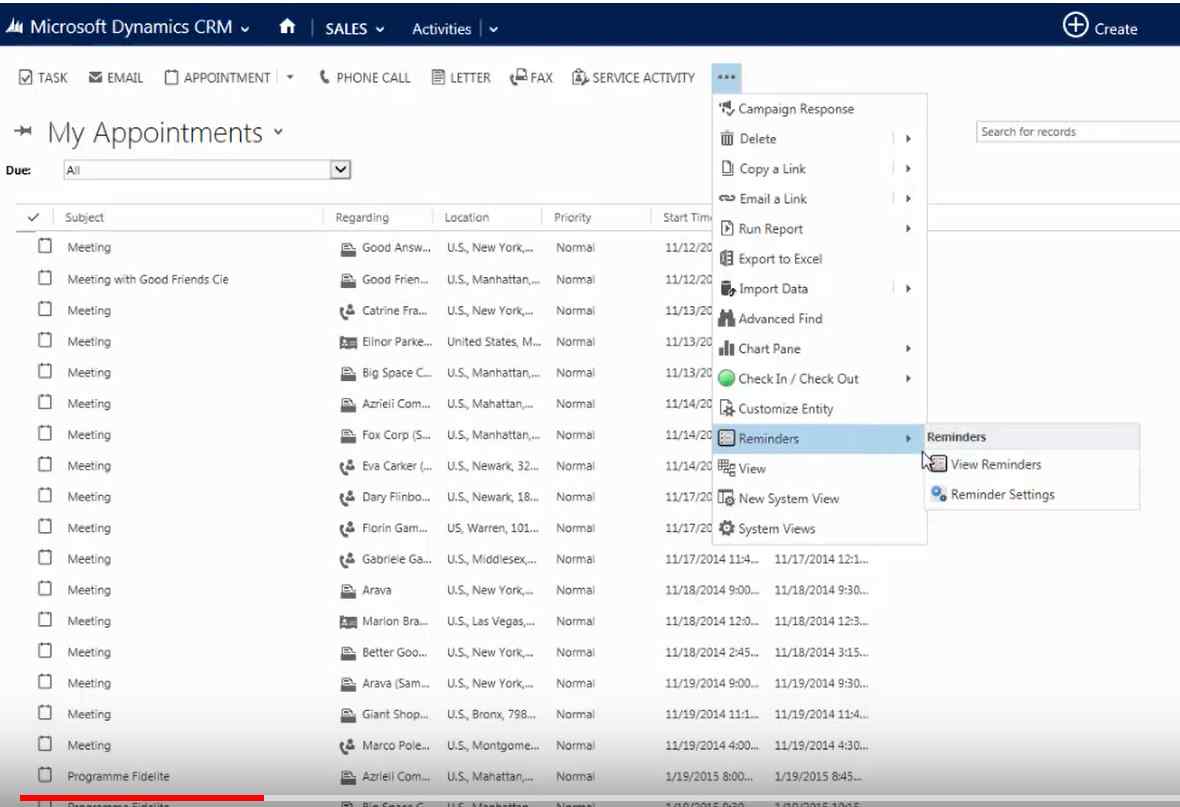
0576.reminders1.PNG

However, that option does not seem to existing in my CRM:
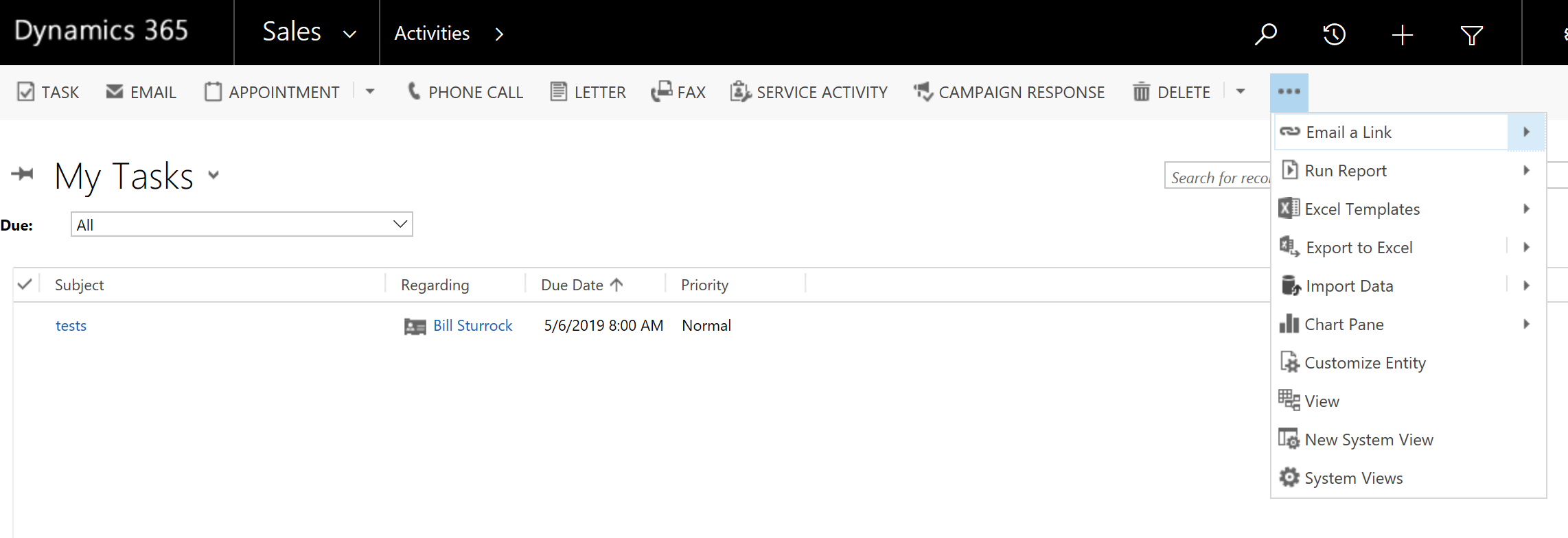
7028.reminders2.PNG

Maybe it's a version issue, I have Version 1612 (8.2.2.112).

Any help would be very much appreciated. 

Regards,

Bill 

*This post is locked for comments

I have the same question (0)
  • LuHao Profile Picture
    40,892 on at

    Hi Bill,

    In the video is Dynamics CRM, which is a version before 2016. Since 2016, CRM has been updated to Dynamics 365.

    Dynamics 365 is a product line of enterprise resource planning (ERP) and customer relationship management (CRM) applications announced by Microsoft in July 2016 and on general release November 1, 2016, as a part of the Microsoft Dynamics product line.

    So this is really a version issue, this Reminders button doesn't exist in Dynamics 365.

  • Bill St. Profile Picture
    15 on at

    Hi Lu,

    Thanks for your quick response. Do you have a suggestion for creating these auto reminders?

    Regards,

    Bill

  • Bill St. Profile Picture
    15 on at

    Can anyone hep me with this - I am trying to create a workflow to send an email reminder to users 1 day before the due date.  So far I have:

    1. created a process

    2. created the new message

    3. tried to add 'wait until condition' but every time I 'save and close' the condition it does not save so I assume I'm doing something wrong at this step, but it could be before that. 

    workflow-email.PNG

    workflow-email.PNG

    workflow-condition.PNG

  • Suggested answer
    Kokulan Profile Picture
    18,054 on at

    Hi

    Please update your workflow as shown below to get it working

    ScreenClip-_5B00_628_5D00_.png

  • Bill St. Profile Picture
    15 on at

    Hi Kokulan, This is my first workflow so thanks help.  I have updated the workflow as you suggested, but the issue seems to be that when I 'save and close' the timeout, it does not save and I have no idea why. Am I not adding the step it in the right order or manner; or am I selecting the wrong variables?

    Add condition.

    workflow-5.PNG

    Add timeout and 'save and close'

    workflow-5.PNG

    Does not save.

    workflow-5.PNG

Under review

Thank you for your reply! To ensure a great experience for everyone, your content is awaiting approval by our Community Managers. Please check back later.

Helpful resources

News and Announcements

Season of Giving Solutions is Here!

Quick Links

Responsible AI policies

As AI tools become more common, we’re introducing a Responsible AI Use…

Neeraj Kumar – Community Spotlight

We are honored to recognize Neeraj Kumar as our Community Spotlight honoree for…

Leaderboard > 🔒一 Microsoft Dynamics CRM (Archived)

#1
SA-08121319-0 Profile Picture

SA-08121319-0 4

#1
Calum MacFarlane Profile Picture

Calum MacFarlane 4

#3
Alex Fun Wei Jie Profile Picture

Alex Fun Wei Jie 2

Last 30 days Overall leaderboard

Featured topics

Product updates

Dynamics 365 release plans



