web
You’re offline. This is a read only version of the page.
close
Skip to main content

Notifications

Announcements

Community site session details

Community site session details

Session Id :
Finance | Project Operations, Human Resources, ...
Suggested Answer

Withholding tax certificate update after customer payment journal in Thailand

(0) ShareShare
ReportReport
Posted on by

Hello Team


I would seek your help regarding withholding tax in Thailand.


Issue description:


After posting  customer payment journal, we could not edit or update in 2 fields withholding tax certificate number and withholding tax certificate date.  May I know is there anywhere to update 2 fields after posting payment journal? I don't find any such option in the AR parameters page.

If there is no out-of-box parameter to set this, then could it be achieved by extension?


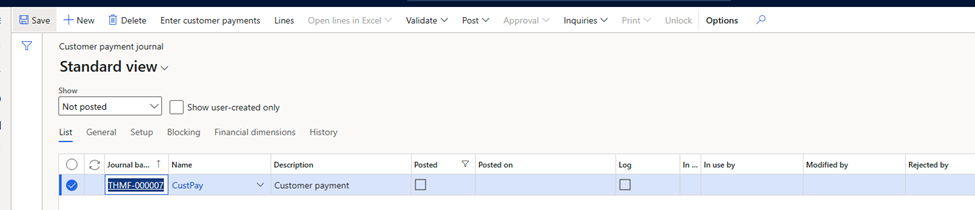
Go to account receivable -> payment -> customer payment journal

Create new journal
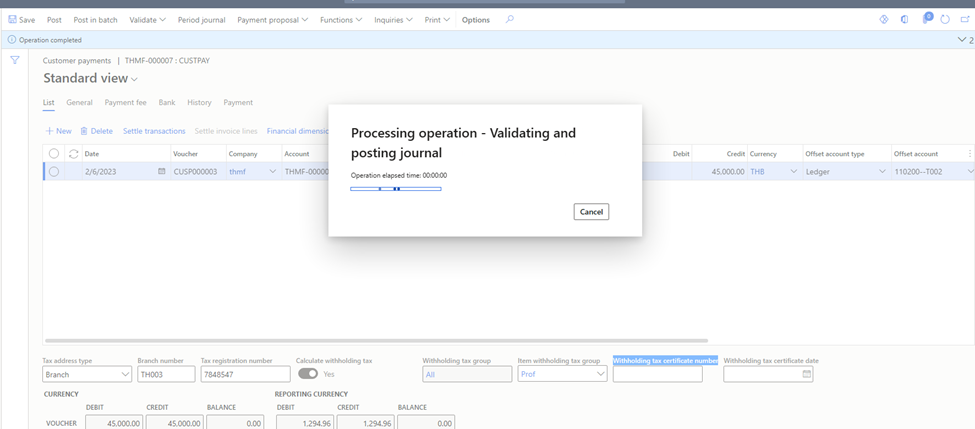
pastedimage1675654557330v1.png

Post Journal

pastedimage1675654568796v2.png

pastedimage1675654576452v3.png

Blank 2 fields: withholding tax certificate number and withholding tax certificate date.

pastedimage1675654585601v4.png

After posting we can not edit or update in 2 fields withholding tax certificate number and withholding tax certificate date

In list “posted withholding editing’ we can edit receipt number.

Tax -> Indirect taxes -> withholding tax -> posted withholding tax editing

pastedimage1675654594675v5.png

Customer expectation: If they missed any field they can update/ fill for their report

Kindly review the attached file and help me providing your valuable inputs


Thank you so much.

I have the same question (0)
  • Suggested answer
    saurabh bharti Profile Picture
    15,039 Moderator on at

    Hi,

    I think if by standard behaviour system keep these field non editable then i think you need to go with extension. Or maybe add workflow so that someone review and approve and make sure these fields are entered.

  • Tek Experts Profile Picture
    on at

    HI Saurabh,

    Thank you for your answer.

    Could you please guide me how to add workflow in this case?

    If you have any document regarding this concern, please feel free to share to me.

    Best Regards,

    Julia Nguyen.

Under review

Thank you for your reply! To ensure a great experience for everyone, your content is awaiting approval by our Community Managers. Please check back later.

Helpful resources

News and Announcements

Season of Giving Solutions is Here!

Quick Links

Responsible AI policies

As AI tools become more common, we’re introducing a Responsible AI Use…

Neeraj Kumar – Community Spotlight

We are honored to recognize Neeraj Kumar as our Community Spotlight honoree for…

Leaderboard > Finance | Project Operations, Human Resources, AX, GP, SL

#1
Abhilash Warrier Profile Picture

Abhilash Warrier 843 Super User 2025 Season 2

#1
Abhilash Warrier Profile Picture

Abhilash Warrier 843 Super User 2025 Season 2

#3
André Arnaud de Calavon Profile Picture

André Arnaud de Cal... 412 Super User 2025 Season 2

Last 30 days Overall leaderboard

Product updates

Dynamics 365 release plans