Hi Michael,
If you want to send an email with originating page URL to recipient after he/she has been added into Dynamics as contact, then you could refer to following solution:
Due to Insights data is separate and not available to be used in Dynamics, therefore, we can store form submissions manually by enabling "Store form submission" option of marketing form,
it will store all submitted data in an entity called "Marketing Form Submission", include matching contact, matching result(create/update), associated marketing form and originating URL of page.
1. Go to Marketing form > Summary > Submission behavior, enable the "Store form submission" option.
2. Sync Marketing Form Submission entity with marketing-insights service by following the guidance:
https://docs.microsoft.com/en-us/dynamics365/marketing/mkt-settings-sync
3. Insert a code element to your marketing email, add following expression to content of the code.
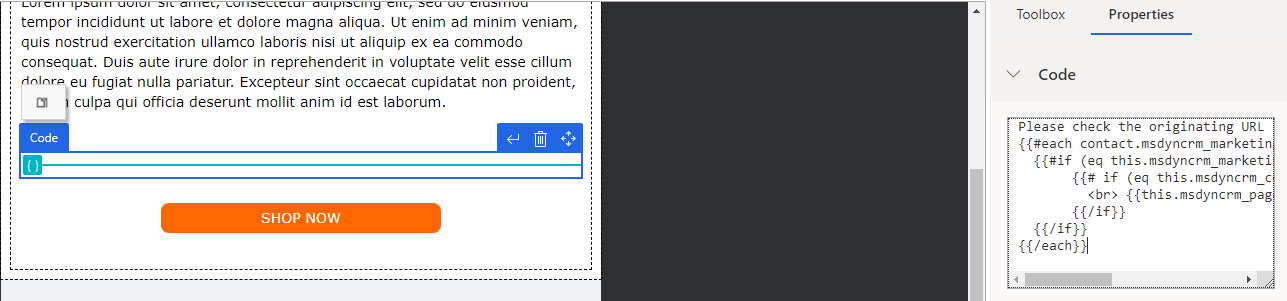
Please check the originating URL
{{#each contact.msdyncrm_marketingformsubmission_contact_msdyncrm_matchedcontactid}}
  {{#if (eq this.msdyncrm_marketingformid contact.msdyncrm_marketingformid)}}
       {{# if (eq this.msdyncrm_contactmatchingresult 'Created')}}

 {{this.msdyncrm_pageurl}}
       {{/if}}
  {{/if}}
{{/each}}
Test
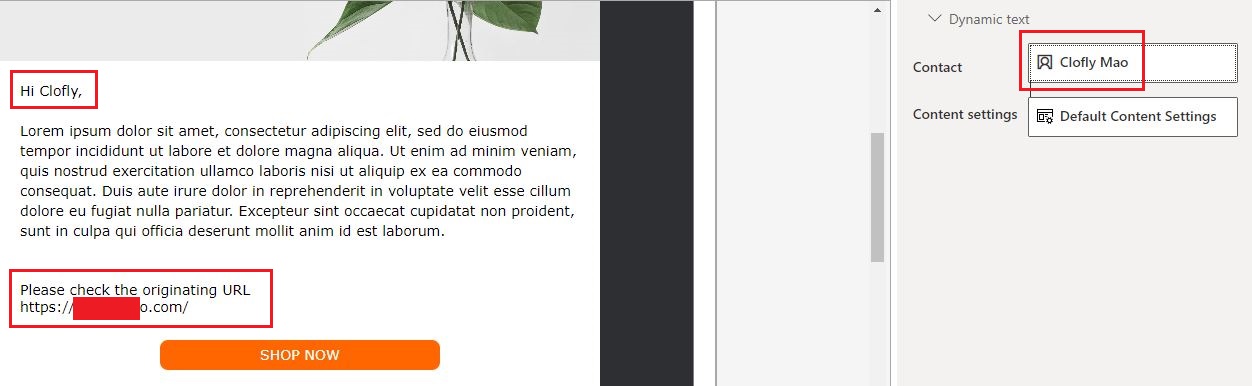
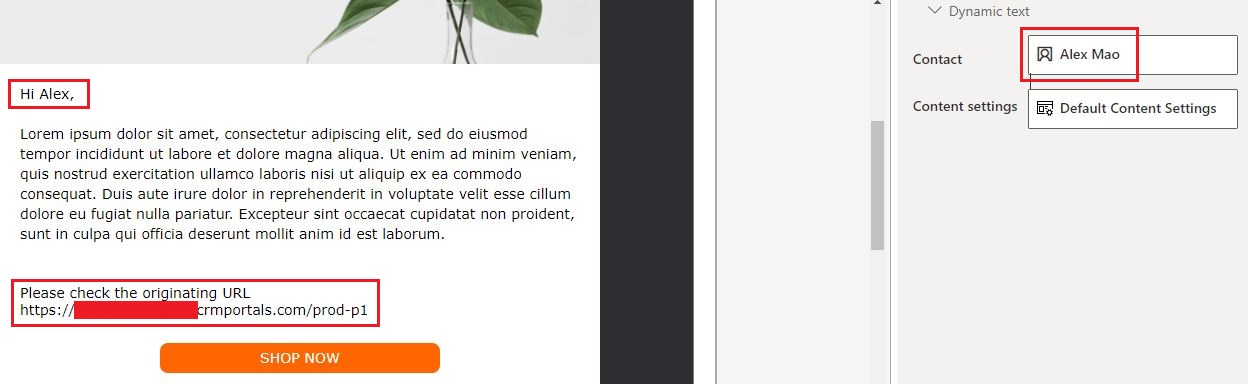
How does the code work:
1. Step through all marketing form submission records that are related to the contact with for-each loop.
https://docs.microsoft.com/en-us/dynamics365/marketing/dynamic-email-content#for-each-loops
2. Check whether associated marketing form of the submission record equals to source marketing form value of the contact.
3. Moreover, check whether it is the first time submission.(create type)
4. Display originating URL of the submission.
(Only host name(company.com) will be logged.)
Regards,
Clofly





 Share
Share Report
 15
15 All responses (
 Answers (









