web
You’re offline. This is a read only version of the page.
close
Skip to main content

Notifications

Announcements

No record found.

Community site session details

Community site session details

Session Id :
Small and medium business | Business Central, N...
Suggested Answer

Error When Creating new Bank Account in a newly set up Company

(0) ShareShare
ReportReport
Posted on by 20

Hi,

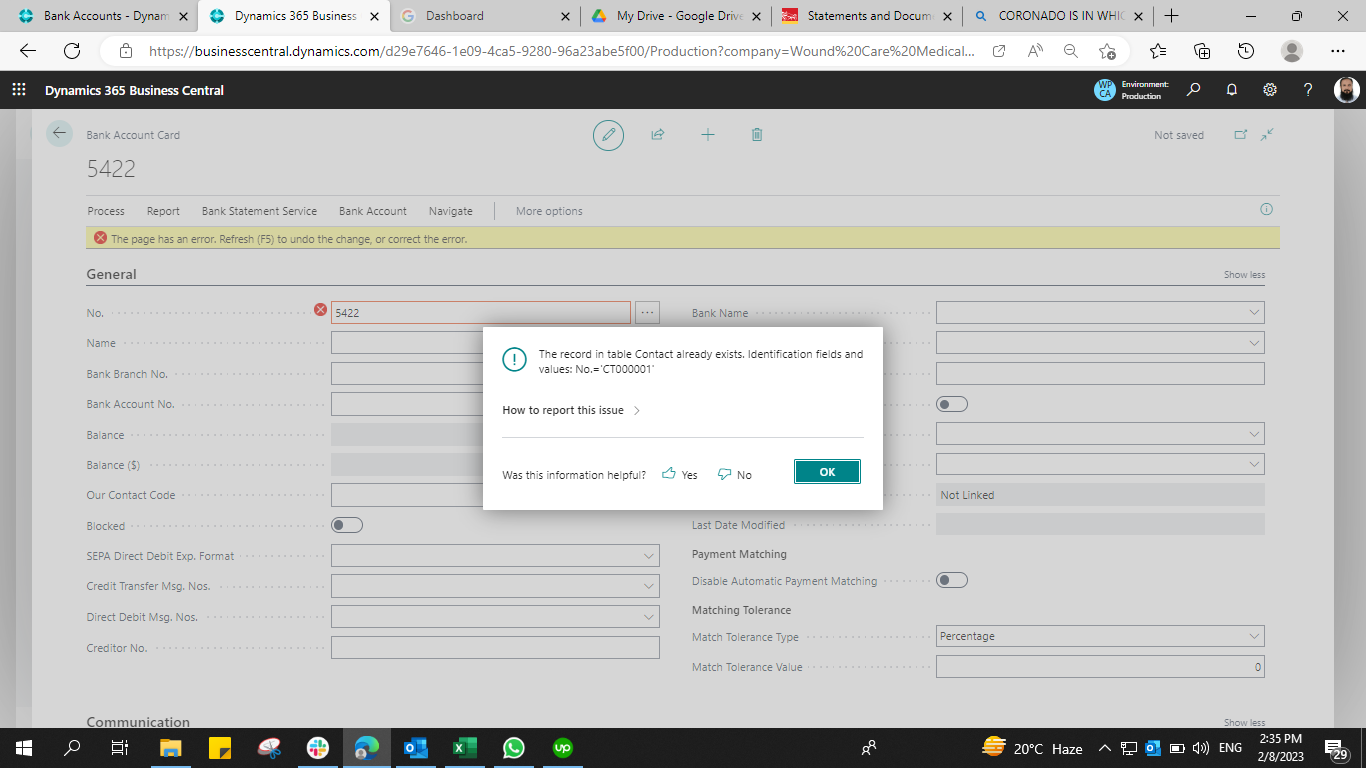
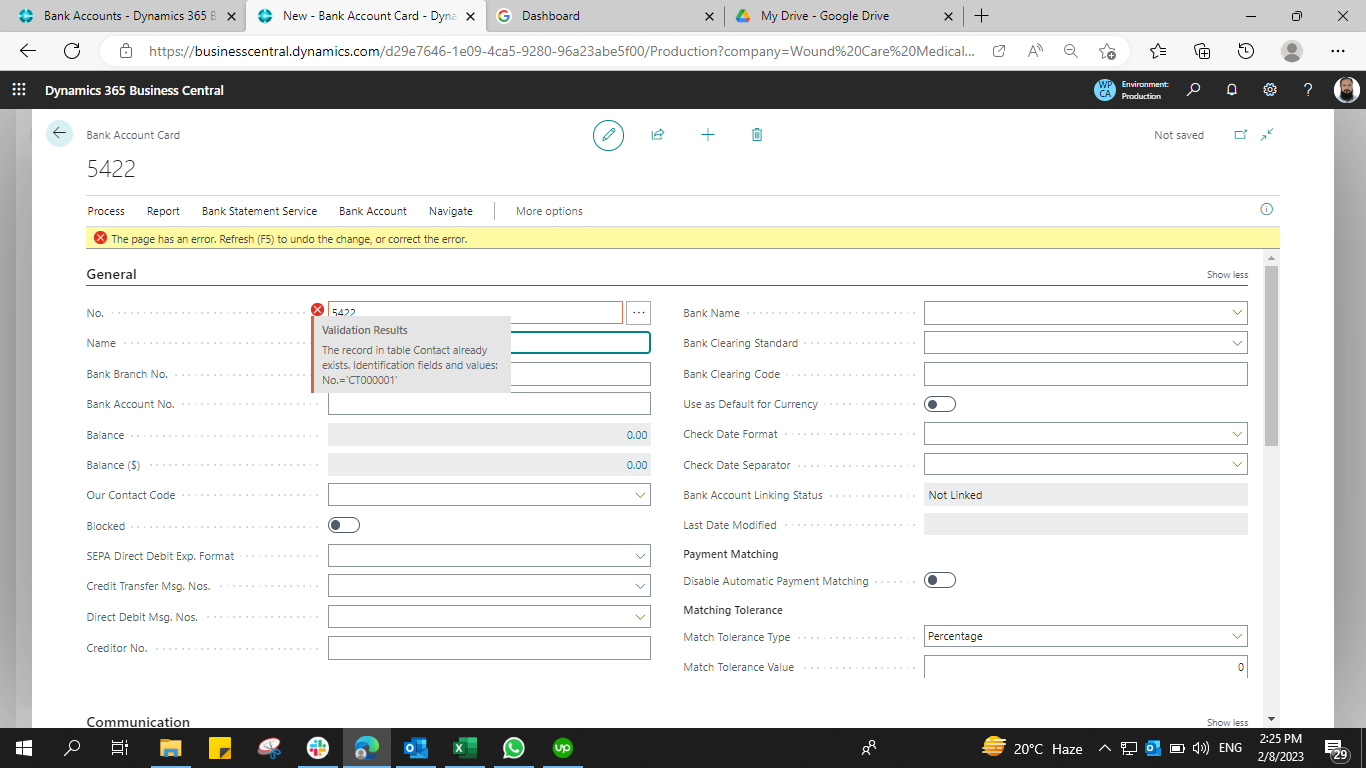
I need help on fixing the error when I am creating new Bank Account. In the No. field, I can't enter new value like "2422" for the new bank account that I want to create. It got me an Error: "Validation Results  The record in table contact already exists. Identification fields and values No = "CT000001".

This is for a newly created company and the configuration packages like Charts of Accounts, G/L Accounts, Vendor, Customer, and Items were exported and imported from our Production Company.

I hope anyone can help me. See attached image

.8231.image.pngpastedimage1675852002771v1.png
I have the same question (0)
  • Suggested answer
    Mohana Yadav Profile Picture
    61,005 Super User 2025 Season 2 on at

    Please click on the "How to report this issue" and copy to clipboard and paste the call stack here

  • Suggested answer
    JodeRuiter Profile Picture
    982 User Group Leader on at

    Good Morning!

    I have found that when I am getting strange errors, if I create a Configuration Package for that table and export it to Excel, I'm able to find orphaned records.

    Then, I typically remove the orphan from the Excel Config Record and reimport and the error is cleared up.

    We've been using Config Packages to fix table issues for a while now.

  • Suggested answer
    Valentin Castravet Profile Picture
    31,485 Super User 2025 Season 2 on at

    In the No. Series Page, what do you have under Last No. Used for contacts? It looks like this value is not correct. If you update this it should fix your issue. 

    pastedimage1675875880826v1.png

  • AlyssaTessTeam Profile Picture
    25 on at

    I have come across this also and my solution that I have found to work for us, is to go to the Contacts page, sort the page to the most recent contact and then that auto corrects the No Series for the Contact to the Last No Used.

  • Suggested answer
    YUN ZHU Profile Picture
    95,739 Super User 2025 Season 2 on at

    Hi, If you want to enter manually, please confirm the following settings.

    pastedimage1675906941089v1.png

    pastedimage1675906957608v2.png

    Hope this helps.

    Thanks.

    ZHU

Under review

Thank you for your reply! To ensure a great experience for everyone, your content is awaiting approval by our Community Managers. Please check back later.

Helpful resources

Quick Links

Responsible AI policies

As AI tools become more common, we’re introducing a Responsible AI Use…

Neeraj Kumar – Community Spotlight

We are honored to recognize Neeraj Kumar as our Community Spotlight honoree for…

Leaderboard > Small and medium business | Business Central, NAV, RMS

#1
OussamaSabbouh Profile Picture

OussamaSabbouh 2,135

#2
YUN ZHU Profile Picture

YUN ZHU 733 Super User 2025 Season 2

#3
Sumit Singh Profile Picture

Sumit Singh 612

Last 30 days Overall leaderboard

Featured topics

Product updates

Dynamics 365 release plans