web
You’re offline. This is a read only version of the page.
close
Skip to main content

Notifications

Announcements

No record found.

Community site session details

Community site session details

Session Id :
Finance | Project Operations, Human Resources, ...
Unanswered

"An error has occurred. Write failed for table row of type 'XXEntity'. Infolog: Warning: The value '10646' in field 'Vendor account' is not found in the related table 'Vendors'.; Warning: validateField failed on field

(0) ShareShare
ReportReport
Posted on by 5

Hello Team , 

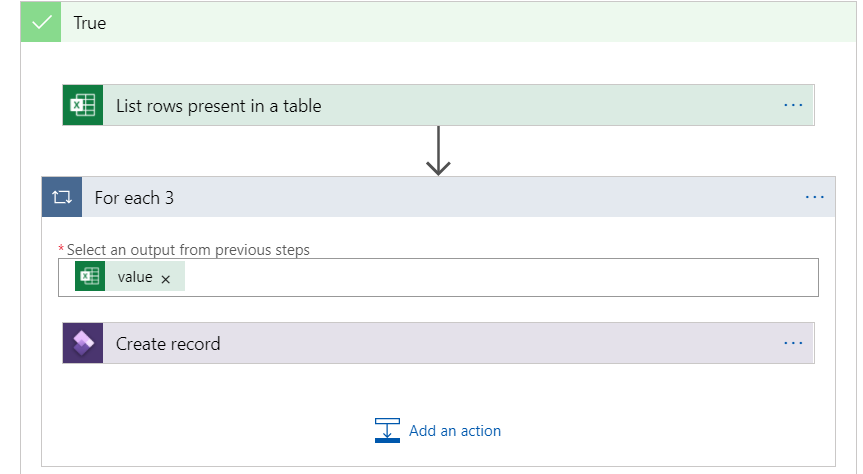
I have created a Logic App to send data from a Excel file in SharePoint Online to D365FO Custom Entity.
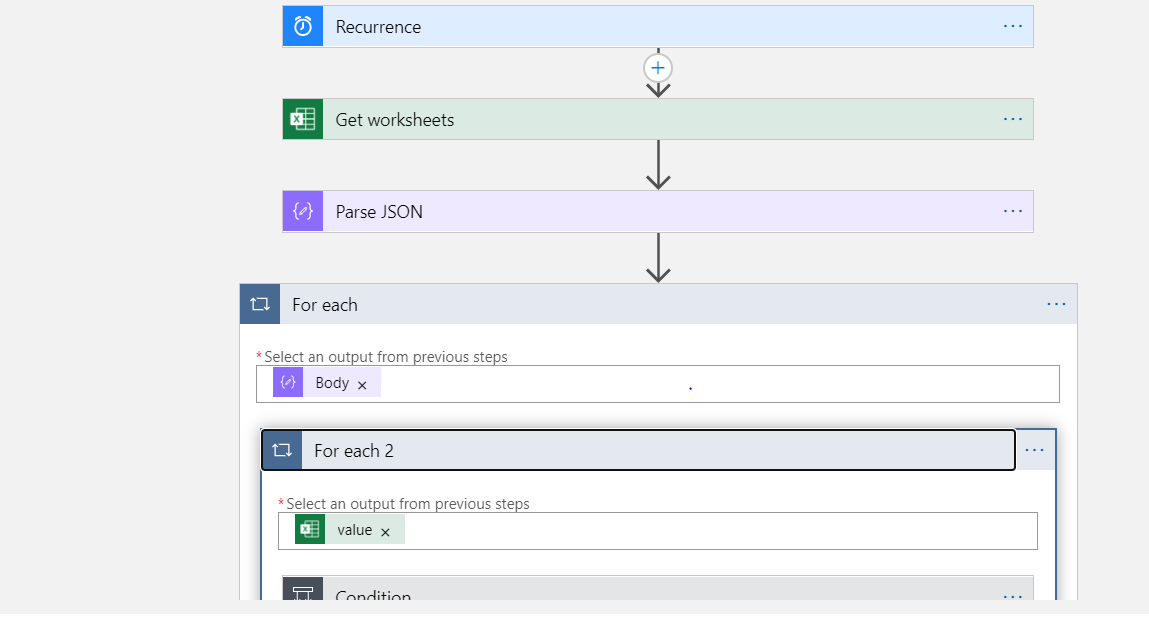
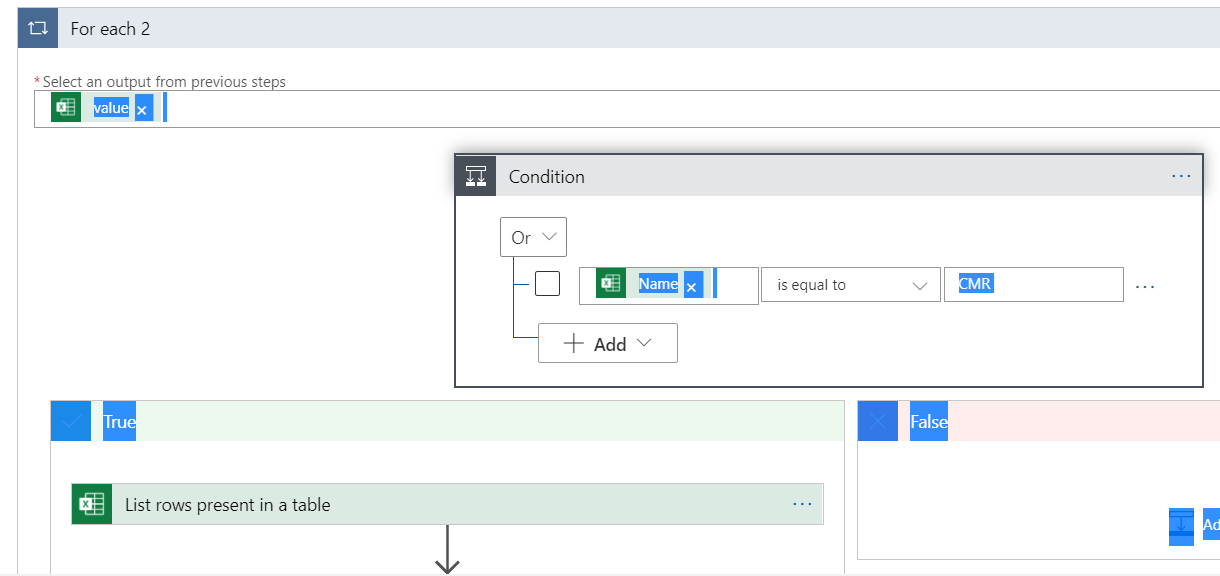
3513.pastedimage1609162520856v1.png

6683.pastedimage1609162580274v2.png

4401.pastedimage1609162704957v3.png

when I run the LogicApp I observe that the values from SharePoint Online Excel is retrieved and as per mapping values are not being stored into D365FO instead it errors out as BadRequest.

{
"status": 400,
"message": "An error has occurred. Write failed for table row of type 'XX'. Infolog: Warning: The value '10646' in field 'Vendor account' is not found in the related table 'Vendors'.; Warning: validateField failed on field 'XX.VendorAccount'.\r\nclientRequestId: aa122e58-621b-477d-85a8-6c46fd9afa19",
"error": {
"message": "An error has occurred. Write failed for table row of type 'XX'. Infolog: Warning: The value '10646' in field 'Vendor account' is not found in the related table 'Vendors'.; Warning: validateField failed on field 'XX.VendorAccount'."
},
"source": "XXXXXXX.sandbox.operations.dynamics.com",
"errors": []
}

Could someone let me know what could be the reason . 

I have the same question (0)
  • Gunjan Bhattachayya Profile Picture
    35,423 on at

    Hi Vidya,

    This means that the value '10646' is not present in the table for Vendors. What data is being written using this custom entity?

  • Martin Dráb Profile Picture
    237,976 Most Valuable Professional on at

    Also, make sure you're writing data to the right company.

    By the way, let me repost your JSON code, to make it easier to read. Next time, please use Insert > Insert Code to paste code.

    {
    	"status": 400,
    	"message": "An error has occurred. Write failed for table row of type 'XX'. Infolog: Warning: The value '10646' in field 'Vendor account' is not found in the related table 'Vendors'.; Warning: validateField failed on field 'XX.VendorAccount'.\r\nclientRequestId: aa122e58-621b-477d-85a8-6c46fd9afa19",
    	"error":
    	{
    		"message": "An error has occurred. Write failed for table row of type 'XX'. Infolog: Warning: The value '10646' in field 'Vendor account' is not found in the related table 'Vendors'.; Warning: validateField failed on field 'XX.VendorAccount'."
    	},
    	"source": "XXXXXXX.sandbox.operations.dynamics.com",
    	"errors": []
    }

    I also moved your question from the AX forum to the Dynamics 365 Finance forum.

  • zhifeng Profile Picture
    on at

    Validation failed because vendor '10646'  doesn't exist.

Under review

Thank you for your reply! To ensure a great experience for everyone, your content is awaiting approval by our Community Managers. Please check back later.

Helpful resources

Quick Links

Responsible AI policies

As AI tools become more common, we’re introducing a Responsible AI Use…

Neeraj Kumar – Community Spotlight

We are honored to recognize Neeraj Kumar as our Community Spotlight honoree for…

Leaderboard > Finance | Project Operations, Human Resources, AX, GP, SL

#1
André Arnaud de Calavon Profile Picture

André Arnaud de Cal... 456 Super User 2025 Season 2

#2
Martin Dráb Profile Picture

Martin Dráb 429 Most Valuable Professional

#3
BillurSamdancioglu Profile Picture

BillurSamdancioglu 239 Most Valuable Professional

Last 30 days Overall leaderboard

Product updates

Dynamics 365 release plans