web
You’re offline. This is a read only version of the page.
close
Skip to main content

Announcements

News and Announcements icon
Community site session details

Community site session details

Session Id :
Small and medium business | Business Central, N...
Suggested Answer

Can't import document number via Data Exchange Definitions

(0) ShareShare
ReportReport
Posted on by 20

If I import an Excel file to the general journal it looks like the Data Exchange Definition does not allow to import the document no.

My Excel file do contain a document no.:

4101.Uden-navn-7.jpg

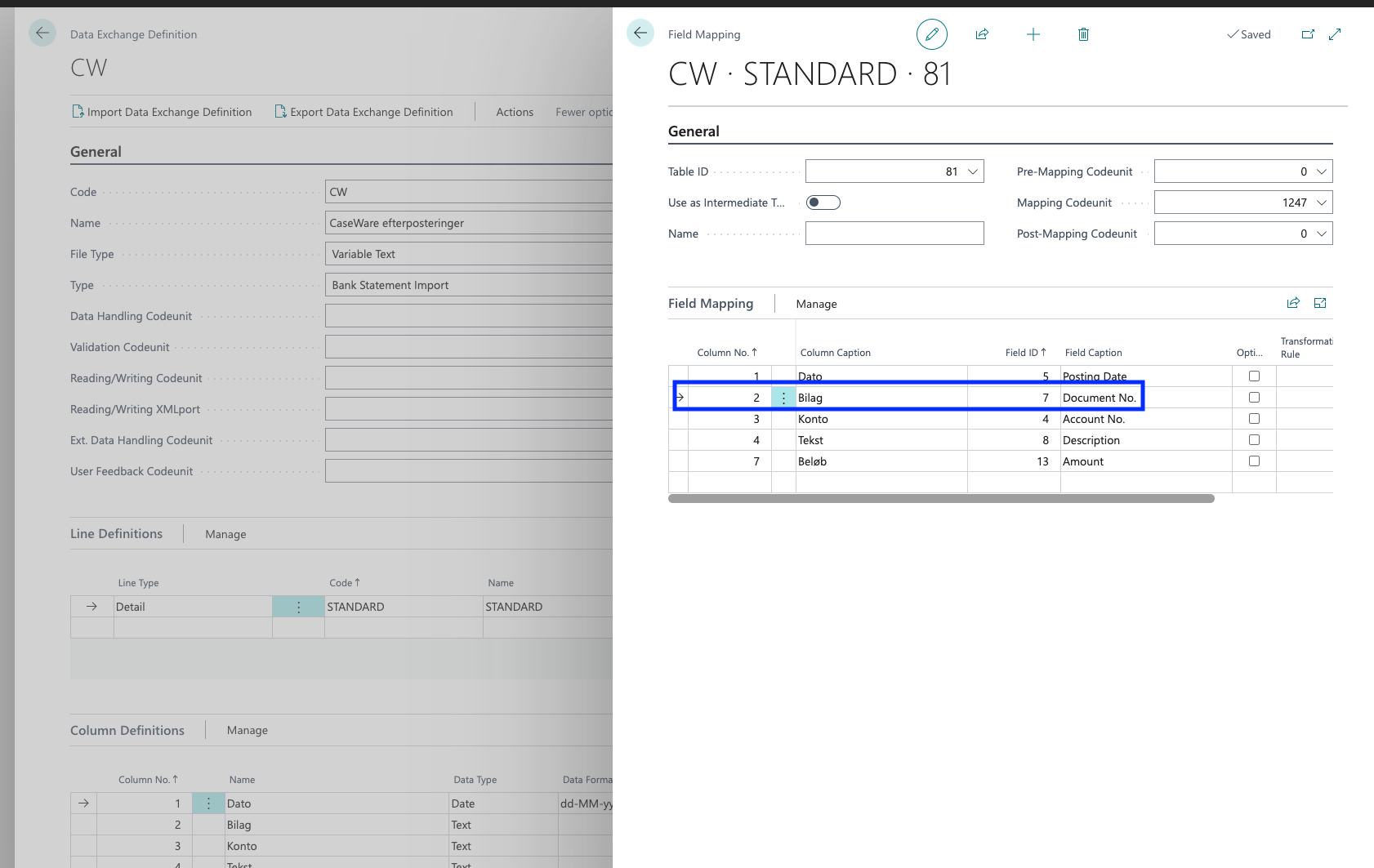
I tried to do the field mapping in the data exchange definition.
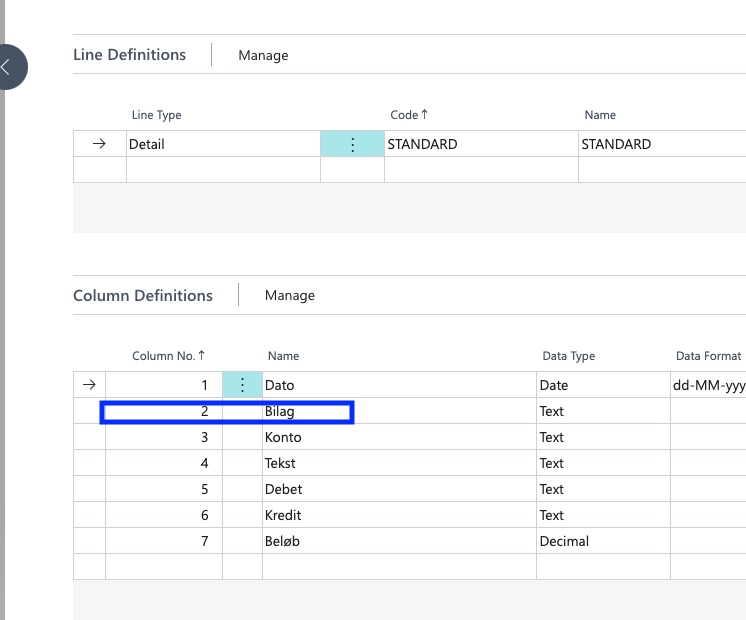
Uden-navn-4.jpg

Uden-navn.png

But this is how the general journal looks:
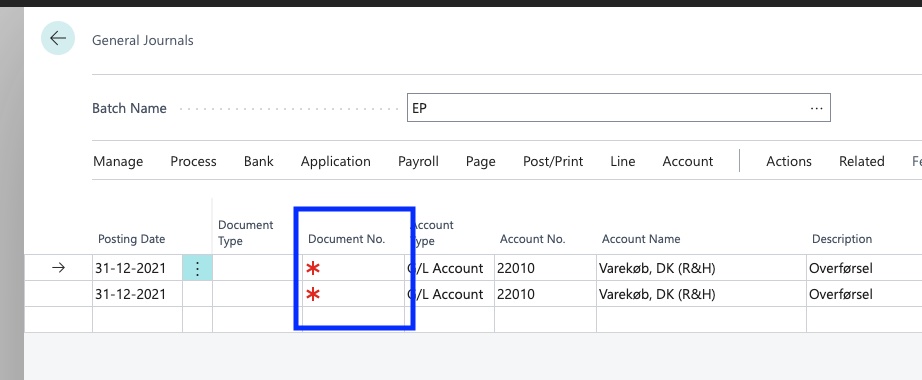
Uden-navn-3.jpg

Is it a bug?

I have the same question (0)
  • Suggested answer
    Nitin Verma Profile Picture
    21,812 Moderator on at

    Hi,

    Seems that validation is running, try to Untick the validate on field.

  • Nicolai Skomager-Bohnfeldt Profile Picture
    20 on at

    Thanks a lot, but where can I find validate field?

  • Suggested answer
    Nitin Verma Profile Picture
    21,812 Moderator on at

    Hi,

    Please check if it helps you after untick the field.

    pastedimage1662386229971v2.png

    pastedimage1662386201926v1.png

  • Suggested answer
    Amit Baru Profile Picture
    3,043 on at

    hi,

    Pls check Pre no. series in Batch.

    Refer below link for more information.

    https://erpconsultors.com/types-and-setup-of-voucher-in-d365-bc/

    regards

    Amit Sharma

    www.erpconsultors.com

  • Nicolai Skomager-Bohnfeldt Profile Picture
    20 on at

    I’m using page 1210, data exchange definition.

    Not configuration packages

  • Nicolai Skomager-Bohnfeldt Profile Picture
    20 on at

    Thanks, but no. series is blank on the general journal Batches page.

  • Suggested answer
    Nitin Verma Profile Picture
    21,812 Moderator on at

    Please the field mapping page as per the following image. Choose the appropriate option.

    pastedimage1662388079800v1.png

  • Nicolai Skomager-Bohnfeldt Profile Picture
    20 on at

    Thank you so much, but it didn’t fix the issue.

Under review

Thank you for your reply! To ensure a great experience for everyone, your content is awaiting approval by our Community Managers. Please check back later.

Helpful resources

Quick Links

Season of Sharing Community Challenge Winners!

Congratulations to our community stars!

Women in Power Builds Momentum

Expanding mentorship, skilling, and AI innovation

Congratulations to the July Top 10 Community Leaders

These are the community rock stars!

Leaderboard > Small and medium business | Business Central, NAV, RMS

#1
OussamaSabbouh Profile Picture

OussamaSabbouh 566 Super User 2026 Season 2

#2
YUN ZHU Profile Picture

YUN ZHU 347 Super User 2026 Season 2

#3
Grigorios Mavrogeorgis Profile Picture

Grigorios Mavrogeorgis 327 Super User 2026 Season 2

Last 30 days Overall leaderboard

Featured topics

Microsoft Training Manuals

Product updates

Dynamics 365 release plans