Hi, Franzmann
You can follow the steps below to achieve you request.
1. Open your app and go to Advanced Settings > Settings > Customizations > Customize the system.
2. Select the ‘Processes’ from the left navigation bar and new a ‘Workflow’ as the following picture.

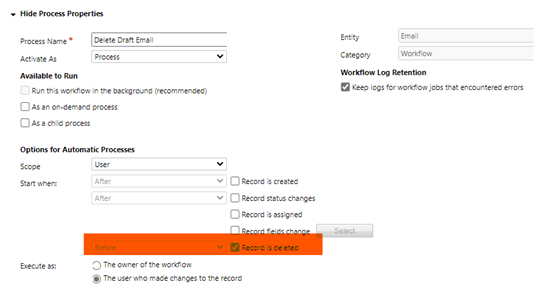
3. Set the steps of the Workflow.

4. You can set the message for the Cancelling in ‘Set Properties’

5. Save and activate it.
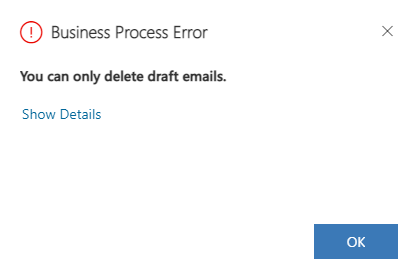
6. Try to delete types other than Draft emails. You’ll got the following message and the email will not be deleted.
Hope this will help you.
Best Regards,
Nya







