web
You’re offline. This is a read only version of the page.
close
Skip to main content

Announcements

No record found.

News and Announcements icon
Community site session details

Community site session details

Session Id :
Finance | Project Operations, Human Resources, ...
Suggested Answer

Connecting Power BI assets to D365FO Local V

(0) ShareShare
ReportReport
Posted on by 5

Hi everyone,

I know my request may be awful and odd, seen many discussions on that topic but with no simple answer, I came from the end user background so I am not fully aware of many things.

I need to get the database AXDW that is found in the Power BI desktop files found in the LCS..

Here is what I have.

I have this latest vm up and running with Power BI desktop on it.
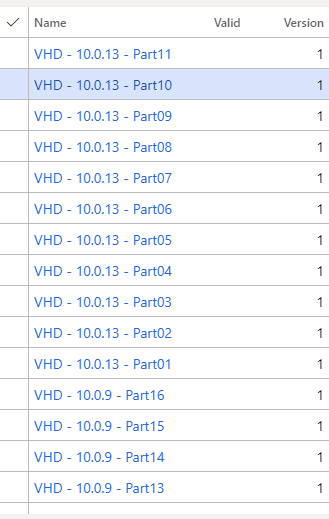
vm.png

I also downloaded these reports to the vm.
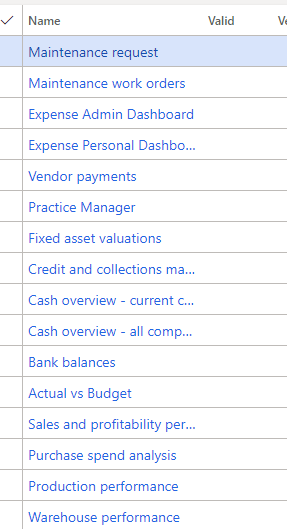
0753.reports.png

I thought the connection credentials will work smoothly so I'd be able to refresh the data in Power BI, but nothing of this happened.
I found the database name AXDW, I did not find any info about the SQL server credentials on the VM. I also do not know if I could get them from the LCS or not.
What should I do next to be able to run these Power BI reports on the vm?

Thank you and stay safe.
Ayman

I have the same question (0)
  • Suggested answer
    Gunjan Bhattachayya Profile Picture
    35,423 on at

    Hi Ayman,

    Please check this post for the steps to use Power BI reports on a local Dev VM.

  • Suggested answer
    AR-01121610-0 Profile Picture
    4,971 Moderator on at

    Hy Ayman,

    as you have the admin credentials of the local VM, you can connect to sql server and AXDW usig this admin account and the known credentials of local admin.

    If you need to modify the PBIX Files, you need to use PowerBI inside your local VM and change data source settings to use windows credentials to connect to AXDW.

    After this you should have access to the AXDW data inside PowerBI.

    And don't forget you need to refresh all the data entities you want to use the PBIX Files. That can be done usind System administration\Setup\Entitiy Store and then refresh the entities you want to use. 

    On this way you can access AXDW data inside PowerBI Desktop.

    As most of the PBIX files you downloaded are used as embedded PowerBI reports, you can use them also inside D365FO. But this requires more tasks to create a working environment.. This document works for me to prepare local hiosted VM to show embedded PowerBI reports inside D365FO. https://1drv.ms/b/s!AtMv0vRATaKsh1YxO6qokvIGNGPt

    Hope this helps.

  • Ayman Hassan Profile Picture
    5 on at

    I understand the mechanism of connectivity in Power BI Desktop to a local SQL database.

    I just found that the database on the mentioned vm does not meet the credintials in the Power BI connections, also the table names where changed in the VM SQL Server. The SQL Server on the VM downloaded from here does not contain a database called AXDW at all.

  • Suggested answer
    AR-01121610-0 Profile Picture
    4,971 Moderator on at

    Please try to deploy one of the Entities (e.g. Sales Cube) from Entity Store in System Administration/Setup/Entity Store --> Refresh.

    After the batch job "...Full reset..." is run there should be a AXDW Database and all the salescube tables should be available.

    At the entity store it should look like this:

    4466.pastedimage1614580250948v1.png

Under review

Thank you for your reply! To ensure a great experience for everyone, your content is awaiting approval by our Community Managers. Please check back later.

Helpful resources

Quick Links

Introducing the 2026 Season 1 community Super Users

Congratulations to our 2026 Super Stars!

Meet the Microsoft Dynamics 365 Contact Center Champions

We are thrilled to have these Champions in our Community!

Congratulations to the March Top 10 Community Leaders

These are the community rock stars!

Leaderboard > Finance | Project Operations, Human Resources, AX, GP, SL

#1
Giorgio Bonacorsi Profile Picture

Giorgio Bonacorsi 653

#2
André Arnaud de Calavon Profile Picture

André Arnaud de Cal... 493 Super User 2026 Season 1

#3
Syed Haris Shah Profile Picture

Syed Haris Shah 317 Super User 2026 Season 1

Last 30 days Overall leaderboard

Product updates

Dynamics 365 release plans
