web
You’re offline. This is a read only version of the page.
close
Skip to main content

Announcements

No record found.

News and Announcements icon
Community site session details

Community site session details

Session Id :
Microsoft Dynamics AX (Archived)

Form Display in User Interface

(0) ShareShare
ReportReport
Posted on by

Hi Community,

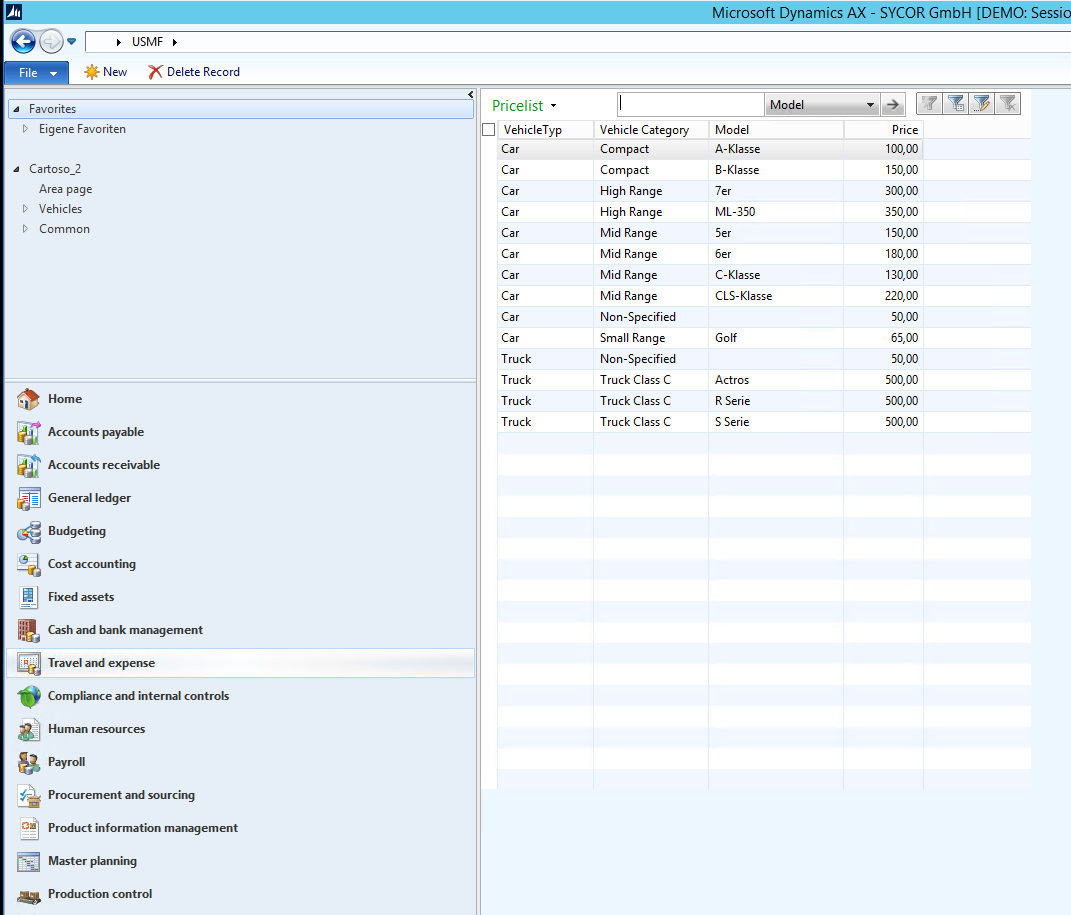
can someone explain to me why my Form "Prices" opens like this in the User Interface, when I click on the MenuItem "Pricelist" ? (Screenshot 1)
7701.Form1.PNG

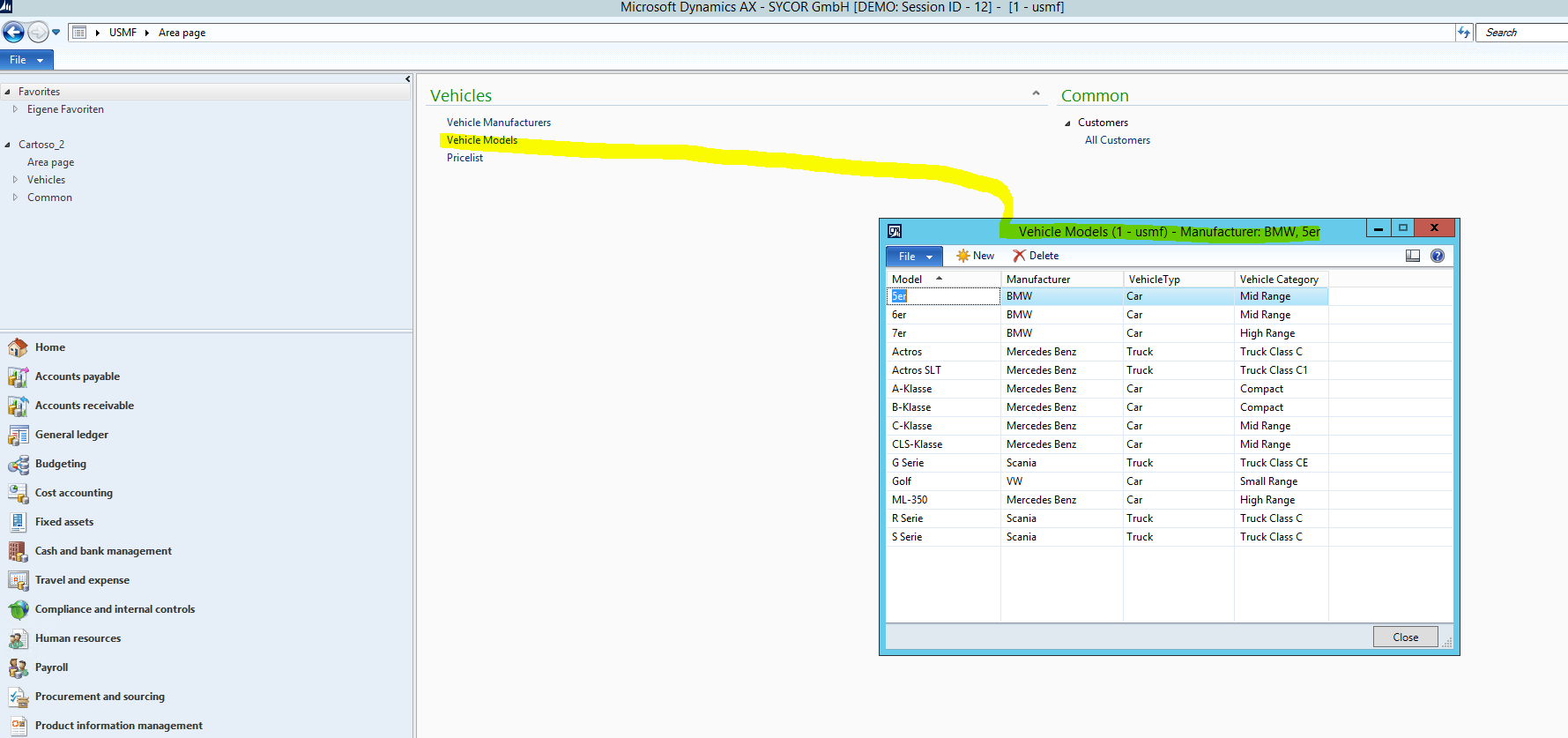
I would like to have it open like my "VehicleModels" Form , like in this Screenshot (Screenshot 2) .
4130.Form2.PNG

Thanks in advance.

*This post is locked for comments

I have the same question (0)
  • Sohaib Cheema Profile Picture
    49,677 Super User 2026 Season 1 on at

    1) what is form pattern selected for your form?

    2) have you set menu item as "display in content area"..?

  • Community Member Profile Picture
    on at

    1: I haven't selected any, but I have made several time some changes in the "Design" Node. In Style, WindowType etc.

    Right now the Style ist "ListPage" and the "WindowType" ContentPage.

    2: It is set as No.

  • Verified answer
    Ajit Profile Picture
    8,788 on at

    'ListPage' forms will be like that only. If you don't want like that, you can change the design\patter in properties.

  • Suggested answer
    Mahmoud Hakim Profile Picture
    17,887 on at

    just go to your menu under menus and set display in content area to yes

  • Community Member Profile Picture
    on at

    Thank You everybody for Your help.

    After doing some reasearch, reading Your recommendations and ListPagesOverview on MSDN, I have come to the conclusion that my undertaking doesn't make sense, and is basically against the sense of ListPages. Therefore I will leave it.

    Thank You very much for the help.  

Under review

Thank you for your reply! To ensure a great experience for everyone, your content is awaiting approval by our Community Managers. Please check back later.

Helpful resources

Quick Links

Introducing the 2026 Season 1 community Super Users

Congratulations to our 2026 Super Stars!

Meet the Microsoft Dynamics 365 Contact Center Champions

We are thrilled to have these Champions in our Community!

Congratulations to the March Top 10 Community Leaders

These are the community rock stars!

Leaderboard > 🔒一 Microsoft Dynamics AX (Archived)

#1
Joris dG Profile Picture

Joris dG 5

#2
Alexey Lekanov Profile Picture

Alexey Lekanov 2

#2
Henrik Nordlöf Profile Picture

Henrik Nordlöf 2 User Group Leader

Last 30 days Overall leaderboard

Featured topics

Product updates

Dynamics 365 release plans
