web
You’re offline. This is a read only version of the page.
close
Skip to main content

Announcements

No record found.

News and Announcements icon
Community site session details

Community site session details

Session Id :
Business Central forum

How to access entity data from Business Central?

(0) ShareShare
ReportReport
Posted on by

Hi,

I am new for Business Central. However, I have worked with MS Dynamics CRM. In CRM, I use API that provide in CRM account Developer Resources.

Is there any such API(Mediator Service) that allows to transfer data(Product, SalesOrder etc) with authentication? Please guide

Here is example of CRM API: xxxxxx.api.crm.dynamics.com/.../contacts)
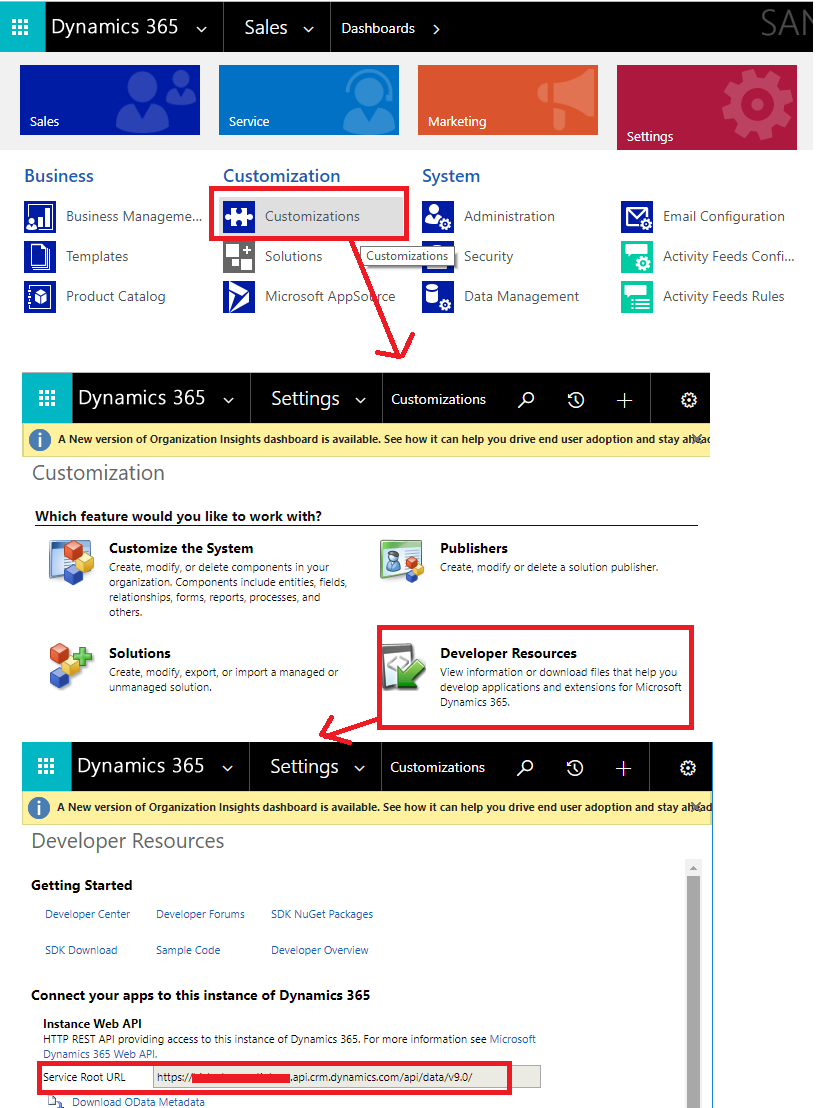
API.png

Categories:
I have the same question (0)
  • Suggested answer
    Stefano Demiliani Profile Picture
    37,166 Most Valuable Professional on at

    In BC you can use APIs or Web Services.

    I suggest you to check from here:

    docs.microsoft.com/.../devenv-develop-connect-apps

  • Community Member Profile Picture
    on at

    Hi Stefano Demiliani,

    Thank you, which one is more preferable(developer favorite) in APIs and Web Services? In terms of Getting Data, Inserting and manipulating data.

    Please guide.

  • Suggested answer
    Stefano Demiliani Profile Picture
    37,166 Most Valuable Professional on at

    It depends on your needs. APIs are very performant. Try that with a D365BC trial if you want.

    Web Services are instead more suitable if you want to expose business logic (like a codeunit for example).

  • Suggested answer
    Joe B. Profile Picture
    60 on at

    Hello, Chhaya.  You can also use Popdock to import your Web Services from BC.  Then all your data would be available to be pulled into Popdock to be sorted, grouped, filtered, searched, and many more available options.  You can manipulate your data in many different ways and save the list to be able to come back to it in Popdock at a later time.  You can also create graphs or bar charts and export the data to Excel if you wanted.  You can also set a monthly report filtered by the current month so that every time you pull up that list it pulls your live data from BC and it has the most current up to date data in the list for you. 

    Popdock has a free trial for you to give it a try for 30-days.  

    http://www.popdock.com

Under review

Thank you for your reply! To ensure a great experience for everyone, your content is awaiting approval by our Community Managers. Please check back later.

Helpful resources

Quick Links

November Spotlight Star - Khushbu Rajvi

Congratulations to a top community star!

Forum Structure Changes Coming on 11/8!

In our never-ending quest to help the Dynamics 365 Community members get answers faster …

Dynamics 365 Community Platform update – Oct 28

Welcome to the next edition of the Community Platform Update. This is a status …

Leaderboard > Business Central

Last 30 days Overall leaderboard

Featured topics

Product updates

Dynamics 365 release plans
