web
You’re offline. This is a read only version of the page.
close
Skip to main content

Notifications

Announcements

No record found.

Community site session details

Community site session details

Session Id :
Small and medium business | Business Central, N...
Answered

Business Central Web services -> publish Object ID 112 Sales Invoice Header -> Power BI

(0) ShareShare
ReportReport
Posted on by 80

In Business Central Web services, I am attempting to publish Object ID 112 Sales Invoice Header and then pull the data into Power BI. I feel that I am missing some fundamental understanding of how to approach the Web Services part; I can retrieve other published data in Power BI. My attempts have included (with images):

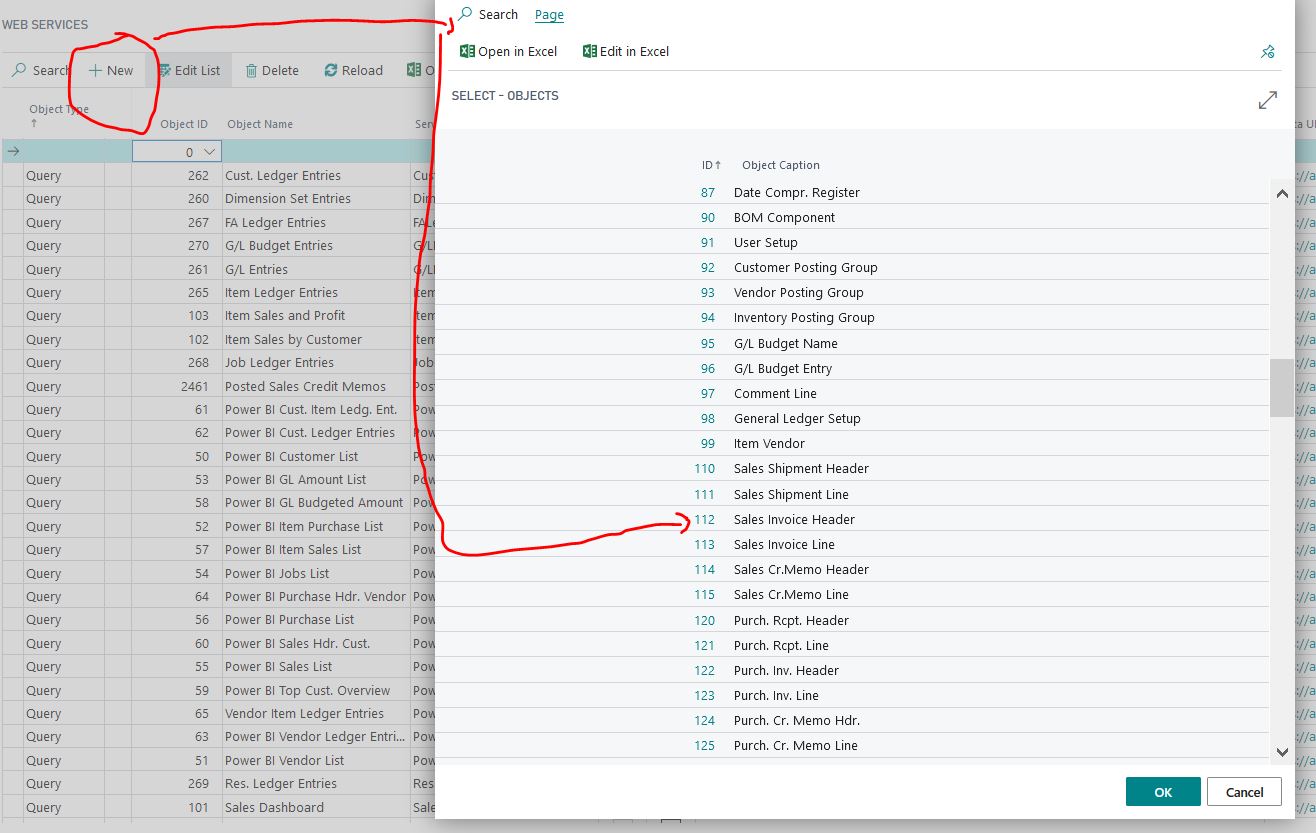
1.    Create a new web service by searching on the ID, provide a Service Name (Sales_Invoice_Header) and then select Publish.
sih1.JPG
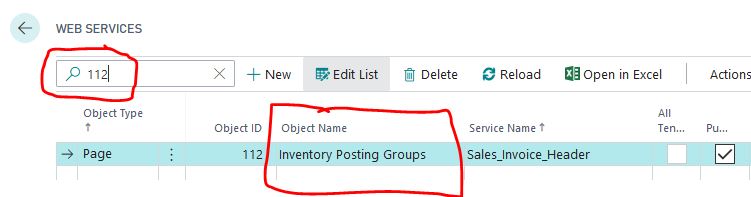
2.    After doing so, the Object Name changes to Inventory Posting Groups and a search also now shows 112 Inventory Posting Groups.

sih2.JPG

sih3.JPG
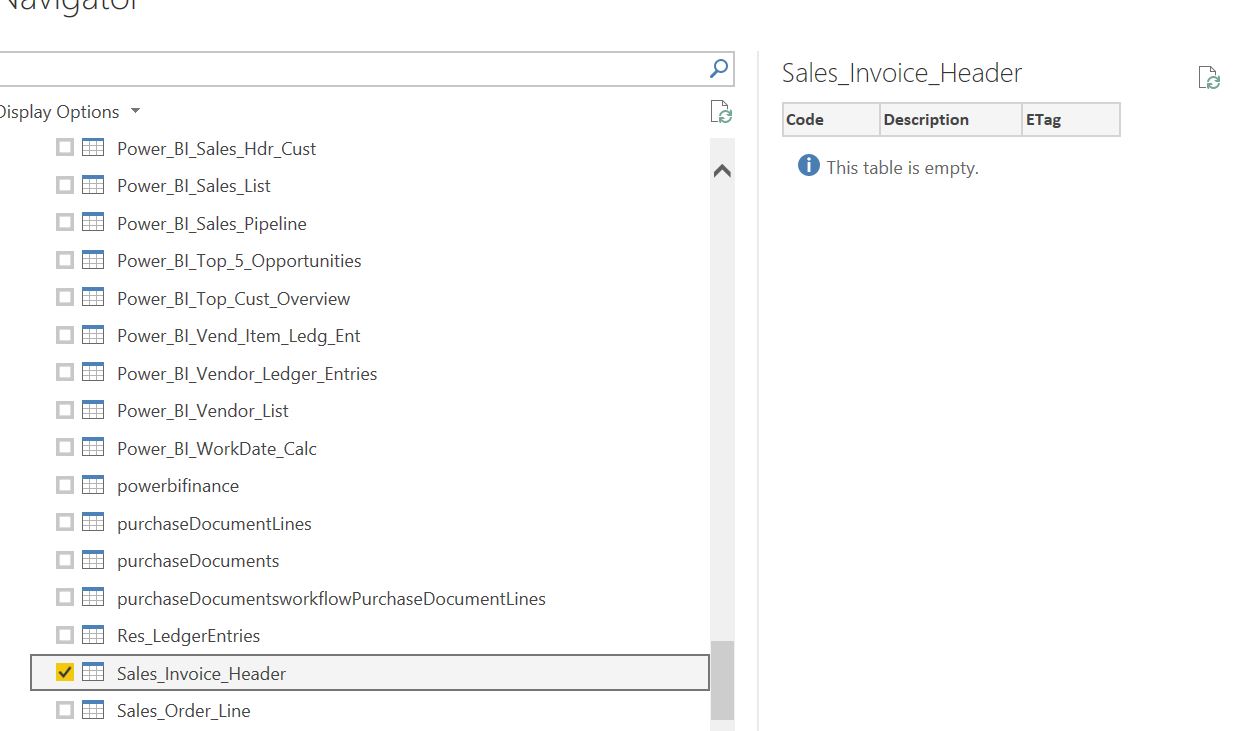
3.    In Power BI, I can see the Service Name (Sales_Invoice_Header), and am also shown that This table is empty.
sih4.JPG
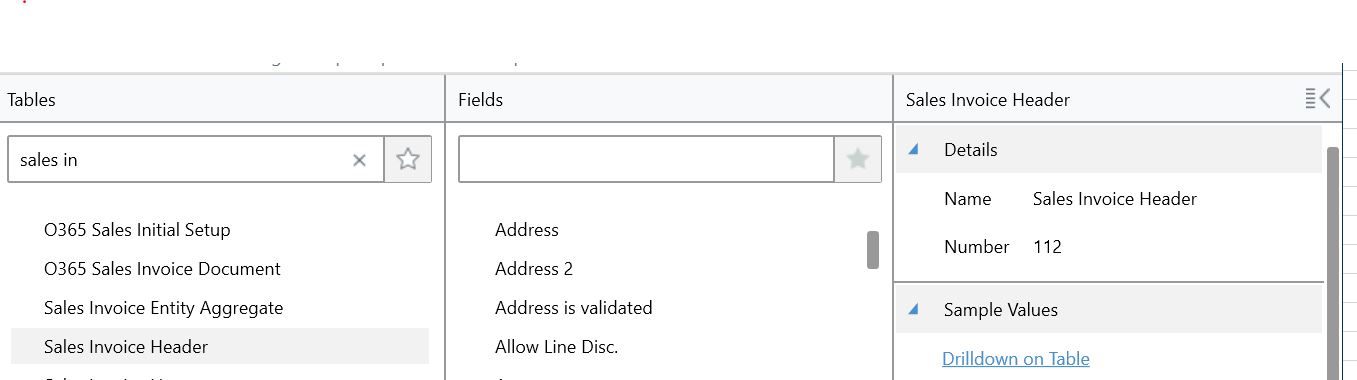
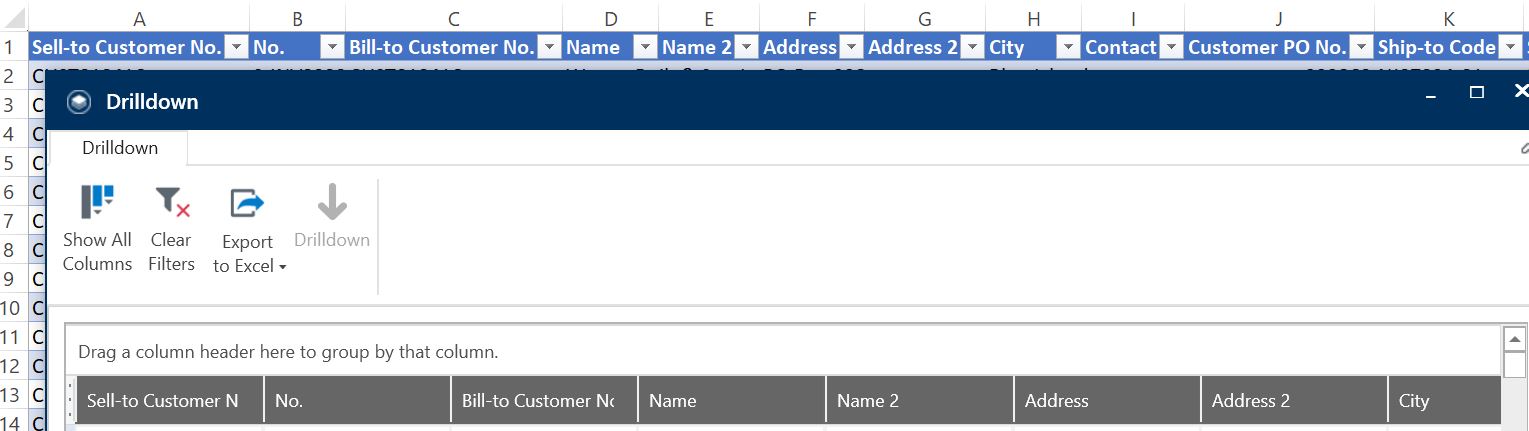
4.    To further investigate, I open the Jet Reports Browser and find the Sales Invoice Header table (number 112).
sih5.JPG
5.    I can drop that into Excel and retrieve the entire data set.
sih6.JPG
6.    If I attempt to change the Object Type from Page to Query in Web services, it cannot find the object.

sih7.JPG

The expectation is to be able to publish the Web Service Object ID 112 Sales Invoice Header and then pull the data into Power BI.

Any insight into what I may be missing in this approach?

I have the same question (0)
  • Verified answer
    Mohana Yadav Profile Picture
    61,005 Super User 2025 Season 2 on at

    Lookup is showing Table (112-Sales Invoice Header).

    You have to select Object Type and select either 132 or 143)

  • Andy365 Profile Picture
    80 on at

    Thanks much.

    132 is for Posted Sales Invoice

    143 is for Posted Sales Invoices (plural)

    I needed the Sell to Customer No. column header which is in 143, but not the 132. So that works.

    ...

    In case anyone else happens upon this post, I was also looking for the Ship-to Code in 114 Sales Cr.Memo Header.

    It is not there, but it is in 144 Posted Sales Credit Memos.

Under review

Thank you for your reply! To ensure a great experience for everyone, your content is awaiting approval by our Community Managers. Please check back later.

Helpful resources

Quick Links

Responsible AI policies

As AI tools become more common, we’re introducing a Responsible AI Use…

Neeraj Kumar – Community Spotlight

We are honored to recognize Neeraj Kumar as our Community Spotlight honoree for…

Leaderboard > Small and medium business | Business Central, NAV, RMS

#1
OussamaSabbouh Profile Picture

OussamaSabbouh 2,238

#2
YUN ZHU Profile Picture

YUN ZHU 773 Super User 2025 Season 2

#3
Sumit Singh Profile Picture

Sumit Singh 630

Last 30 days Overall leaderboard

Featured topics

Product updates

Dynamics 365 release plans
