web
You’re offline. This is a read only version of the page.
close
Skip to main content

Notifications

Announcements

No record found.

Community site session details

Community site session details

Session Id :
Small and medium business | Business Central, N...
Answered

Import Payroll file in General Journals with dimension

(0) ShareShare
ReportReport
Posted on by 202

Hi,

Is it possible to import payroll file (Variable Text) with dimensions ?

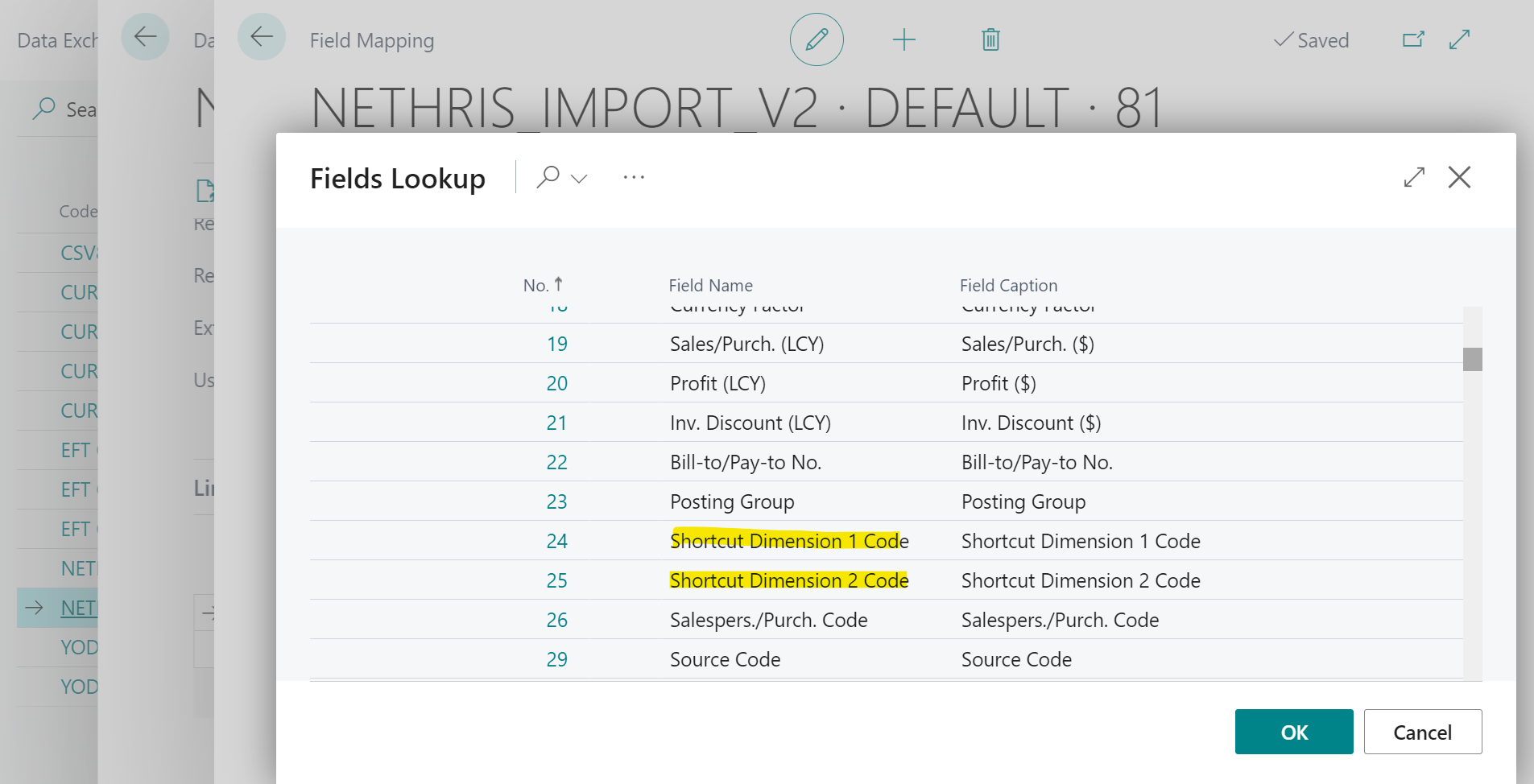
I have successfully import the journal lines (date, amount, description), but no success to add the Shortcut Dimension Code 1 and 2.

Thanks,

Marie

Process to import the text file:
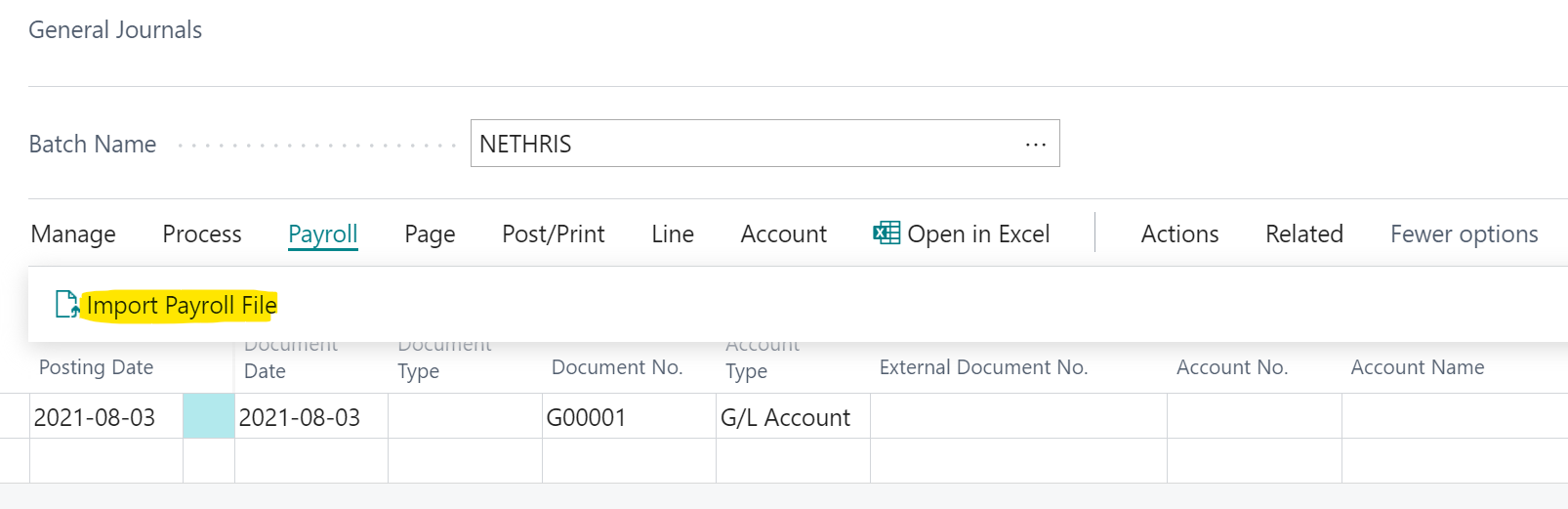
pastedimage1627997673783v1.png

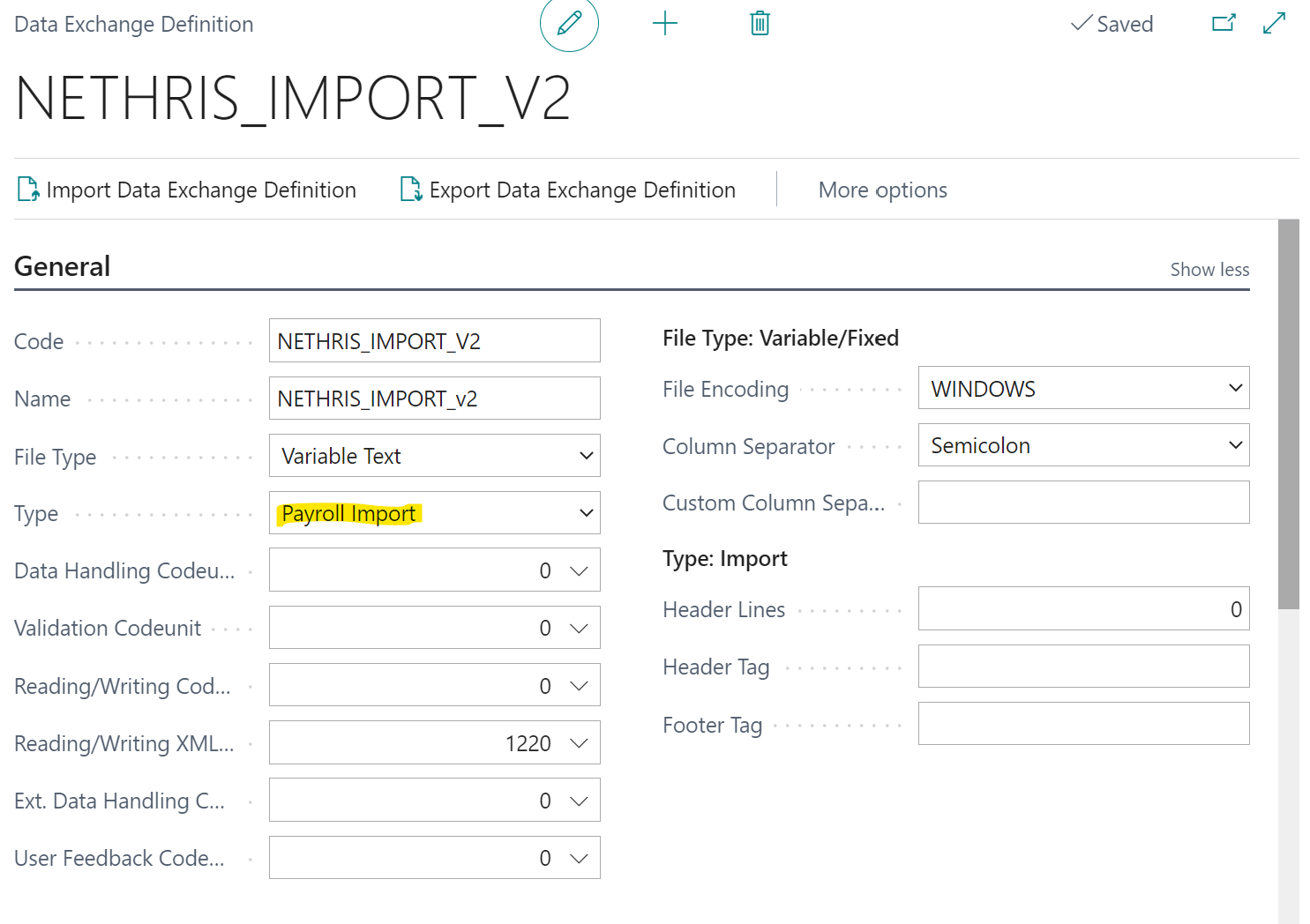
Data exchange definition:

pastedimage1627998261356v3.png

Field lookup in the field mapping:

pastedimage1627998021293v2.png

I have the same question (0)
  • JAngle Profile Picture
    133 on at

    Imp-_5F00_-Exp-Data-Exch-Def-_2600_-Map-_2800_15_2900_.xml

    I use this data exchange definition but as a generic import. This blog post holds the key to using that type: https://joshanglesea.wordpress.com/2020/07/18/business-central-journal-import/ 

    If you need more dimensions then try using configuration packages first as that's standard. Failing that you can extend my blog idea by having 6 additional custom fields to table 81. Add validation on each to call the standard functions for validating shortcut dimensions.

  • Verified answer
    Katrin Kinau Profile Picture
    on at

    Hi Marie,

    The issue can happen when the G/L Account No is imported after the dimensions: First the dimensions are imported, but when the G/L Account is then imported, it gets validated and the dimensions will be overwritten again.


    For that reason the field “Priority” was added to the Field Mapping. With the priority you can define the sequence of validation of the fields during import. If you put the dimensions to be processed at last, they should not be overwritten anymore by the validation of the G/L Account.


    From your screenshot it cannot see, if the “G/L Account” is imported before or after the dimension, but I would suggest to check that and then try to use the “Priority” in the Field Mapping to make sure the dimensions are imported and validated after the G/L Account.

  • MSL Profile Picture
    202 on at

    Thank you for your reply,

    I'm searching for a solution without development, if possible.

  • MSL Profile Picture
    202 on at

    Hi, thank you for your reply

    I tried with priority without any success, no dimension is imported.

    Do I have to fill the Dimension Set ID ?

    Here's the mapping

    pastedimage1628171260201v1.png

  • MSL Profile Picture
    202 on at

    I found that if the priority = 0, in the field mapping, for the shortcut dimension1-2, it works,

    Thanks for the idea !

    pastedimage1628174632146v1.png

  • Suggested answer
    Community Member Profile Picture
    on at

    Hello,

    Adding to other replies... when it comes to Payroll, since most Payroll companies provide an Excel spreadsheet for the entry, try using this free APP:

    appsource.microsoft.com/.../PUBID.chasesoftware1583153119945|AID.excel-journal-import|PAPPID.ee3871f6-b8ab-4a26-9e80-04945a36b42e

    It is simple and easy.

    Thanks,

    Steve

Under review

Thank you for your reply! To ensure a great experience for everyone, your content is awaiting approval by our Community Managers. Please check back later.

Helpful resources

Quick Links

Responsible AI policies

As AI tools become more common, we’re introducing a Responsible AI Use…

Neeraj Kumar – Community Spotlight

We are honored to recognize Neeraj Kumar as our Community Spotlight honoree for…

Leaderboard > Small and medium business | Business Central, NAV, RMS

#1
OussamaSabbouh Profile Picture

OussamaSabbouh 2,990

#2
Jainam M. Kothari Profile Picture

Jainam M. Kothari 1,576 Super User 2025 Season 2

#3
YUN ZHU Profile Picture

YUN ZHU 1,028 Super User 2025 Season 2

Last 30 days Overall leaderboard

Featured topics

Product updates

Dynamics 365 release plans