web
You’re offline. This is a read only version of the page.
close
Skip to main content

Notifications

Announcements

No record found.

Community site session details

Community site session details

Session Id :
Small and medium business | Business Central, N...
Suggested Answer

Reprint journal

(0) ShareShare
ReportReport
Posted on by 5

Hi

My print of Works Journal and later the Post WIP Value to G/L Det. didn't get printed because of a printer error. The printer works again but where do I find the Works Journal and the Post WIP Value to G/L again so that I can print them?

Problem solved!

I have the same question (0)
  • Suggested answer
    Inge M. Bruvik Profile Picture
    1,111 Moderator on at

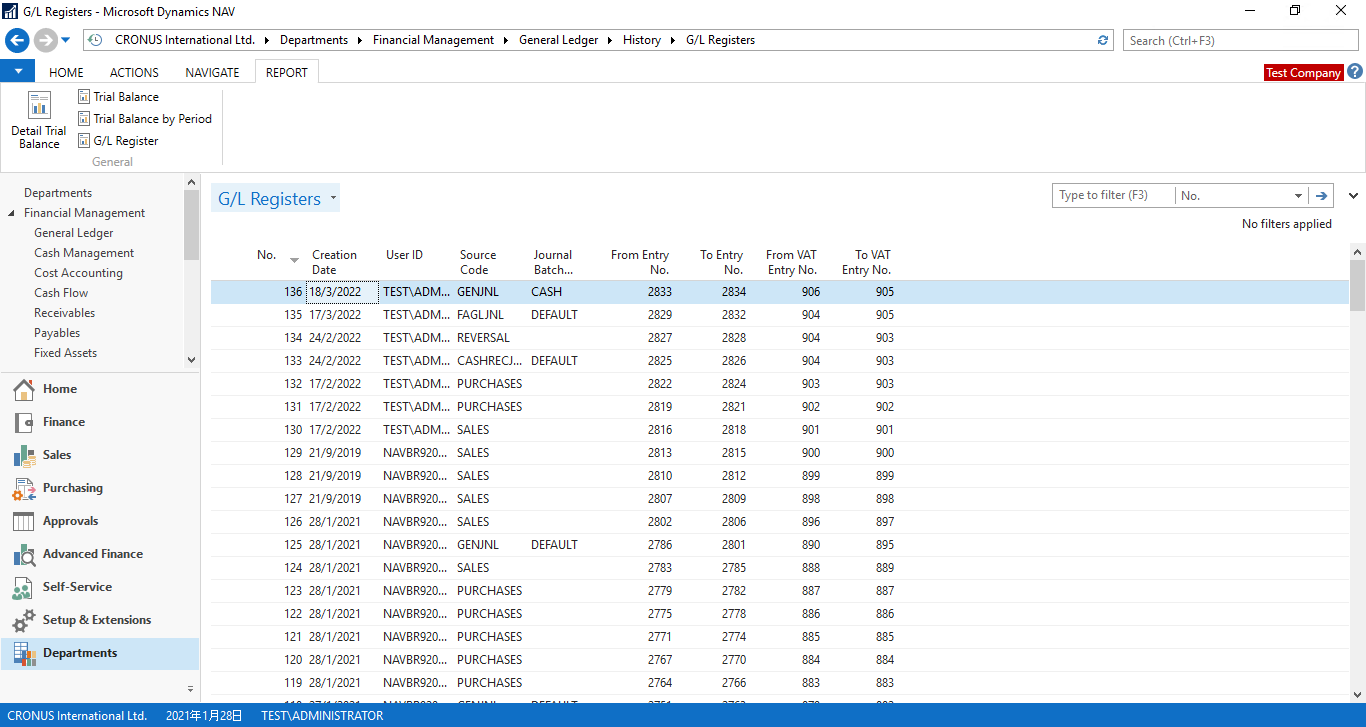
    You should find them in your G/L Registers.

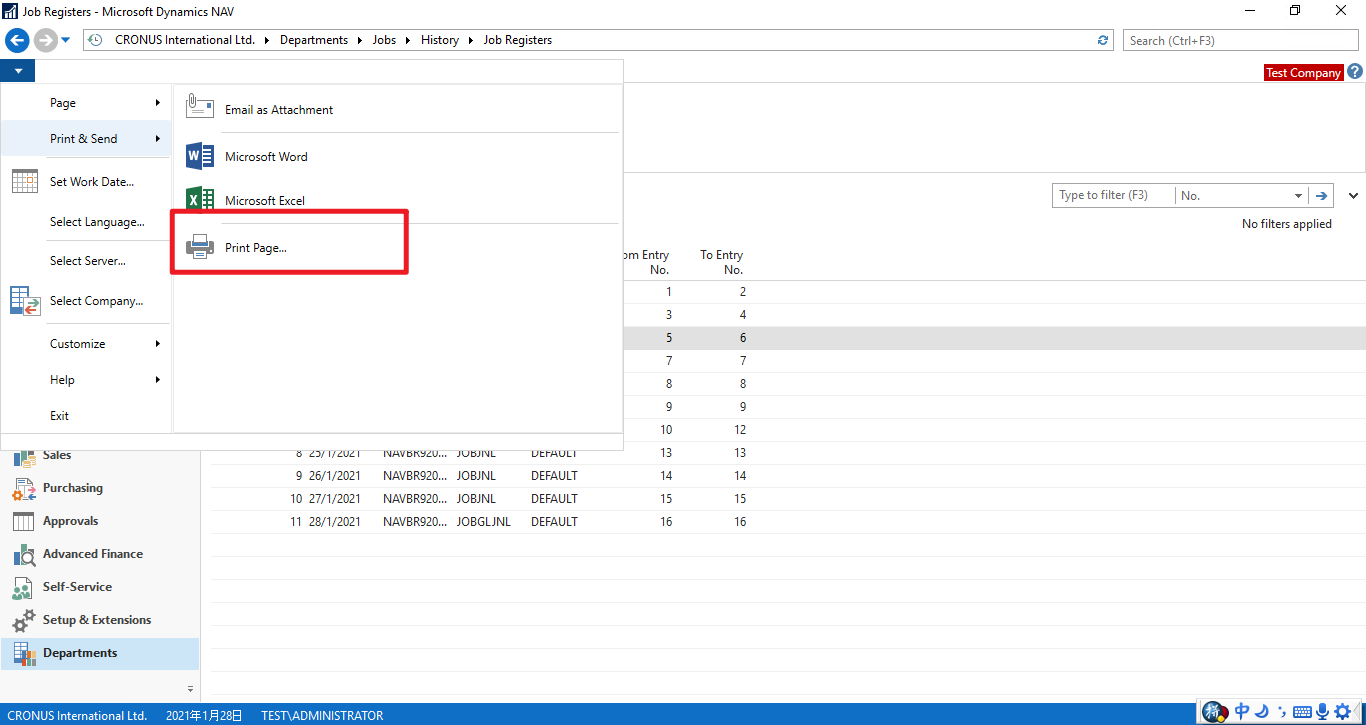
    You can also check your Job registers if you use the Job module.

  • Suggested answer
    YUN ZHU Profile Picture
    95,729 Super User 2025 Season 2 on at

    Hi, while you can find the it in the G/L Register or Job Registers, it shouldn't be able to print out the template you need either. So you can keep it as a record (save lines to excel and print), or you can print out this screen for your records.
    pastedimage1648165975475v1.png

    pastedimage1648166197044v2.png

    PS: Although not a good way, you can reverse this posting and print it when you repost.

    Hope this will help.

    Thanks.

    ZHU

  • Suggested answer
    Community Member Profile Picture
    on at

    Birgitte,

    To trace any posting you have the G/L Register to locate any entry, see the posting into the General Ledger or Sub-Ledgers, and you can reprint. If you want to see Sub-Ledger type entry (i.e. WIP from Jobs), you can search for Job Register and see the entries and print. If you need to figure out what Register belongs to your entry, for a Jobs, you can go to the Jobs page, go to History and Entries to see the entries and Entry No. Using the Entry Number you can go to the Job Register and find your Entry No. and then drill in and see all the entries made on that Job Register.

    Hope this helps.

    Thanks,

    Steve

Under review

Thank you for your reply! To ensure a great experience for everyone, your content is awaiting approval by our Community Managers. Please check back later.

Helpful resources

Quick Links

Responsible AI policies

As AI tools become more common, we’re introducing a Responsible AI Use…

Neeraj Kumar – Community Spotlight

We are honored to recognize Neeraj Kumar as our Community Spotlight honoree for…

Leaderboard > Small and medium business | Business Central, NAV, RMS

#1
OussamaSabbouh Profile Picture

OussamaSabbouh 2,664

#2
YUN ZHU Profile Picture

YUN ZHU 960 Super User 2025 Season 2

#3
Jainam M. Kothari Profile Picture

Jainam M. Kothari 773 Super User 2025 Season 2

Last 30 days Overall leaderboard

Featured topics

Product updates

Dynamics 365 release plans



