Hi, Catermina
May I know if the blacklist you set up is for incoming or outgoing emails?
For outgoing emails, you can use the Suppression segment in Customer Journey to block sending emails to certain people.
A journey's suppression segment contains a list of contacts that the journey won't send any messages to, even if those contacts are also included among the segments explicitly targeted by the journey, and even if those contacts are already partly through the journey.
- New a Customer Journey to send emails.
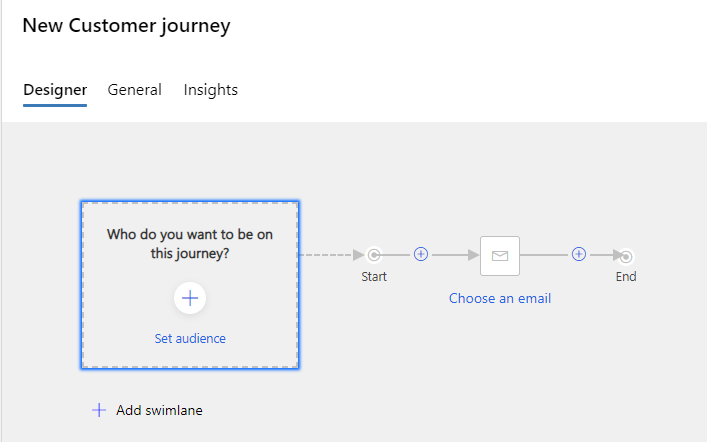
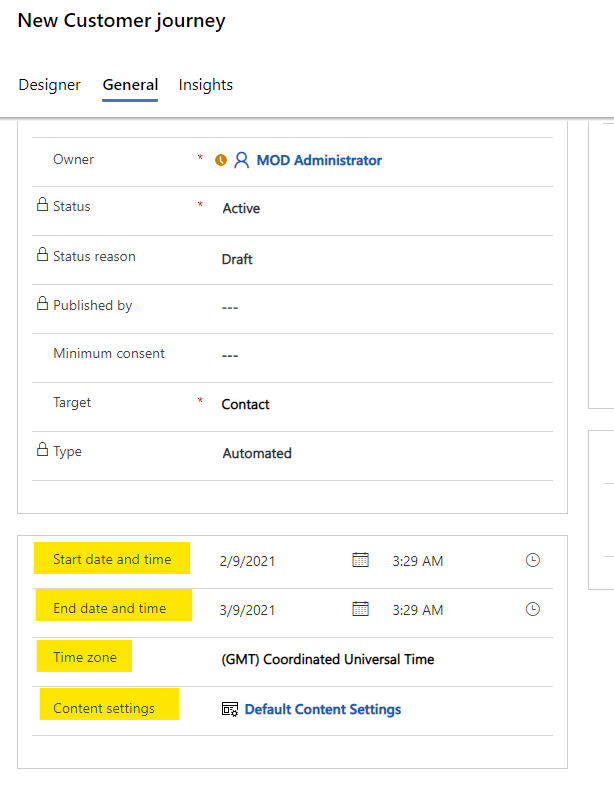
- Set the Suppression segment in the General tab

- Set the time of sending and the Content settings. Check for errors and Go live it. The emails will be sent bypassing the Suppression segment you have set up.
For incoming emails, it can be set in specific mailbox server or client by blocking individual email addresses or trying to get their IP address or domain off of a global spam blacklist. Please consult your mailbox provider for details on how to set up.
If this helped you, I'd appreciate it if you'd mark this as a Verified Answer, which may in turn help others as well.
Best Regards,
Nya


