web
You’re offline. This is a read only version of the page.
close
Skip to main content

Notifications

Announcements

No record found.

Community site session details

Community site session details

Session Id :
Small and medium business | Business Central, N...
Suggested Answer

Navision 2018 - How to export page to fill in details and import back?

(0) ShareShare
ReportReport
Posted on by 662

Hi,

The story is like this.. We have been using NAV to create invoice without assigning Currency code to customers and banks.

However, recently we felt that we want to implement the Currency code.

I met with a problem. I realize that if I add the currency code for any of the banks that already have value inside on the page level.

So may I know how can I export the fields into Excel, and import them back to NAV, so that the Currency code can appear in NAV?
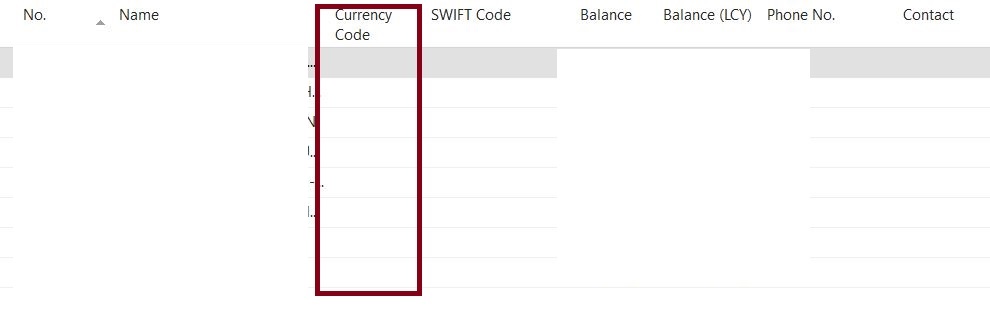
bank-account.JPG

I have the same question (0)
  • Suggested answer
    Bilal Haider Profile Picture
    414 on at

    Hi,

    If Excel Add-in is enabled then you must have an action Edit in Excel like in image below. Using that you can export to excel, edit and then import back.

    Bank-acc.PNG

    But if you do not have this add-in then you can use Rapid Start Services package. If they are a few then you should manually update them.

  • srttel Profile Picture
    on at

    Hi Joshlabtech, as you do not have the new Edit in Excel functionality in NAV 2018 I agree with Bilal that Rapidstart might be the best option.

  • joshlabtech Profile Picture
    662 on at

    Hi Bibal,

    Please advise if you can point me to any good documentation on how to use Rapid Start.

    Thank you.

  • joshlabtech Profile Picture
    662 on at

    Hi Sebastian,

    Please advise if you can point me to any good documentation on how to use Rapid Start.

    Thank you.

  • Suggested answer
    srttel Profile Picture
    on at

    Hi Joshlabtech,

    We got the official documentation

    docs.microsoft.com/.../admin-set-up-a-company-with-rapidstart

    and there are tons of nice videos on youtube which shows how to use it for specific treasons.

    Like this one as example:


    www.youtube.com/watch

Under review

Thank you for your reply! To ensure a great experience for everyone, your content is awaiting approval by our Community Managers. Please check back later.

Helpful resources

Quick Links

Responsible AI policies

As AI tools become more common, we’re introducing a Responsible AI Use…

Neeraj Kumar – Community Spotlight

We are honored to recognize Neeraj Kumar as our Community Spotlight honoree for…

Leaderboard > Small and medium business | Business Central, NAV, RMS

#1
OussamaSabbouh Profile Picture

OussamaSabbouh 3,151

#2
Jainam M. Kothari Profile Picture

Jainam M. Kothari 1,443 Super User 2025 Season 2

#3
YUN ZHU Profile Picture

YUN ZHU 1,092 Super User 2025 Season 2

Last 30 days Overall leaderboard

Featured topics

Product updates

Dynamics 365 release plans



